
In today’s time, many websites are available on the internet for our entertainment. But there are some websites which either have 18+ content or they have been blocked by our network provider (like Jio, Airtel, Vi etc.) for some reason. In such a situation, when we try to open those sites, they do not open.
But with the help of some easy methods, such blocked websites can also be opened easily. Let us understand step by step how this is done. Or how to open any blocked website?
This post is written for educational purposes only, you will be responsible for any illegal activity using the methods mentioned below.
How to open a blocked website with VPN?
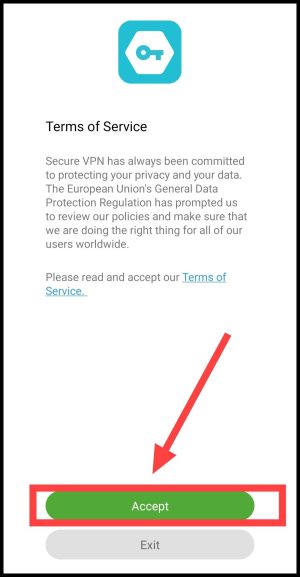
1. First of all download the Secure VPN app on your phone. Now after opening it, click on Accept.
2. Now click on Connect to connect to the VPN. After this click on OK in Connection Request.
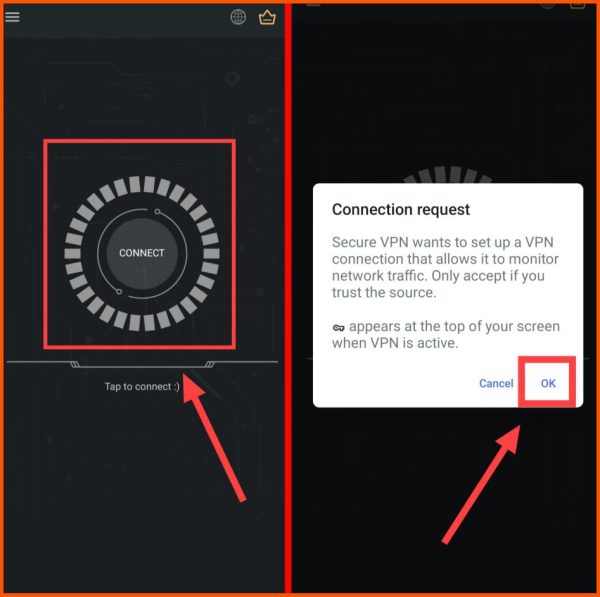
Note: If you see any advertisement during connection, cut it by clicking on Cut.
3. Now you have to wait for a while and you will be connected with the VPN. After connecting, you have to exit the VPN app by pressing the home button. Now you can open and view any blocked website.
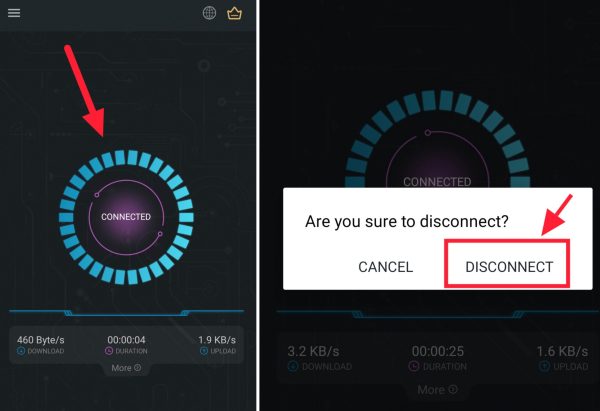
4. Click Connected to disconnect from the VPN. Then click on Disconnect again.
In this way, you can easily open any blocked website with the help of VPN App. If the Secure VPN app does not work properly then you can also use other free VPN apps. Apart from this, you will also be able to open blocked websites with the help of Proxy Sites.
How to open blocked website from proxy site?
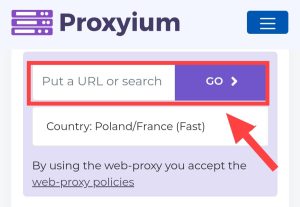
1. First of all proxyium.com Go to the website named.
2Now you have to copy the URL of that blocked website, After that paste it in the box of Put a URL or Search, Then click on “Go”,
3. Now you can easily open and enjoy your blocked website.
How to open blocked website with Tor Browser?
1First from Play Store Tor Browser Download and install the app named.
2Now after opening the app, tap on Connect, After which a loading will happen, you have to wait for it to complete 100%,
3Now click on Search or enter address, Then enter the URL of that blocked website here and enter,
4After this you can easily access that blocked site,
How to open blocked website in laptop/computer?
1First of all, open Chrome browser in your PC,
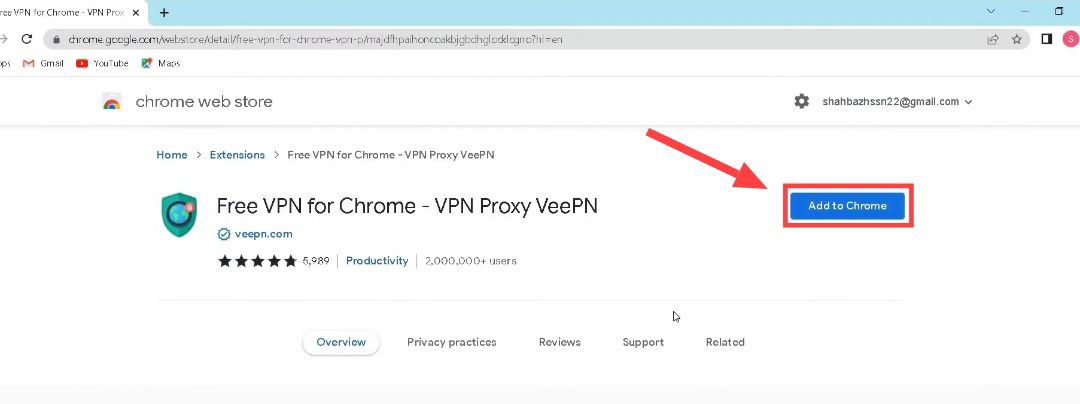
2Now after this, by clicking on the button given below, go to the Free VPN Chrome extension page and add this extension by clicking on “Add to Chrome”,
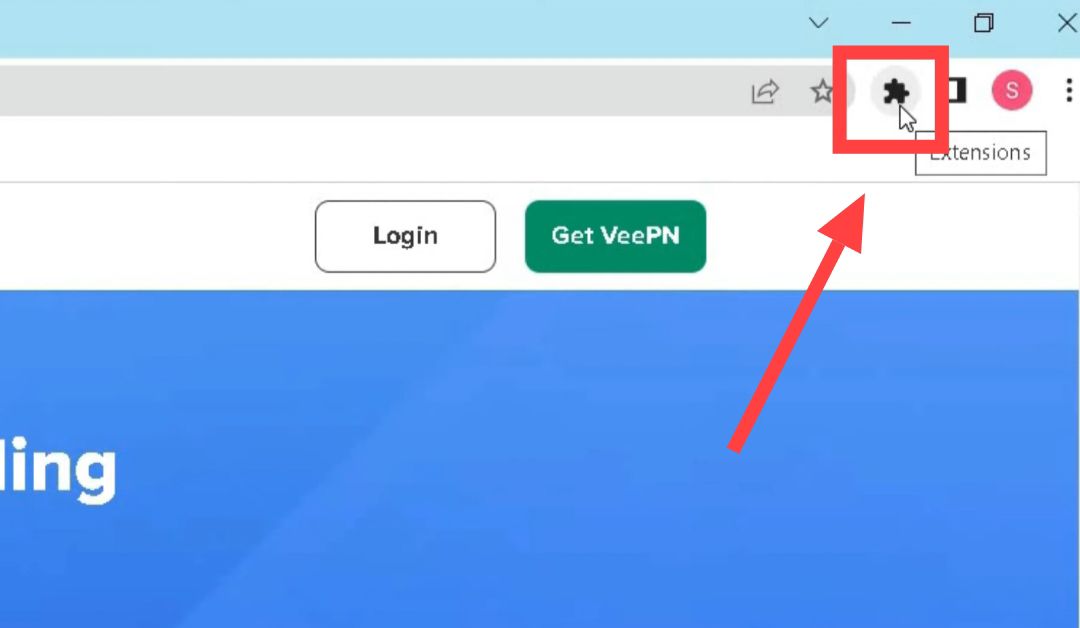
3Now as soon as the installation is done, click on the Extension Icon given at the top of the search bar in the browser,
4Then after this click on VPN here, Then click on the On button and turn it on,
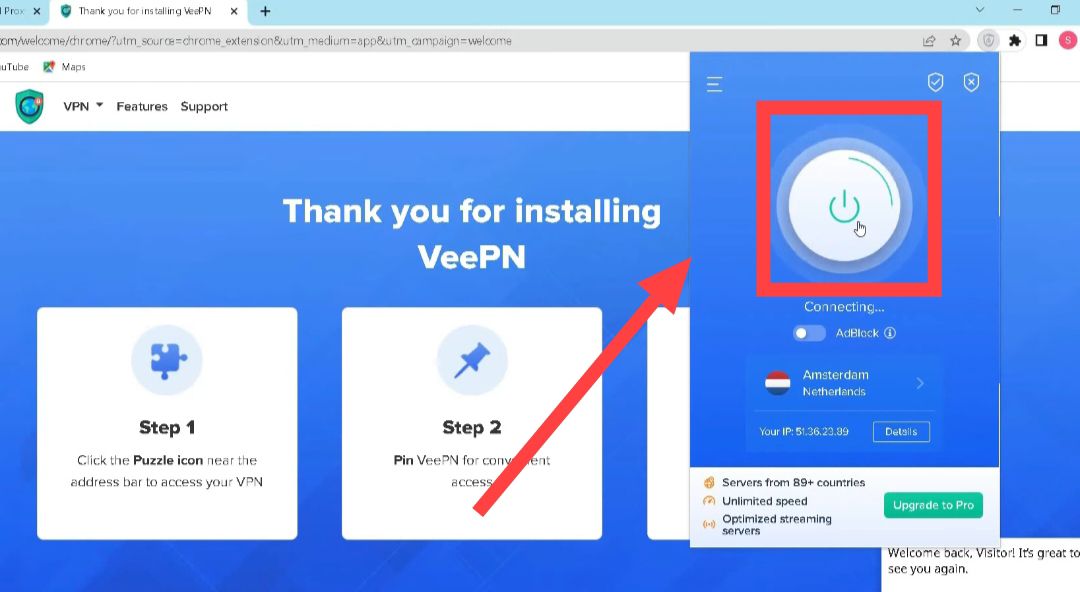
5Now your browser is connected to the VPN, Now you will be able to easily open any blocked website without any problem,
Also read:





![[NEW*] VI Free Data Code 2025 (101% Working & Tested)](https://www.techtrends.blog/wp-content/uploads/2026/01/NEW-VI-Free-Data-Code-2025-101-Working-Tested.webp-330x220.webp)