If you have an unknown photo or a picture about which you do not know, and you want to know what that photo is of, who it is related to or where it was taken – then now this task has become very easy. In this post we will know in detail how to extract details from a photo? How to know name from photo?
With the help of Google Image Search Tool, you can get complete information about any image. With its help, you can easily find the source of the photo, other similar photos, and also websites or articles related to that image. This method is especially useful when you want to know the authenticity of a photo, the real place, product or person. Just upload the image and Google does the rest.
How to extract details from a photo?
#1: first of all you images.google.com But have to go. (If you are using mobile then tick request a desktop site in chrome browser.)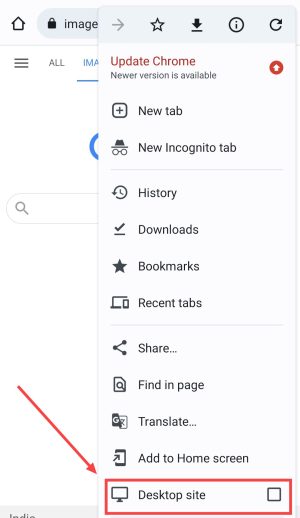
#2: Now click on Camera Icon.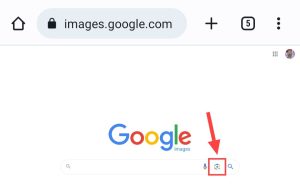
#3: Friends, you can search images in four ways on Google Image Search Tool.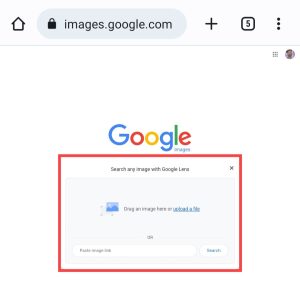
- Drag & Drop
- Upload an Image
- Copy and Paste the URL for an Image
- Right Click an image on the web
#4: After clicking on the Camera icon, upload the photo whose details you want to extract.
#5: After uploading the image, you will get complete information related to that photo on Google.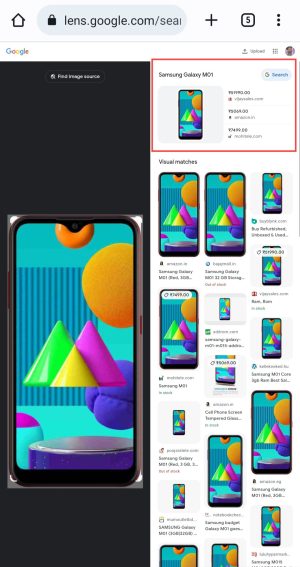
#6: Now you can see that the details of the photo have arrived here.
Guys, I had searched the image of a mobile here but you can search by uploading any image. Whatever image you are searching, its information should be available on Google.
So friends, in this way you can easily find out a lot of information about any photo by searching it on Google Image Search Tool.
How to know name from photo?
1. To know the name of any photo, first of all you have to There is Have to go to the website of.
2. Now you have to click on the Upload button and after that you will be sent to the gallery of your smartphone.
3. Now you have to select the image from the gallery whose name you want to know.
4. Now there will be some loading and after that the results related to your uploaded images will start appearing in front of you.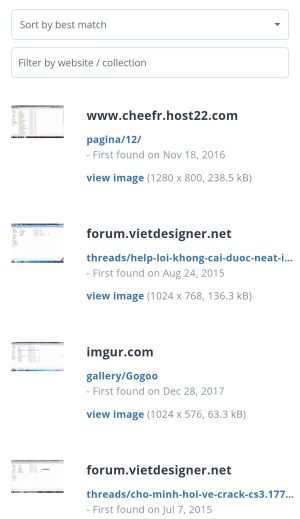
5. Here you can easily see the name of that image, who uploaded it and when it was uploaded.
In this way, you can easily know the name and address of any photo through this website. Although you will see many results here, most of them are the same.
Frequently Asked Questions;
Ans: If you are posting the photo of a very famous person on Google, then you can easily find out his name through reverse image search. But if you upload the photo of an unknown person on Google, then Google cannot know the name of that person.
Ans: Many times whenever we take a photo, there are some details inside it which are not easily visible to us. If you want to see the details of your photo online then for that you have to go to Metadata2Go.com. After that you have to upload the photo whose details you want to know. After that you will easily start seeing the details of that photo.
Also read;






![[NEW*] VI Free Data Code 2025 (101% Working & Tested)](https://www.techtrends.blog/wp-content/uploads/2026/01/NEW-VI-Free-Data-Code-2025-101-Working-Tested.webp-330x220.webp)