


Many times we have to copy the text written on a photo, but due to not knowing the correct method, we are not able to do so. But now this work has become very easy. You can easily copy the text written in any photo with the help of mobile or computer.
For this you can use apps like Text Scanner, Google Lens or Microsoft OneNote. These apps scan the photo and recognize the text written on it and then you can copy it. Apart from this, you can also use online tools like onlineocr.net or newocr.com.
This process is called OCR (Optical Character Recognition), which reads the words present in the photo and converts it into text. Now let us know how the whole method works.
How to COPY TEXT from photo online?
1First of all imagetotext.io Go to the website named. Now click on + Browser here. After which you will be automatically redirected to the Phone Gallery.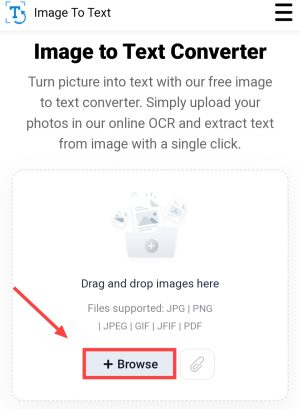
2Now click and select the photo from the gallery from which you want to copy the TEXT, Then tap on Add,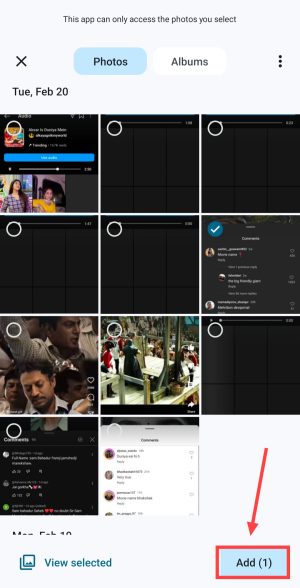
3Now after uploading the photo, tap on “Submit and Extract”,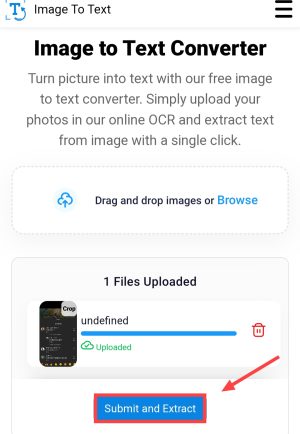
4After this the verification and extracting process will start, So now you wait for a while,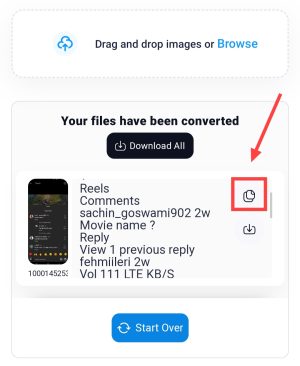
5Now you have to copy the text extracted from that photo by clicking on the COPY icon,
If this method doesn’t work, try another method.
Another way to copy text from photo
1First of all Jpgtotext.com Go to the website named. Then click on Choose File here. After that select the photo from the gallery.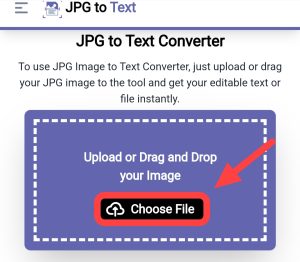
2Now after this tap on Extract Now and wait for a while,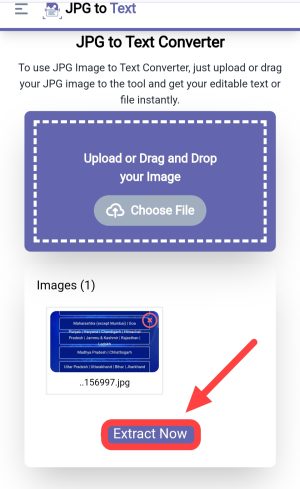
3Now you can copy that text by clicking on Copy, You can also download them in ,txt format by clicking on the Download Icon,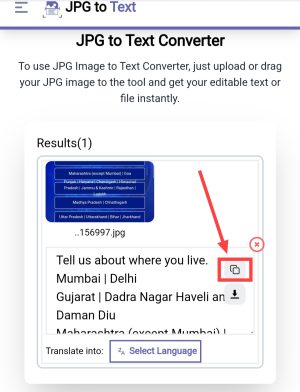
How to copy text from photo with the help of mobile app?
1First from Play Store Image to Text – Text Scanner Install the application named.
2After this, now allow the permission by tapping on Allow here, Then you will see an ad to buy premium, cut it,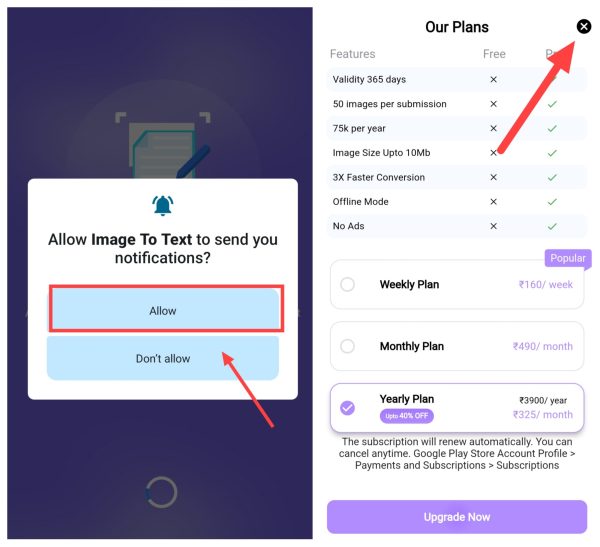
3Now after this, when you appear in the dashboard of the app, tap on Image to Text,
4After this tap on +Upload Image, Then select “Gallery” in Choose an option,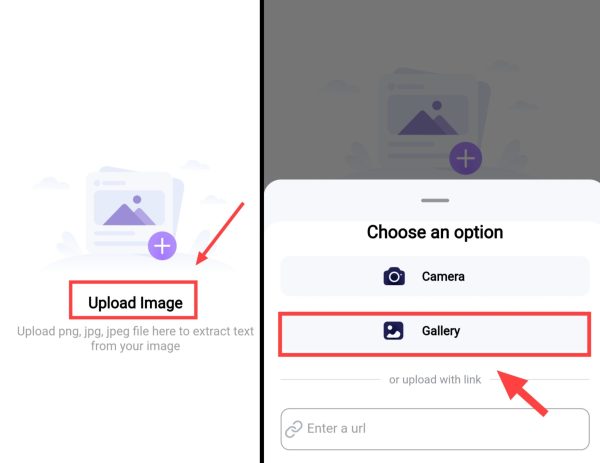
5Now select the photo from the gallery whose text you want to COPY after scanning, Then after selecting the photo, tap on Submit File,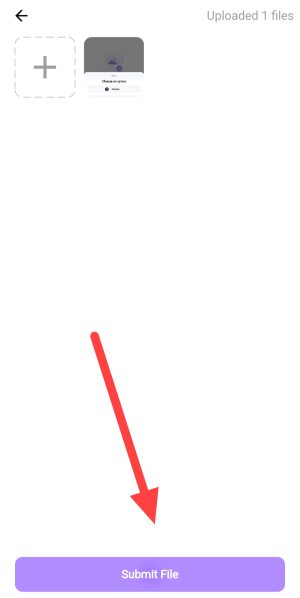
6Now after the process is complete, tap on (^) Upper Icon, Then after that click on Copy and copy all the scanned text,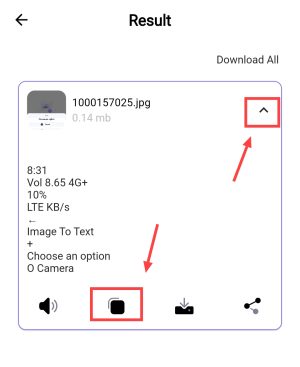
Also read;








![[NEW*] Jio Free Data Code 2025 (200% Working)](https://www.techtrends.blog/wp-content/uploads/2026/01/NEW-Jio-Free-Data-Code-2025-200-Working.webp-330x220.webp)