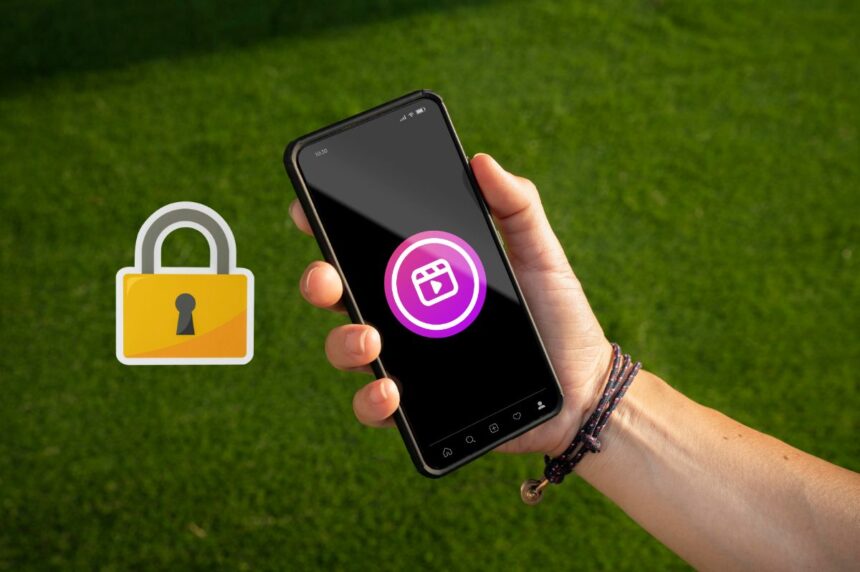
If you also do not want to show your photos, videos and Instagram reels to any unknown person, then you can make your Instagram videos private. People who use private accounts, their posts cannot be seen by anyone who does not follow them. This feature is especially great for girls.
In this post, you will understand step by step how to make any of your Instagram accounts private?
How to make Instagram account private?
1. To private Instagram account in your mobile instagram application Have to open it.
2. After logging in to Instagram ID, you have to click on the profile icon at the bottom. Then Now you will see 3 horizontal lines on the top right side, click on it.
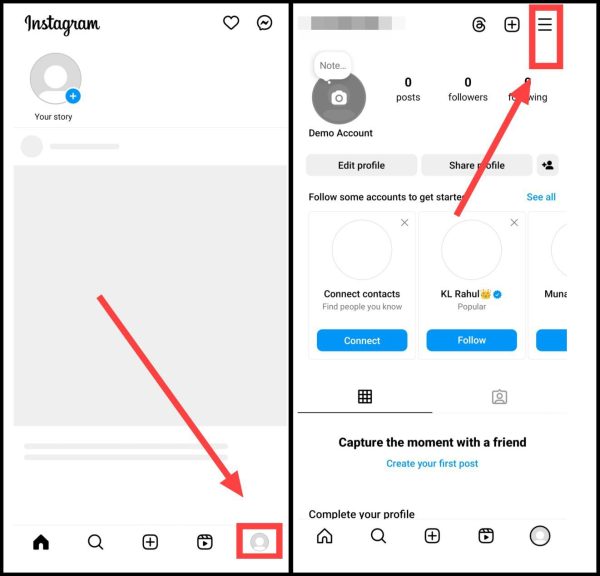
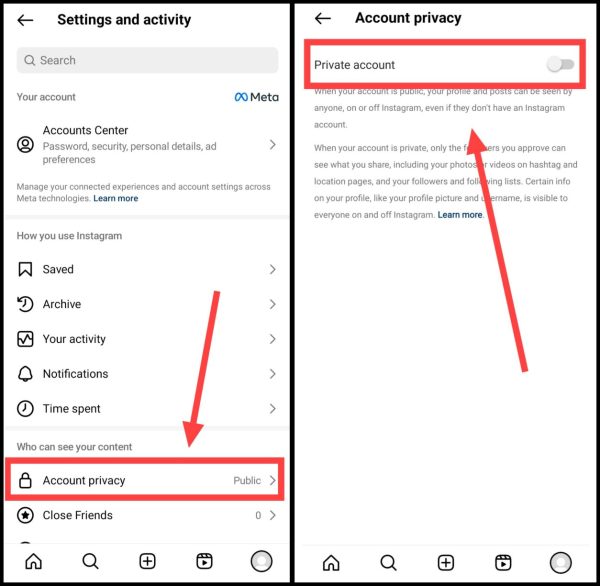
3. Now after coming to the settings, here you have to click on the privacy option. Now you will see Private Account written on the next screen on the very first number and in front of it you will see a toggle, which you have to enable.
4. Now click on Switch To Private.
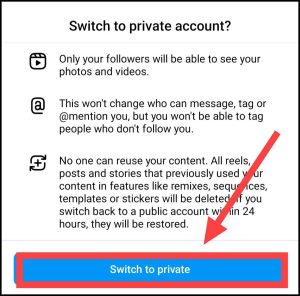
Now after doing just this process, you do not have to do anything further. You have to exit the Instagram application, because as soon as you do the above process, your Instagram account goes from public to private.
Note: If instead of making your entire Instagram profile private, you want to make only some photos private, then you get this option in your Instagram account. You get this option after going to the photo menu of Instagram.
How to make business account private on Instagram?
You cannot make a business account private on Instagram. For this, you will first have to convert your business Instagram account into a normal Instagram account. For that, follow the steps given below carefully.
1First of all, open Instagram and tap on the Profile Icon, After this, now tap on the three dots given on the right side,
2Then now scroll down and click on Account Type & Tools, After this click on Switch Account Type,
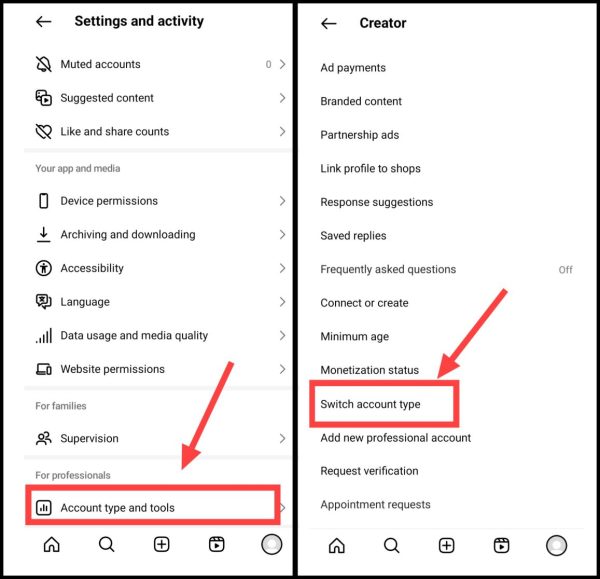
3. Then now make your professional account normal by clicking on Switch to Personal account here.
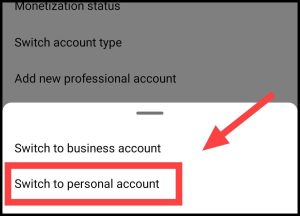
4Now again come to Settings and click on Account Privacy, Then after this now enable Private Account,
In this way you will also be able to make your business Instagram account private.
Related questions
By making your Instagram account private, unknown people are not able to see your posts, videos and photos. Only the followers of your account can see all these things.
To make a private account public on Instagram, you have to follow the same steps you did to make it private.
Business Account Can’t be Private in Instagram means that the business account cannot be made private. The solution to this problem is to convert your business account into a personal account.
Also read:





![[2940 BEST] WhatsApp Group Names In Hindi (2025)](https://www.techtrends.blog/wp-content/uploads/2026/01/2940-BEST-WhatsApp-Group-Names-In-Hindi-2025-330x220.png)