
You can delete Xiaomi (MI) account through your mobile or if you want, you can also delete it by visiting its official website. There can be different reasons for deleting this account. It is possible that you are selling your phone so you want to delete the MI account from the phone or you want to login someone else’s MI account in your mobile.
If you delete your MI account, your contacts, messages, and files stored in the MI cloud also get deleted. So if you want to take backup of data, then you must take backup of data before deleting MI account. How to backup your mobile? You can read this post.
How to delete Xiaomi (MI) account?
1: To delete MI account, you have to go directly to MI account delete page from the link given below.
2: Now you have to click on the option Delete Your Xiaomi Account visible in the blue box.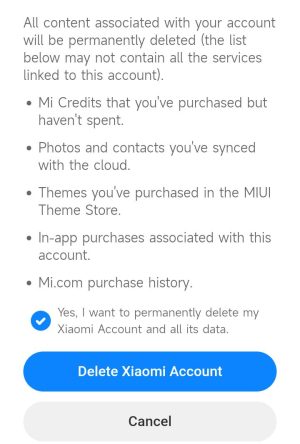
3: Now enter Email/Phone/Xiaomi Account in the first box on the screen and after that enter the password in the box and click on Sign In option. 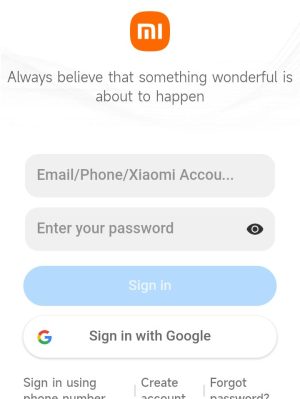
4: Now you have to click on the send button for account authentication.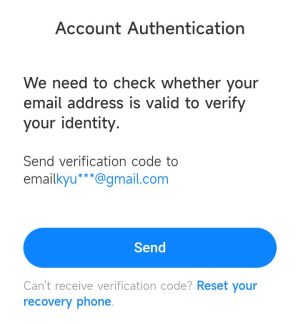
5: Now you will receive the code on the email ID, enter it in the empty box visible on the screen and press the submit button.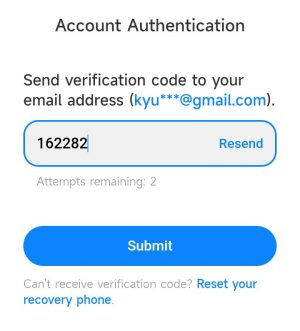
6: Now a page appears on your screen, telling you what will be deleted if you delete your Mi account. You have to come down to the bottom here. There you get the option of Delete Me Account, click on it.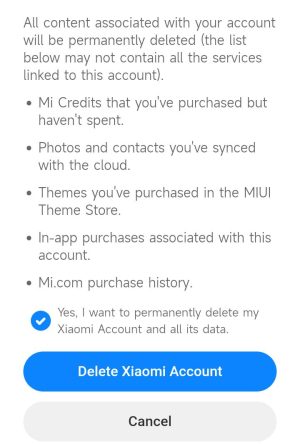
7: Now on the next screen, you get the delete account option in the blue box at the bottom, you have to click on it.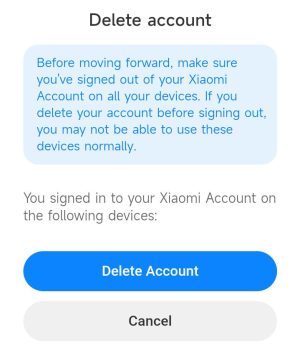
When this process is completed by you, your Mi account gets deleted.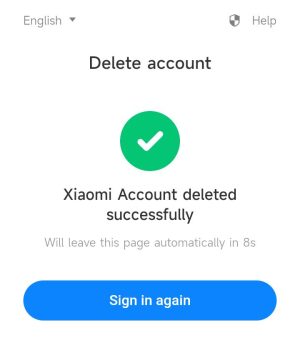
In this way you can easily delete your Mi phone account. Even after this, if you face any problem related to deleting MI account, then you can tell us by commenting.
Related questions
ANS: No! You cannot delete my account by doing a factory reset. If you login to your Mi account again after doing a factory reset, you will already get all your information. That’s why you need to delete the Me account yourself. We have told you its process in the article.
ANS: If Find Device is turned on in your mobile, then because of this you are not able to delete your Mi account. Therefore you have to turn off this feature. If there is no phone number or email ID linked to your account, then this also will not cause my account to be deleted.
ANS: For your information, you cannot completely remove the phone number or email ID from your Mi account. However, you can change it whenever you want.
ANS: If you have made up your mind to delete my account, then everything associated with it gets deleted. Such as your user name, password, Mi Coin, order history, forum thread, sync photos, videos, call history, messages, notes etc.