If you have someone’s photo and you want to find out his Facebook ID from that photo, then it is absolutely possible. In this post I have given 2 easy methods by which you will be able to do this absolutely free and easily.
All you need is Google Lens to find out any person’s Facebook ID using just a photo. You can easily do this through Google Lens by going to google.com website. Let us know how to find out anyone’s Facebook ID just from the photo?
How to get anyone’s Facebook ID from a photo?
1: For this you are the first google.com Go to the top of the website.
2: After this, select the image option shown above and click on the icon (Google Lens) shown in the photo.
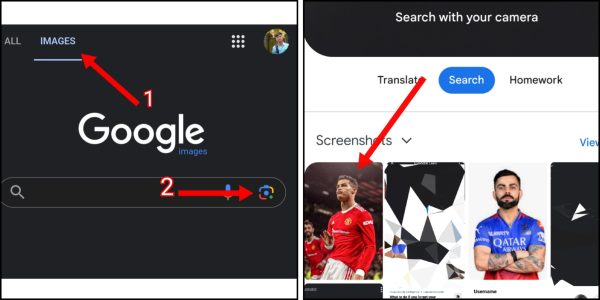
3: Now select the photo of the person whose Facebook ID you want to know. Now some results will be seen on your screen. Here you can see the name of that person.
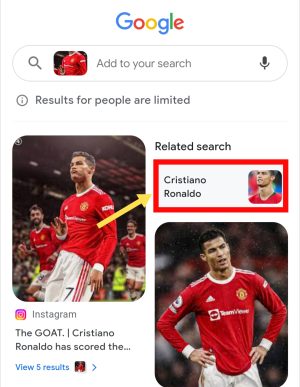
4: Sometimes you find the person’s Facebook ID in these results. If not, click above the person’s name.
5: After this, click on Facebook in the profile section of the results shown by Google.
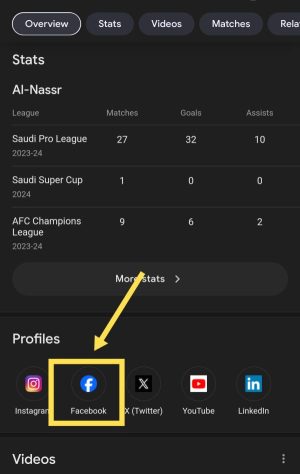
In this way you can remove the Facebook ID of that person.
Also read; How to remove Facebook ID from number?
How to know Facebook ID from photo by Tineye?
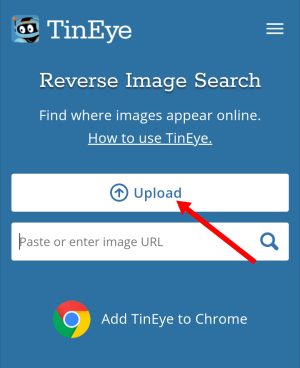
1: First of all tineye.com Go to the top of the website. After this, click on the upload option to select the photo.
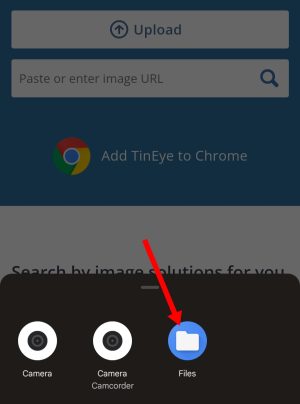
2: Now select Files or internal storage of your mobile. Now select the photo through which you want to know the Facebook ID.
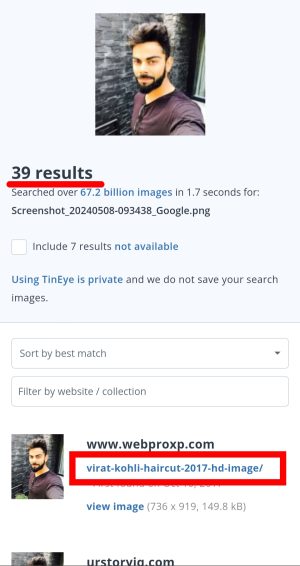
3: After the photo is uploaded, results related to the photo will appear on your screen. Many times, in these results you get the URL of that person’s Facebook ID.
4: If it is not so, then by finding the name of the person from these results, you can find out his ID by going to the Facebook application.
5: For this, note down the name of the person and open the Facebook application.
6: Now click on the search icon visible above and enter the name of that person in the search bar. Now click on the topmost result.
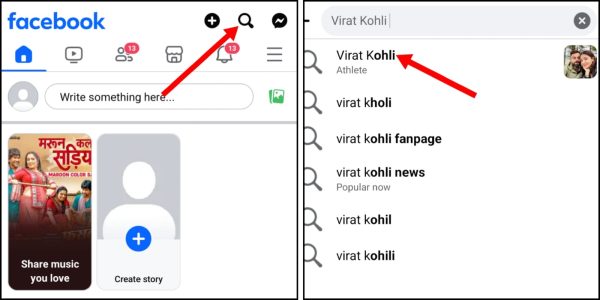
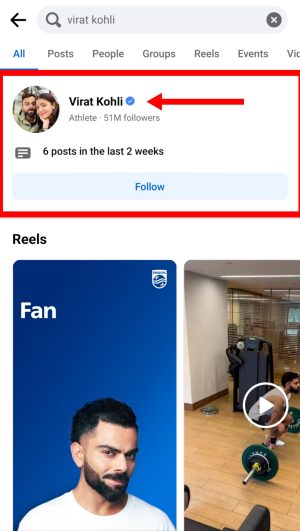
7: After this you will get to see accounts and videos associated with this name. Click on the account shown at the top here.
8: Doing this will take you to the person’s Facebook account.
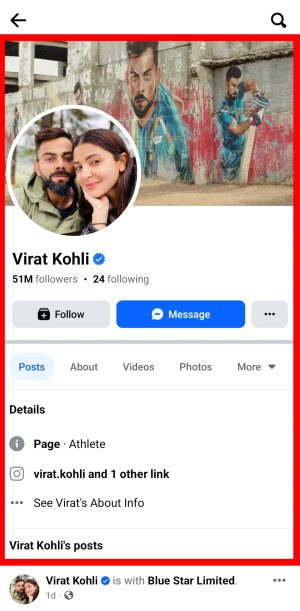
If you want, you can also find out other social media accounts of that person in the same way.
In this way, you can easily find out the Facebook ID of anyone just from the photo. But if the person in front is not famous at all and has not uploaded many of his photos on the internet or has kept his account private, then it can be a little difficult to find his Facebook ID from the photo.
If you face any problem in these steps, you can ask by commenting below.
Also read;