Friends, if you want to change your date of birth on Facebook! If you are not able to find that option then this post is going to be helpful for you. Today in this post we will know how to change the date of birth on Facebook 2 times, 4 times or any number of times even after the limit for changing DOB is over?
How to change your date of birth on Facebook?
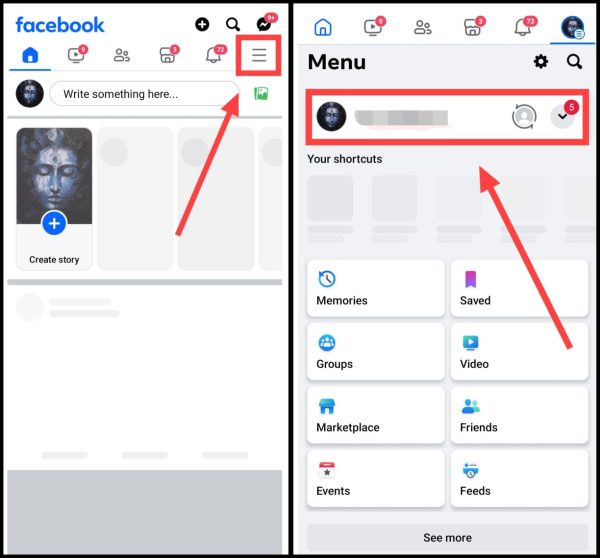
1. first in your mobile facebook app Open it.
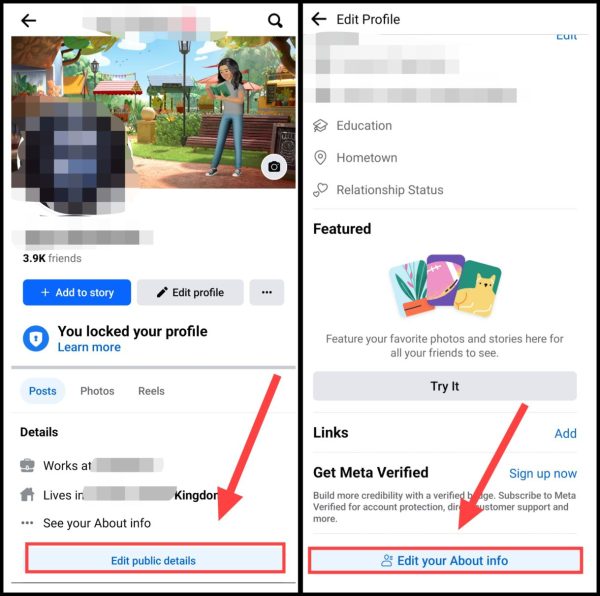
2than now Three Dots Click on. After that open your profile by clicking on your name.
2. Now after coming down a little in the profile, you Edit Your Public Details You will get the option, you have to click on it. after this Edit Your About Info Click on.
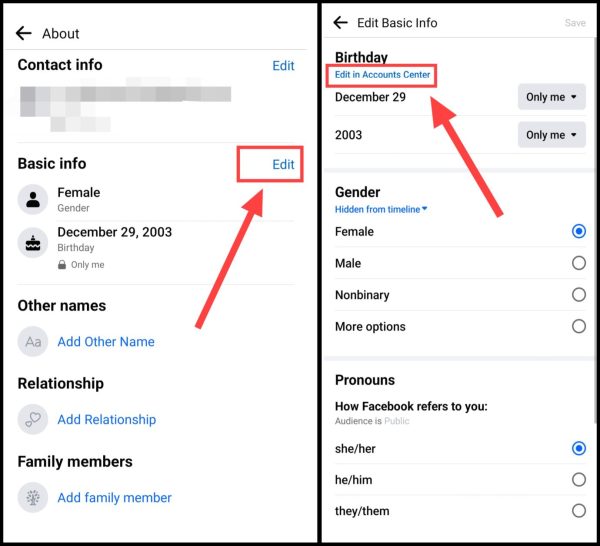
3Now given next to Basic Information Edit Click the button. after this Edit In Account Centre Click on.
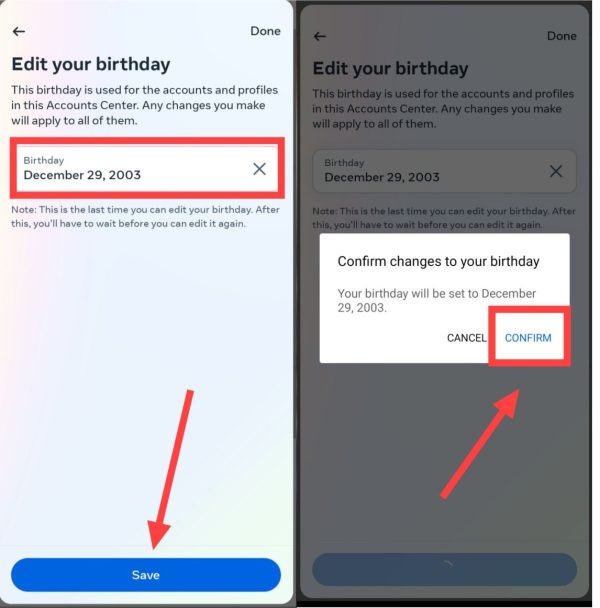
4Now after this again enter your date of birth, Then Save Click on. now once Confirm Click on Save all the details.
Note: If you have trouble changing your date of birth or have changed your date of birth many times! So in such a situation you have to upload your official ID like Aadhar Card, Driving License or PAN Card. Then after about 10 to 15 days Meta will verify you and you can change the date of birth. Will be able to do it.
I hope that with the above mentioned method you will be able to easily change your date of birth on Facebook. If you face any problem then you can ask by commenting below.
Also read;





![[FREE] How to increase followers on Instagram? (Real Followers)](https://www.techtrends.blog/wp-content/uploads/2026/01/1767630200_FREE-How-to-increase-followers-on-Instagram-Real-Followers-330x220.png)