You can know anyone’s Instagram ID just by their mobile number. If you have someone’s mobile number or any phone number, then the Instagram account created with that number can be easily traced. In this post I have given 3 easy ways to remove Instagram ID from mobile number.
Earlier you could get the ID by directly searching the number on Instagram, but now it is not so. Keeping user privacy in mind, Instagram has stopped this feature. But there are still some ways by which you can find out Instagram account by phone number. The other person should have created his account with the same number as you.
How to know Instagram ID from mobile number?
The first method is through the Instagram app itself, you can easily find Instagram accounts by syncing your phone’s contacts. Just save the number from which you want to remove Instagram ID in your phone. Let’s see how?
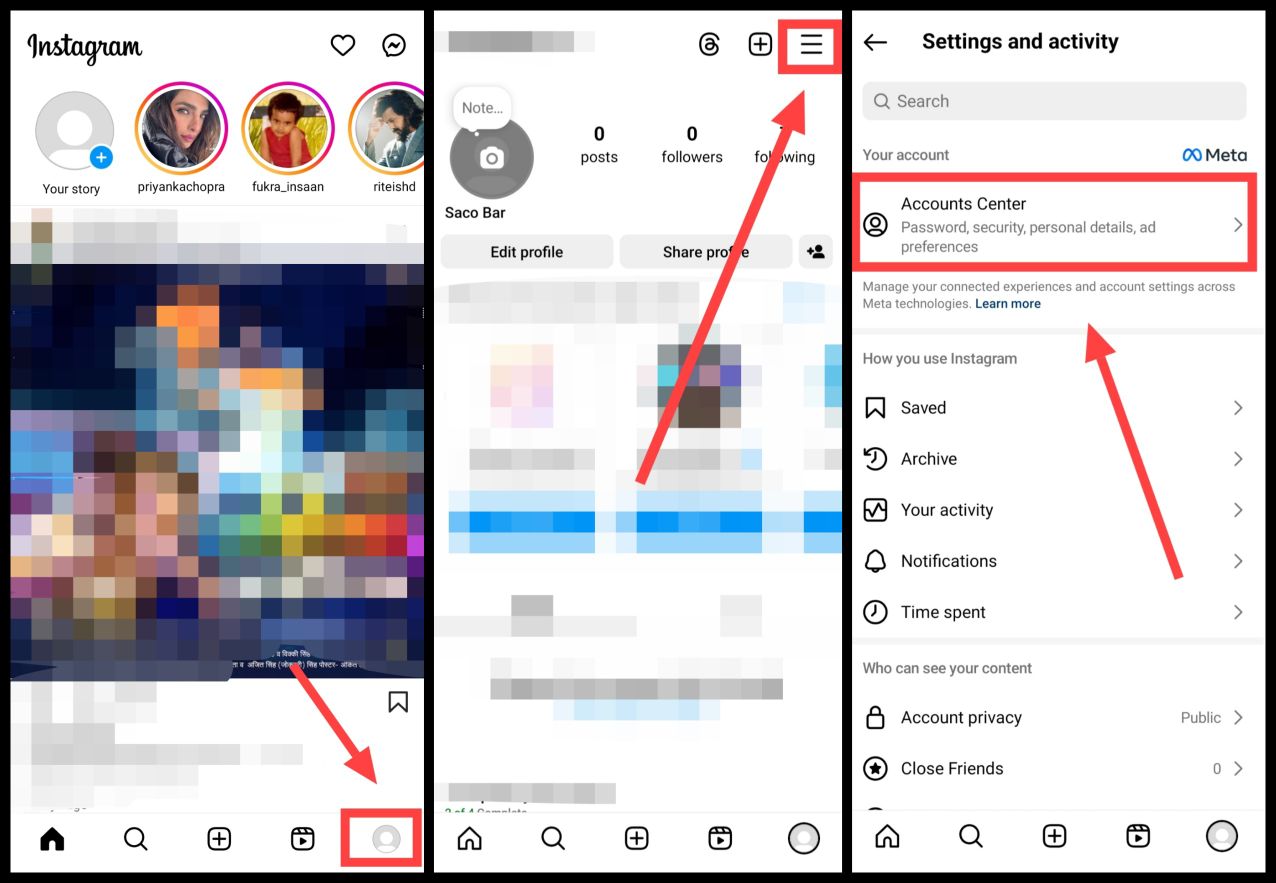
1. First of all, open the app called Instagram in your phone.
2Now after this tap on the Profile icon given at the bottom right side, Then tap on the Three Dots given above here, Now after this click on Account Center,
3Now after this click on Your Information and Permission, Then now tap on Upload Contacts here, Now enable Connect Contacts,
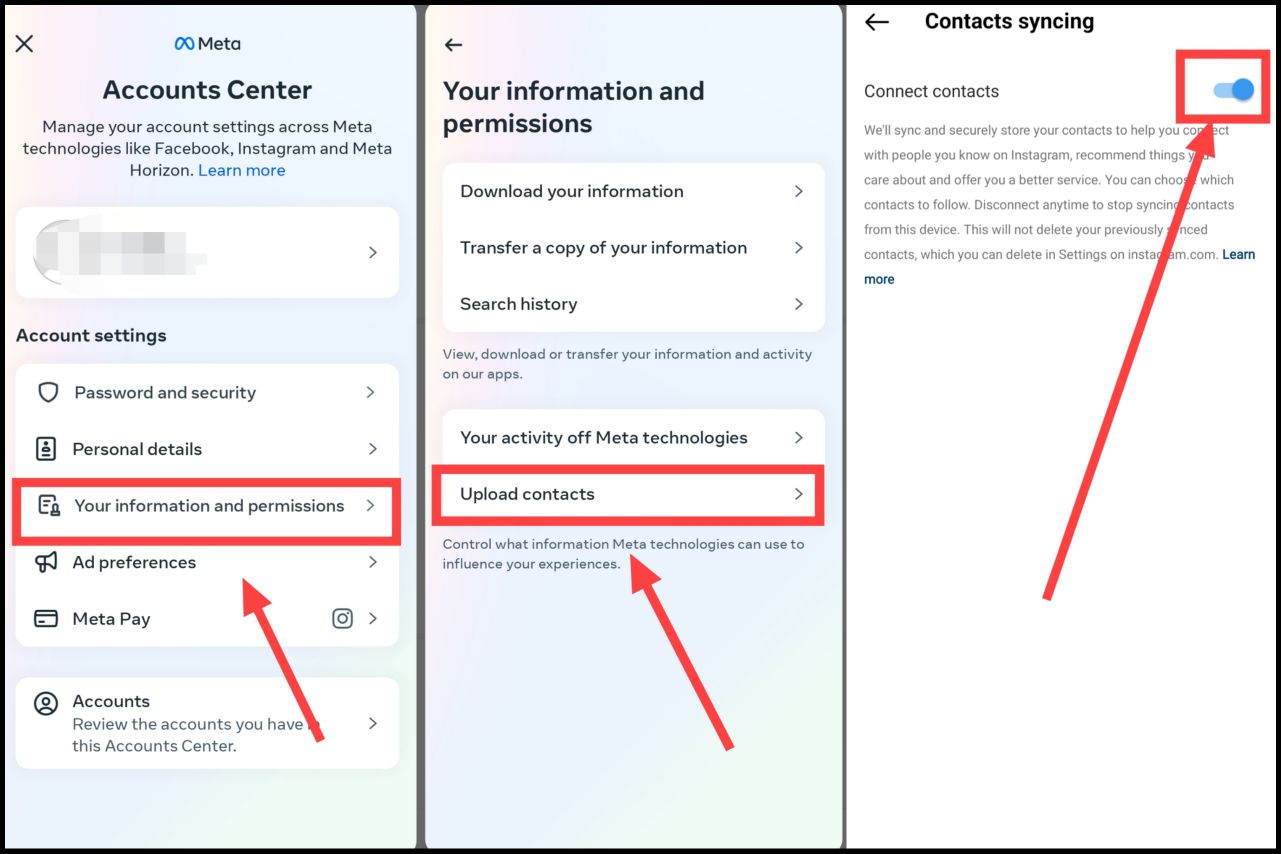
While turning on this feature, Instagram app may ask for permission of contacts in your phone, which you have to allow.
4Now come to Instagram homepage and tap on Search Box, Then after that click on the Contacts Icon given above,
5Now you will see here the ID of all the mobile numbers saved in your phone that use Instagram,
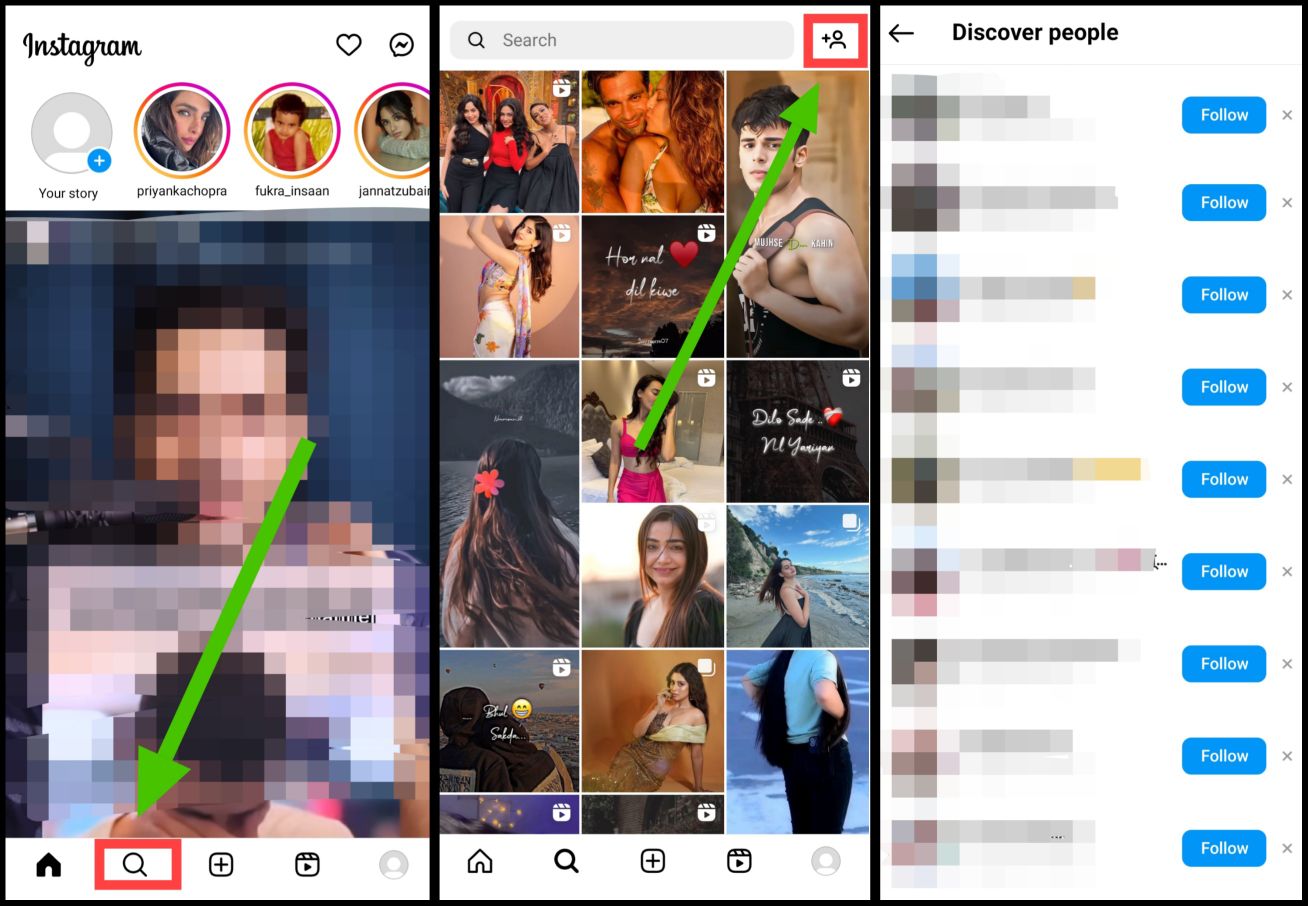
In this way you can see the Instagram accounts of all the contacts present in your phone. But here only those accounts will be visible which are created with that number, if the person in front has created an account with any other number then it will not be visible here.
If you are not able to find the account by this method, then you can follow the other two methods mentioned below.
How to remove Instagram ID from mobile number by forgetting password?
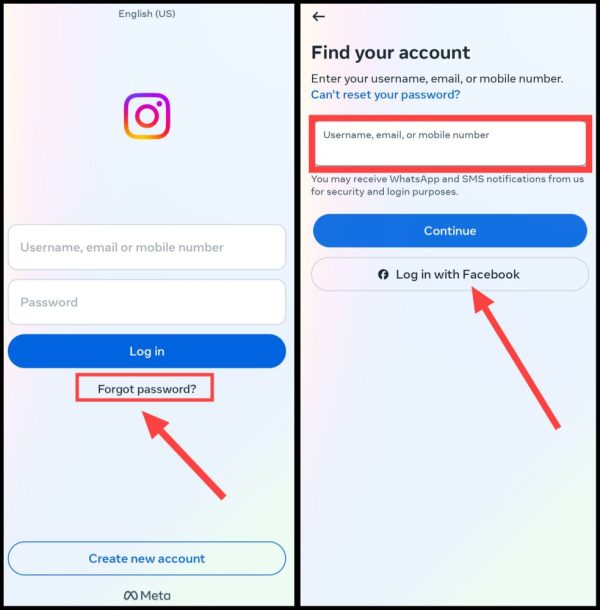
1First of all open Instagram app,
2Now after this, as soon as you come to the Login Window, over here Forgot Password? Click on.
3Now after this, enter the number whose ID you want to know in the Username, Email or Mobile section and then tap on Continue,
4Now you will also see the DP of that person’s ID in Choose a way to login,
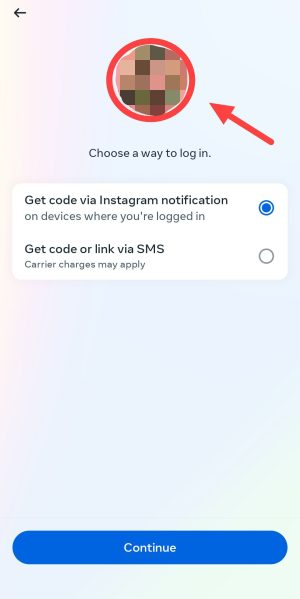
In this way, you can ensure from here that it is the Instagram ID of the person whose number is there. If that photo turns out to be familiar to you, then you can get its ID by searching its name on Instagram.
Note: You cannot find out someone’s ID completely through phone number. Because it does not allow Instagram.
Also read: How to remove Instagram ID from photo?
How to remove Instagram ID from number with the help of Truecaller?
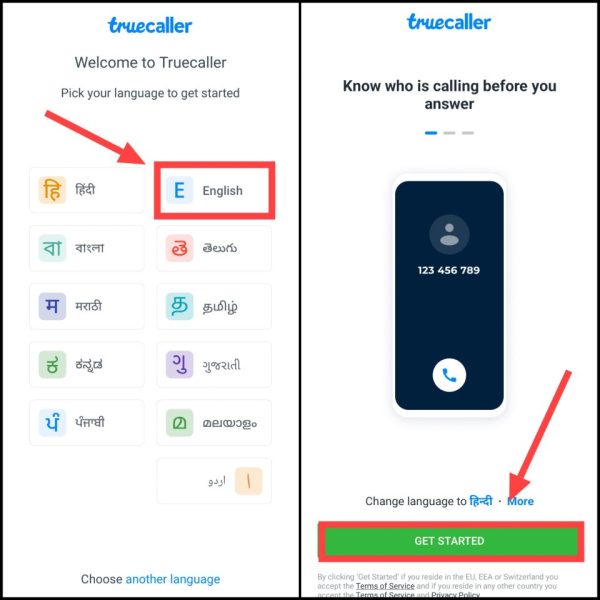
1First of all from Play Store in your smartphone Truecaller Download the app named.
2Now after opening the app, select the language, Then now click on Get Started,
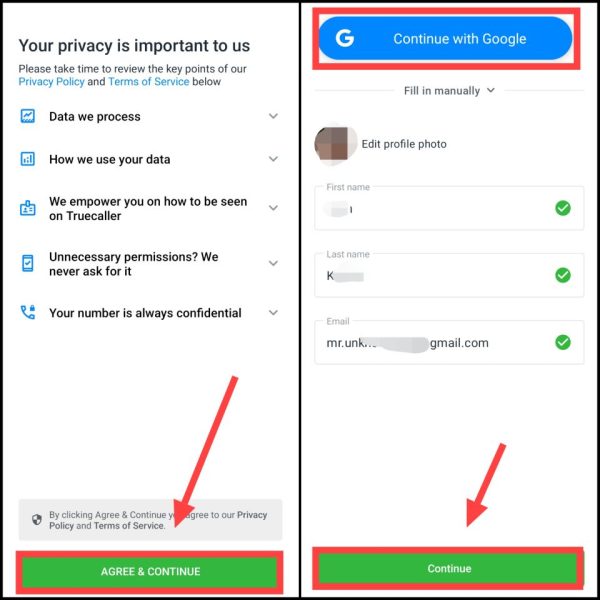
3Then after that tap on Agree & Continue, After that give information about your profile and click on Continue, You can also sign up with Google ID by clicking on Continue with Google,
4Now after this, tap on the Search box and enter the mobile number whose Instagram ID you want to get, Then click on it to open his Truecaller profile,
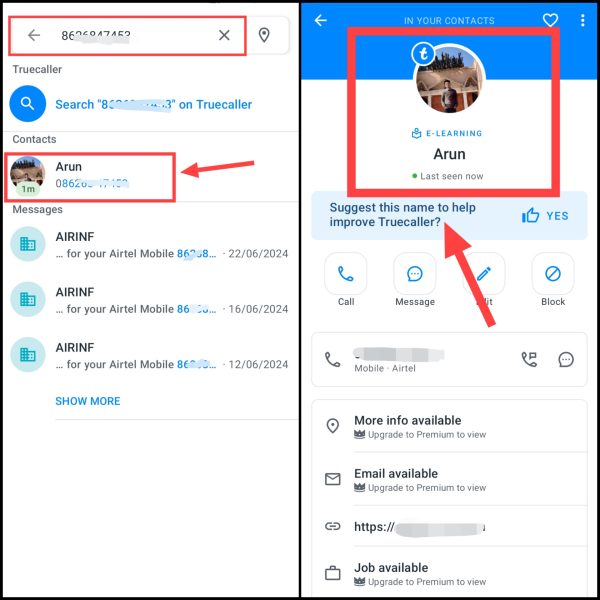
5Now you will see the name of that number here, You will also get his profile picture, You have to keep both name and profile picture in mind,
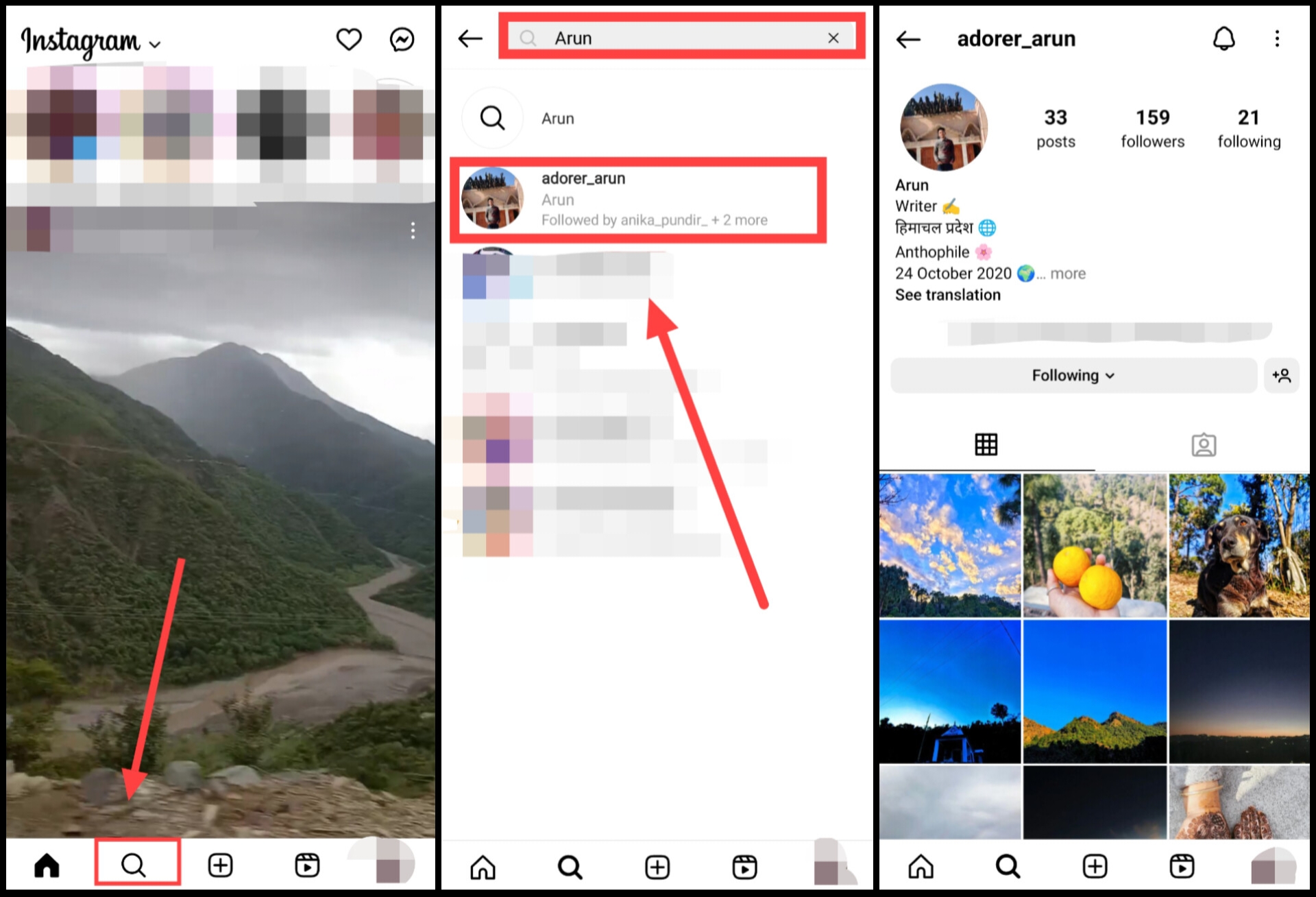
6Now after opening the Instagram app, click on the search icon and search the same name which you saw in the Truecaller app,
7You have to find the account there and there should also be a profile picture, As soon as you get the account, you can easily follow it from here,
So these are some of the methods by following which you can easily find out the Instagram ID of anyone from their number. If you are still facing any problem in finding the ID, then you can ask your question in the comment section below.
Also read: