
Whenever we have a friend or a girlfriend, we want to know if she chats with someone. But for this we have to run their Instagram on our phone, and for this we need the password. Sometimes, our girlfriends or boyfriends refuse to give us the password.
In this post, I will tell you how you can run someone else’s Instagram on your phone and see all his chats and media. There are many methods for this, in some methods you will have to take the call of the other person for some time and in some methods you will need the OTP received on his number. If you want to use Instagram without password or OTP then how to open Instagram account without password? You can read this post.
Accessing someone else’s account without permission is illegal and this post is written for educational purposes only.
How to use BF/GF or anyone’s Instagram on your phone?
1First of all, the person whose Instagram you want to run on your phone, first go to the Play Store on his phone, AirDroid Download the app.
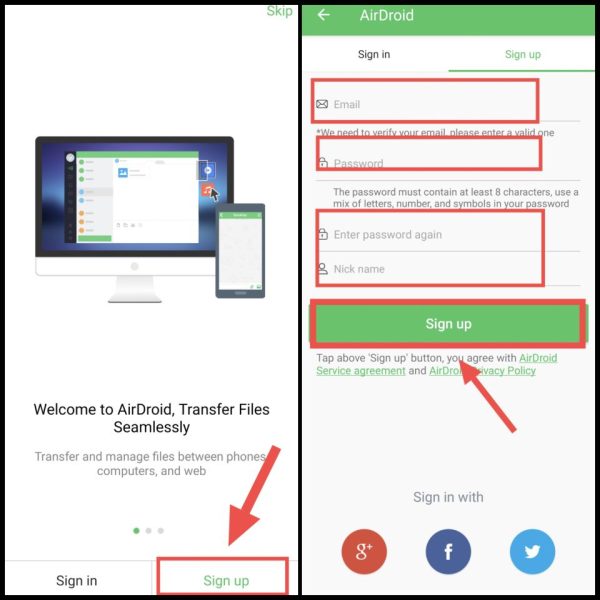
2Now after opening the app, click on Sign Up, Then after that enter your email here and create a good password, Then after that enter the nickname and click on Sign Up,
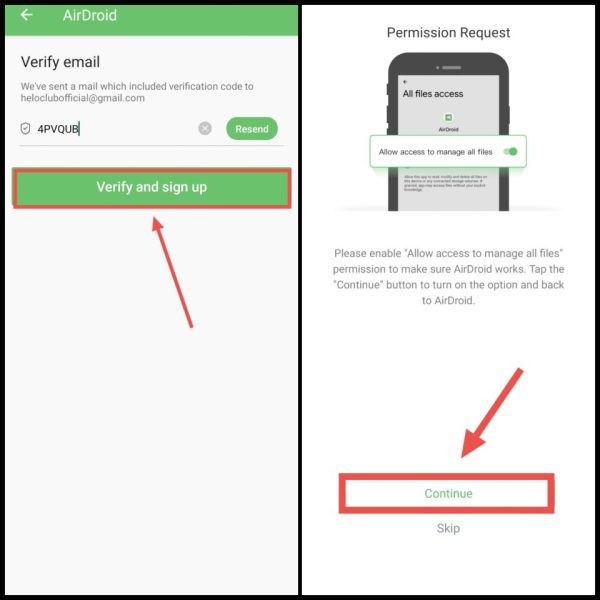
3Now you will receive an OTP on the entered email, You have to verify that OTP by entering it in the AirDroid app, After that click on Verify & Sign Up, Now after that click on Continue,
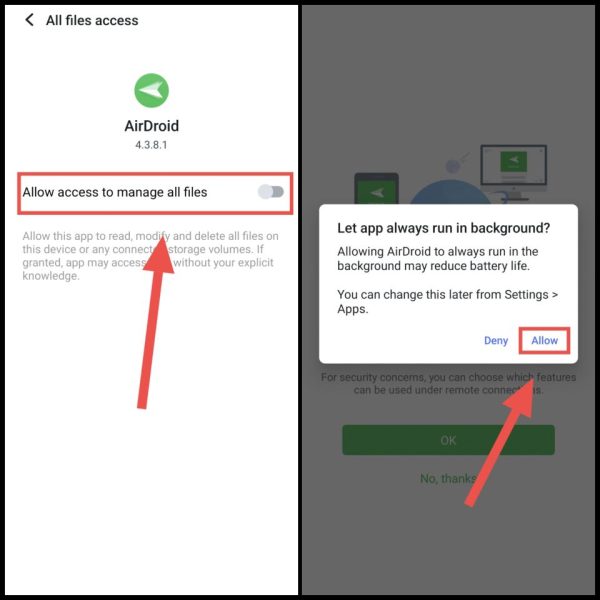
4Now after this enable the toggle of Allow Manage To Access All Files, After that come back and click on Allow,
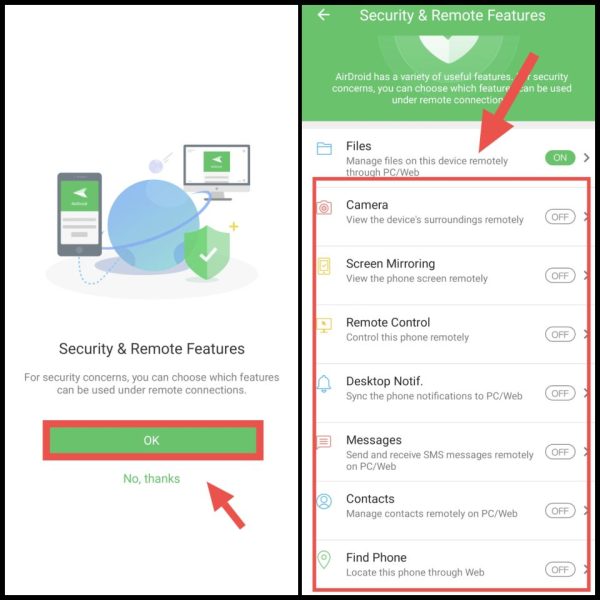
5After this, a notification will pop up asking what you want to see from the other person’s phone, So you have to click on On and turn on camera, screen mirroring, remote control etc, In this you must turn on the Screen Mirroring feature,
NoteTo prevent the other person from knowing, you can turn off AirDroid’s notifications. Because there are some restrictions with its free version. Whereas in AirDroid Premium you will be able to turn off notifications etc. from the app itself.
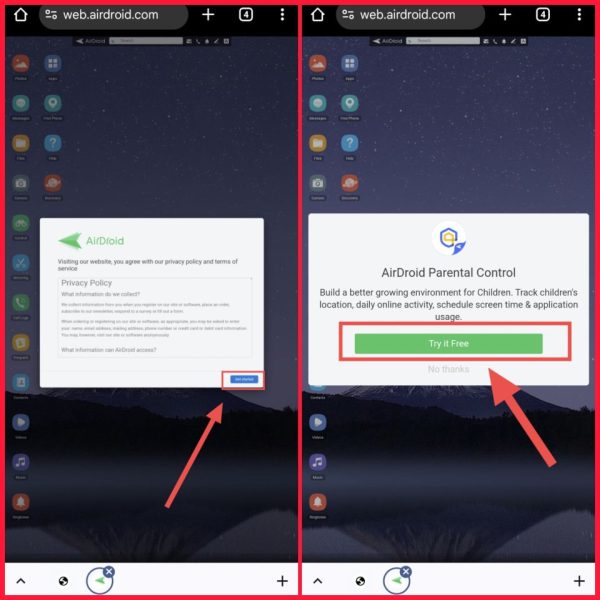
6Now as soon as you enable all this, then you have to take your phone, And then open Chrome browser in your mobile, web.airdroid.com Go to the official website of.
7Now after this click on Get Started here, Then after that click on Try it Free,
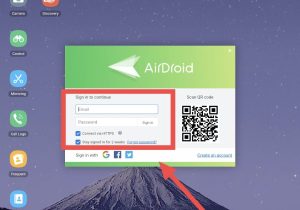
8Now you have to login with the ID you created in AirDroid on the other person’s phone by entering your email and password,
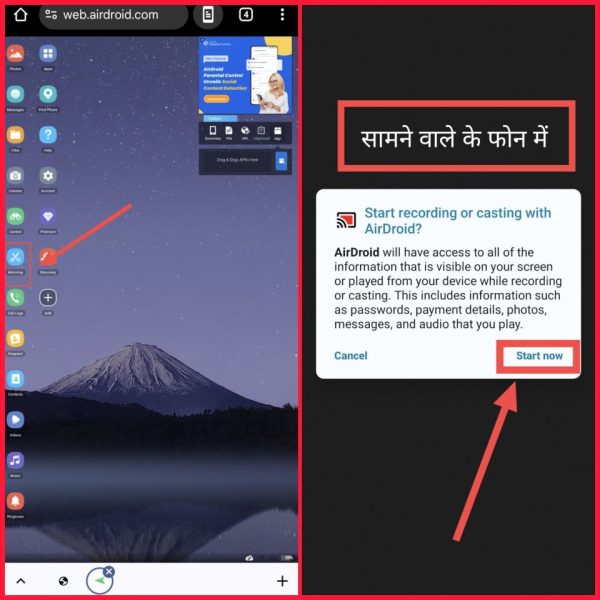
 9Now after this click on Mirroring, Then a request will be sent to the other person’s phone, You have to take his phone again and click on Start Now, After that you have to give his phone back to him,
After which you will now be able to easily see what the other person is doing in your Chrome browser. Also, if he opens the Instagram app, you will see it here on AirDroid Web. You will also be able to see his messages etc. and other activities.
If this method seems a bit difficult, then you can follow the other methods mentioned below to run someone else’s Instagram on your phone.
How to login to someone else’s Instagram account on your phone?
1First of all, open the Instagram app in your phone, If your ID is already logged in, then logout,
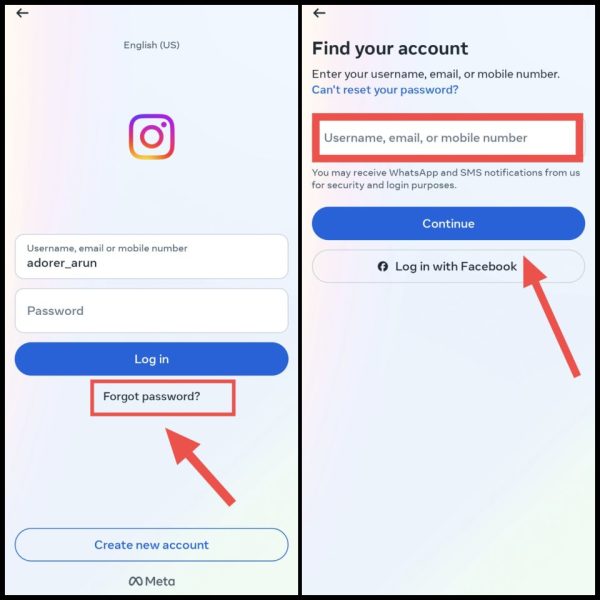
2Then here at the bottom you will find Forgot Password? You will see an option, click on it,
3Then after that you have to enter your BF/GF’s Instagram username here, If you don’t know his Instagram username correctly! So in that case you enter his registered phone number or email address, Then you press the Continue button here,
4Now after this, an OTP will be immediately sent by Instagram to the email/phone number associated with that account, You have to enter that OTP and click on Continue,
5After that once again select the Instagram ID of your BF/GF and click on Next,
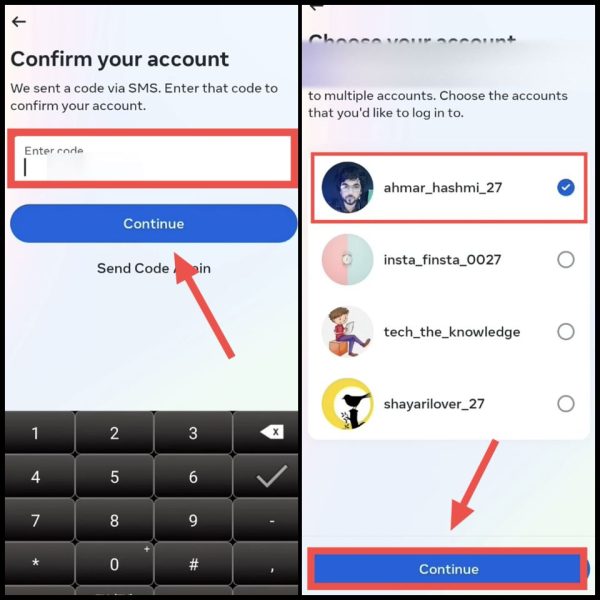
6Now then you have to create a new password for that Instagram ID, After creating the password, tap on Next and then immediately after this your BF/GF’s Instagram account will be running in your phone,
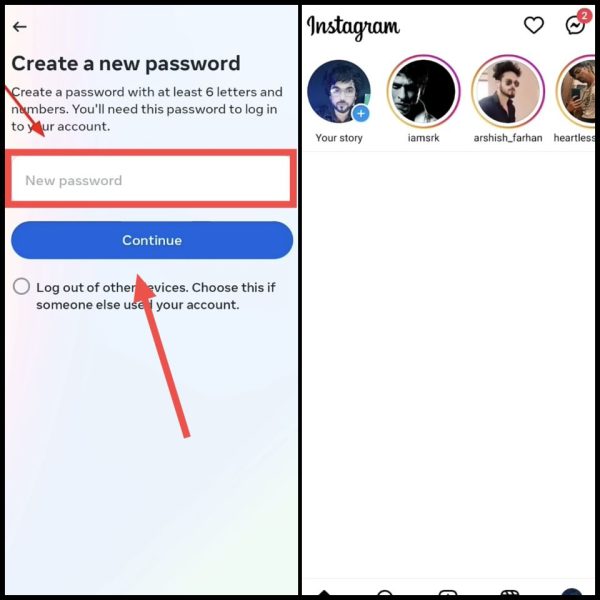
If you do not have access to the OTP received on his number or email, then you will be able to access his Instagram on your phone with the password saved in the phone.
How to use someone else’s (BF/GF) Instagram ID on your phone?
1First of all, go to the Settings in your BF/GF’s phone,
2Now scroll down here and click on Google, Now again go to Password Manager here,
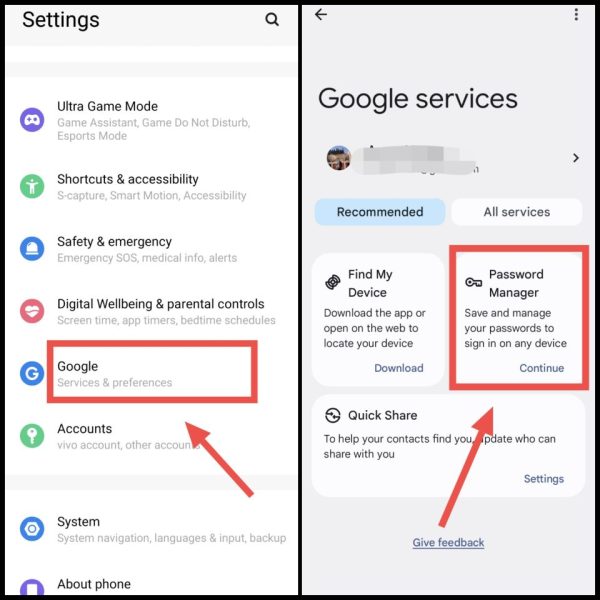
Note: If you do not find this option in direct settings. So in that case, go to the search box in Settings and type “Password Manager” and search.
3Now to see the password of your BF/GF, first select Instagram, After that, as soon as you click on the eye icon, you will get the password,
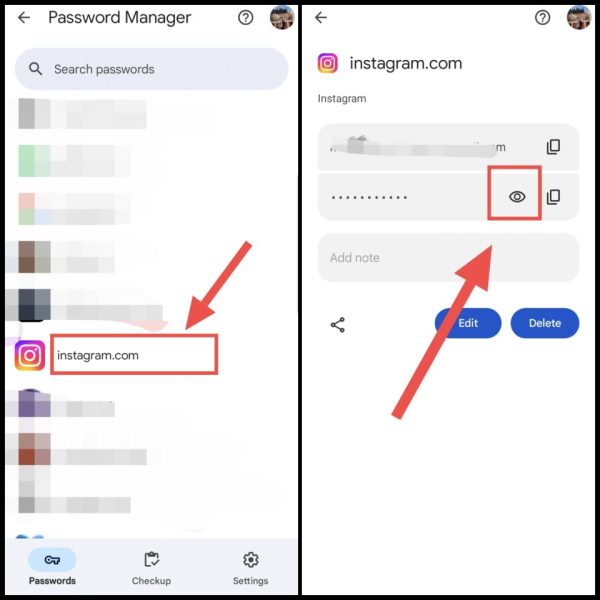
4Now login with that password in the Instagram app on your phone by entering its username and that password,
With these methods you can use anyone’s Instagram account on your phone. I hope you have got complete information about how to use someone else’s Instagram on your phone. If you face any problem in any step, you can ask by commenting below.
Also read: