


In today’s time, technology has become so advanced that you can easily run someone else’s WhatsApp on your phone. Yes, if you use your boyfriend (BF) or girlfriend (GF)’s WhatsApp on your phone! So you can easily track all his chats and everything else. But most people are not aware of it.
At the same time, many people log in to someone else’s WhatsApp on their phone. So WhatsApp automatically logs out from the other person’s phone. Because it is difficult to login to WhatsApp on two devices at the same time. But there is a trick by which you can easily use your boyfriend or girlfriend’s WhatsApp on your phone without him or her knowing. Let us know how to run someone else’s WhatsApp on your phone?
Accessing someone else’s account without permission is illegal and this post is written for educational purposes only.
How to use GF/BF’s WhatsApp on your phone?
1First of all, whose WhatsApp you want to run on your phone! Open the WhatsApp app on his phone,
2After that now click on the three dots given on the right side, After that click on Linked Devices,
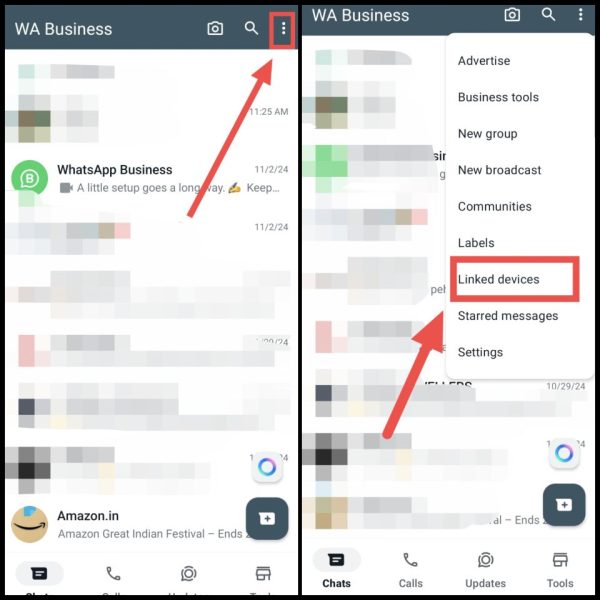
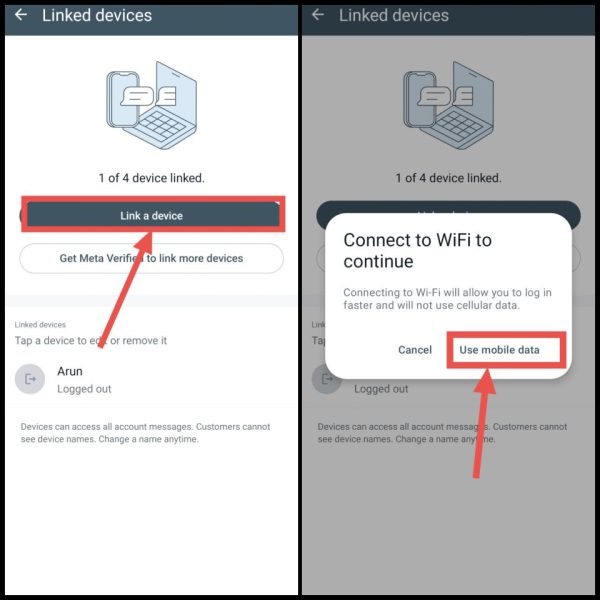
3. After this now click on Link a Device. Then now select the option called Use Mobile Data.
4. After that you have to enter your screen lock and then automatically a camera scanner will open in WhatsApp.
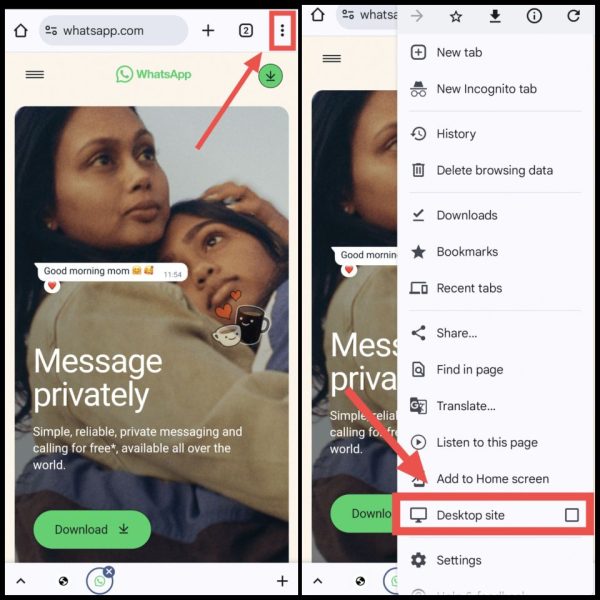
5. Now you have to pay attention that now in your phone Open Chrome browser. So that you can use someone else’s WhatsApp in it.
6. then after that web.whatsapp.com Go to the official website named. After that, click on the first three dots on the right side. Then now you enable Desktop Site here.
7Now scan this QR Code through the scanner you opened on the other phone,
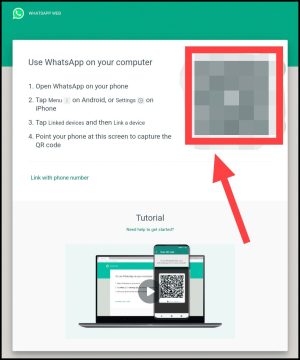
8Now as soon as the scanning is done, you have to wait for some time, Also, if any notification comes, allow it,
9After that the other person’s WhatsApp or your BF/GF’s WhatsApp will open in your Chrome browser,
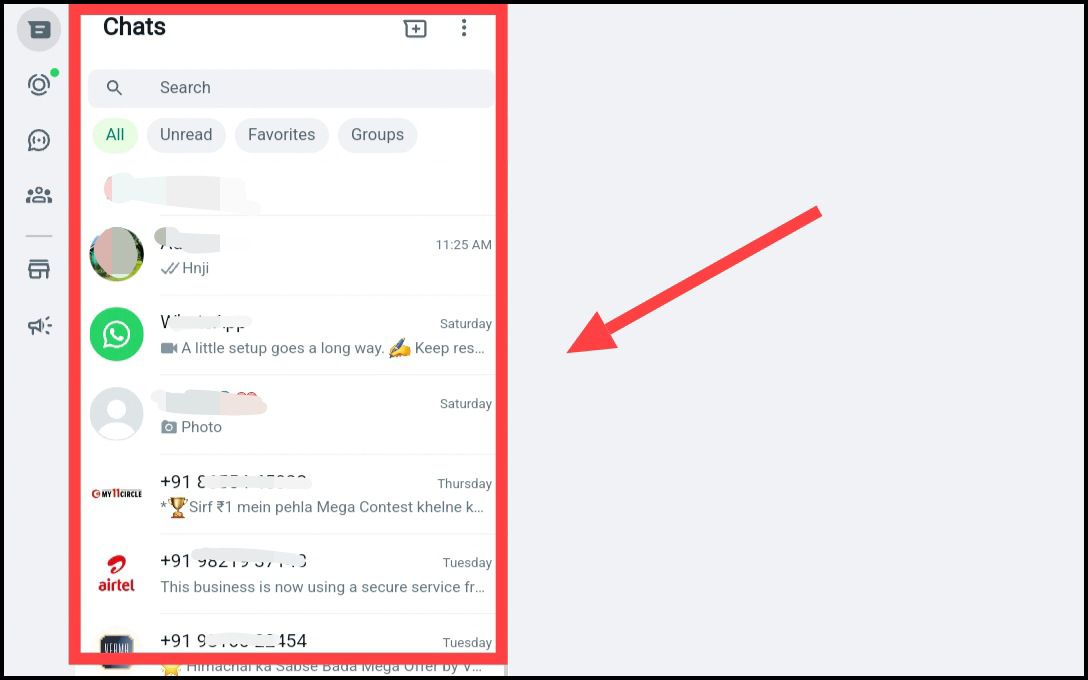
Also, now whenever he/she chats with someone, you will be able to see all the messages, photos, videos etc. sent to him/her from here. Also you will have full access to his WhatsApp.
Note: Note that whose WhatsApp you have run in your phone with the help of scanning! If he goes to Settings, go to “Linked Device” and remove it as device. Then WhatsApp will automatically log out from your Chrome. Then you have to run WhatsApp by scanning QR again.
If you are facing difficulty in running WhatsApp of the person in front of you in the browser, then you can also use his WhatsApp in the app with the method given below.
How to use someone else’s WhatsApp on your phone? (second way)
1. First of all you can go to Play Store Web Scanner App Download the. After downloading, open the app.
2Now after that click on the button Web Scanner given in front, After which you will get a QR Code,
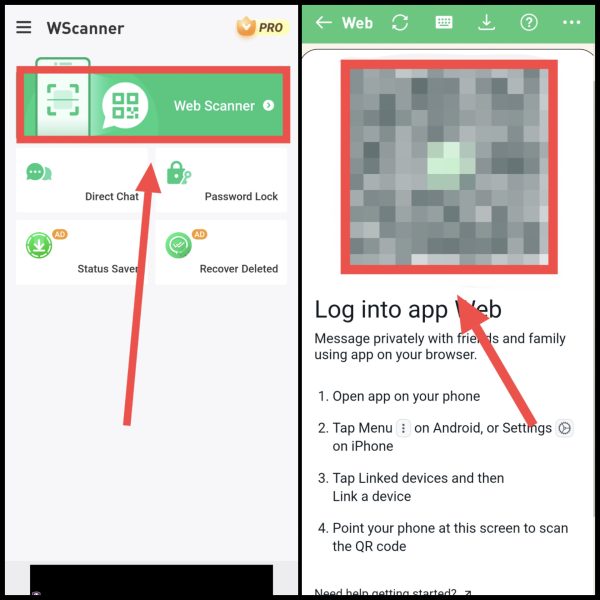
3Now you will get a QR Code here.
4. Now open the WhatsApp of any person whose WhatsApp you want to use on your phone. Then click on three dots > Linked Device > Link a device > Use Mobile Data.
5After that, scan the QR Code found in the Web Scanner app through the scanner,
6After scanning the QR code, the WhatsApp of the other person or your BF/GF will immediately run on your phone,
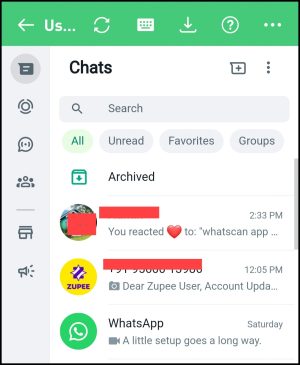
Also, you will be able to see with whom he will chat. You will also be able to access everything like status, contacts etc.
In this way, you can easily run anyone’s WhatsApp on your phone and also read all their WhatsApp chats. If you face any problem in this process, you can ask by commenting below.
Also read:






![[2940 BEST] WhatsApp Group Names In Hindi (2025)](https://www.techtrends.blog/wp-content/uploads/2026/01/2940-BEST-WhatsApp-Group-Names-In-Hindi-2025-330x220.png)