WhatsApp is such a social media application, which is proving to be very useful for every Indian person today, because through it we are getting many important files sitting at home, and also completing many of our important tasks through WhatsApp.
Therefore, after buying a new mobile or after buying a second hand mobile, every person definitely installs WhatsApp application in it as an essential application. Today we will tell you how to easily download WhatsApp in any of your mobile for free?
How to download WhatsApp in Android phone?
If you use Android smartphone and want to download WhatsApp in your mobile, then for this you will have to take help of Google Play Store.
1: To download WhatsApp in your Android mobile, first turn on the data connection in the mobile and then directly open the Google Play Store application.
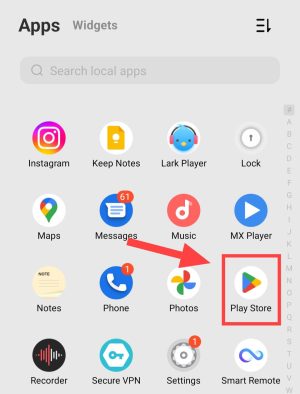
2: After opening the Google Play Store application, click on the search box visible above and write WhatsApp app download in English language and search.
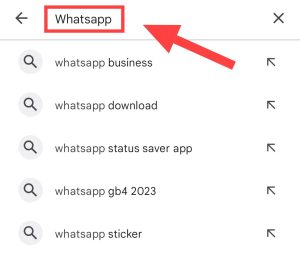
3: After the searching process is completed, the WhatsApp application will appear on the screen of your device.
If you want, you can also go directly to the download page of WhatsApp by clicking on the link given below.
4: Now you have to click on the install button which is visible in the green box. By doing this the downloading process will start.
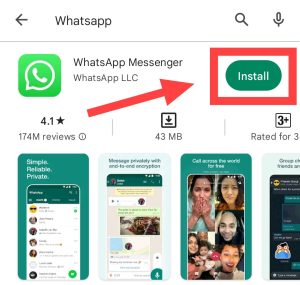
As soon as the downloading process is 100 percent complete, WhatsApp Messenger will be installed on your Android mobile within 1 to 4 seconds. After which you can open this application and start using it by creating an account on the application.
How to create ID on WhatsApp? Its complete information is here.
How to download WhatsApp from browser?
If for some reason you are unable to download WhatsApp on your mobile from Google Play Store, then you do not have to be disappointed in such a situation. You can easily download WhatsApp from the website by visiting the official website of WhatsApp.
1: To download WhatsApp from the website, you have to open any browser after turning on the data connection in the device. Let us tell you that we are using Chrome browser here.
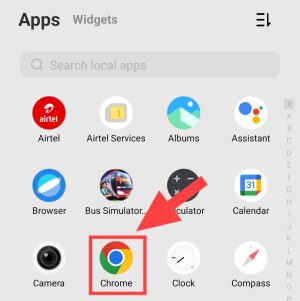
2: Once you open the browser, you have to click on the search box above the browser.
3: Now you have to write download whatsapp in english language and search.
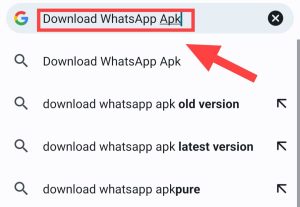
4: After searching, the official website of WhatsApp appears on the screen of your device. You have to click on the name of this official website.
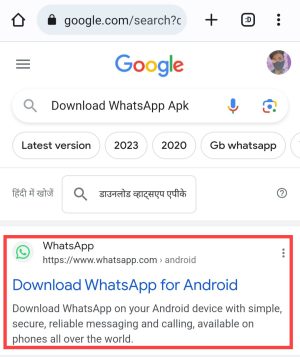
5: Now you have to click on the download button visible in the green box.
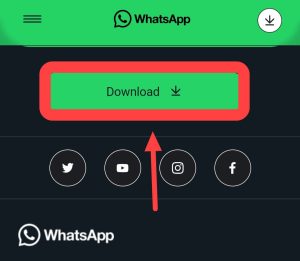
6: Now another download button will appear on your screen, click on that also. By doing this WhatsApp downloading will start.
As soon as you click on the install option, WhatsApp installation starts and within a short time WhatsApp gets completely installed.
If you want to download GB or FM WhatsApp on your phone instead of original WhatsApp, then you can read these posts for that;
How to download WhatsApp on iPhone?
People who use iPhone can install WhatsApp Messenger application on their mobile from Apple Application Store.
1: First of all you have to turn on the data connection in your Apple iPhone mobile and after that you have to directly open the Apple Application Store.
2: After opening the Apple App Store, you have to click on the search box visible at the top, then write WhatsApp Messenger and search.
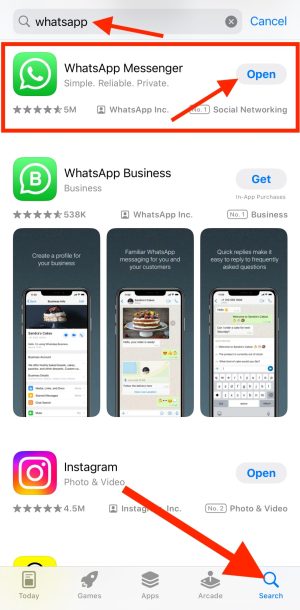
3: Now WhatsApp messenger will appear on your screen. Now you have to click on the button with the gate visible next to it.
After doing this process, WhatsApp downloading will start in your Apple mobile and after some time, WhatsApp will be installed properly in your mobile.
How to download WhatsApp in Jio Phone?
1. First of all you have to turn on the internet connection in your Jio phone.
2. After turning on the internet connection in Jio phone, you will have to open the Jio store app.
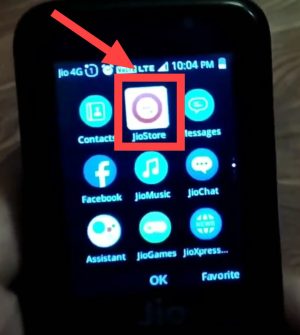
3. After opening the Jio Store app, you will go to a new page. On that page you people will have to scroll till the bottom.
4. Now you will see a WhatsApp here.
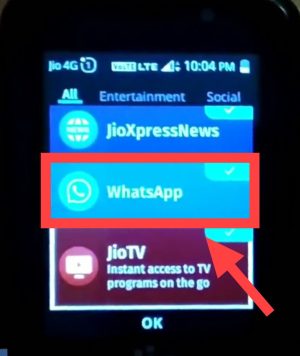
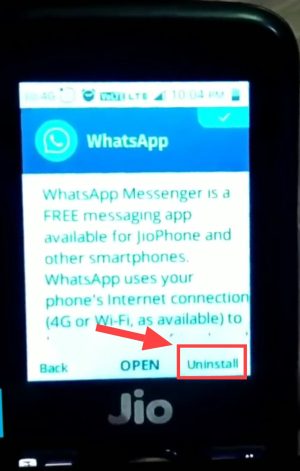
5. After clicking on the WhatsApp icon, you will see an option to install it. You people will have to click on that option, then Whatsapp will be downloaded in your Jio phone.
How to download WhatsApp in computer or laptop?
1. First of all, you have to open Microsoft Store in your Windows laptop and click on the search button.
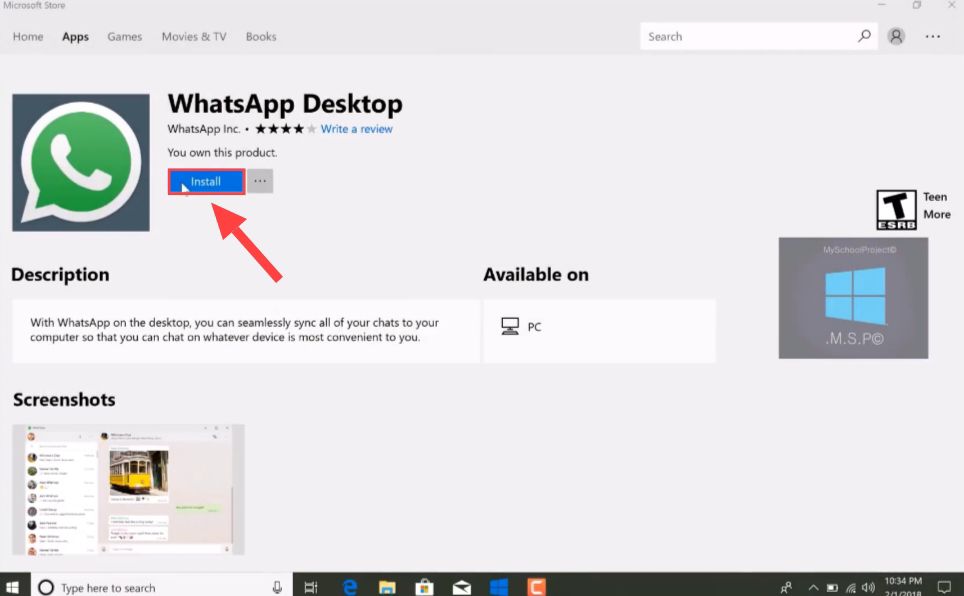
2. Now you have to search by typing whatsapp in the search bar. Now you will see the WhatsApp application, next to which you will have to click on Install.
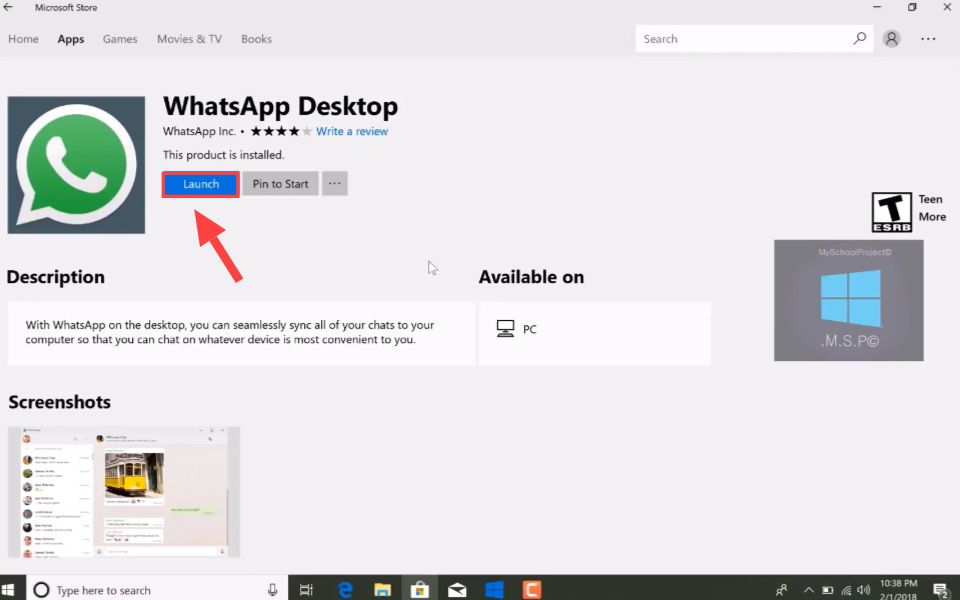
3. As soon as WhatsApp is completely downloaded in the laptop, then you have to click on the Launch button. Due to which your WhatsApp application will open in your laptop.
4. Now a QR code will appear in front of you which you have to scan with the help of your smartphone. Only then will you be able to run WhatsApp on your laptop.
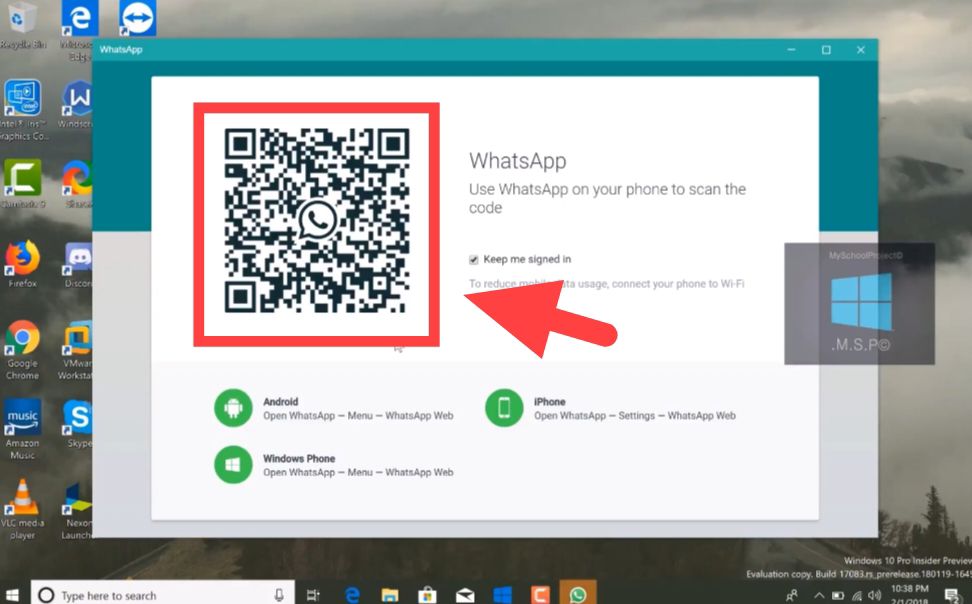
If you want to understand step by step how to run WhatsApp on laptop, then how to run WhatsApp on computer or laptop? You can read this post.