

If you also want to run any Android app on computer or laptop! So for that you will have to use Android Emulator. Android Emulator is designed in a special way with the help of which any Android App can be easily run on the computer. You will also be able to play Android games through it.
Although there is no official method in PC which supports Android app. For this you will have to take help of third party emulator like Bluestack, NoxPlayer etc. After this you will have to install your app in it. Let’s find out how?
How to run Android app in any computer or laptop?
1first of all you Bluestacks Download the android emulator named. Then After downloading, now double tap on it.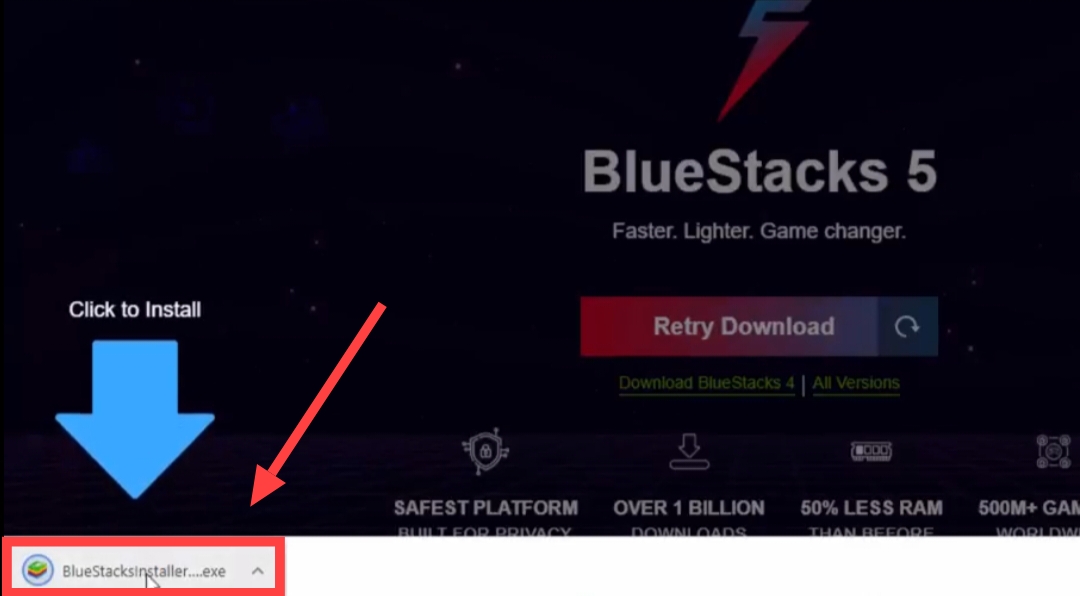
2Now the BlueStacks installer will start on your PC, After this click on “Install Now”,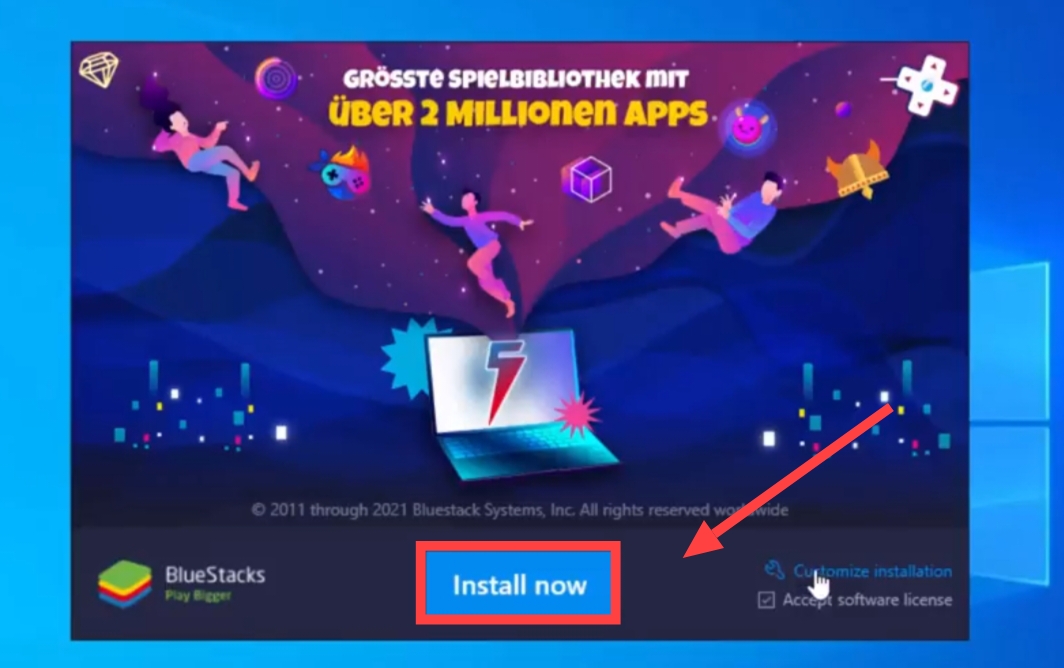
3After this you will now see a loadin, You just have to let it go to 100% and BlueStacks will be installed on your PC,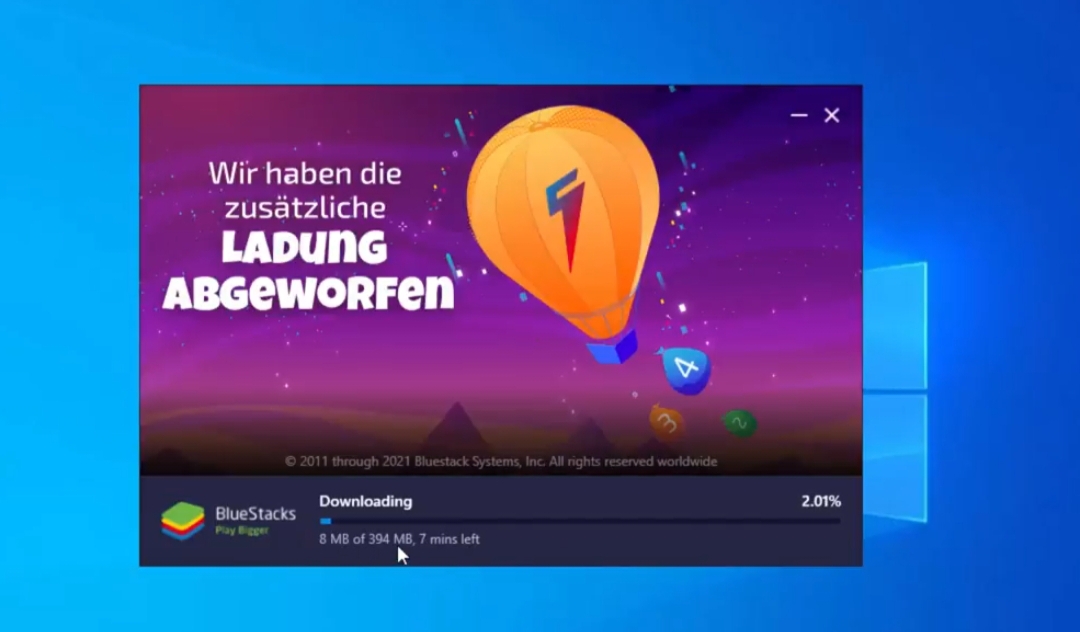
4Now open Bluestack, After this click on Playstore,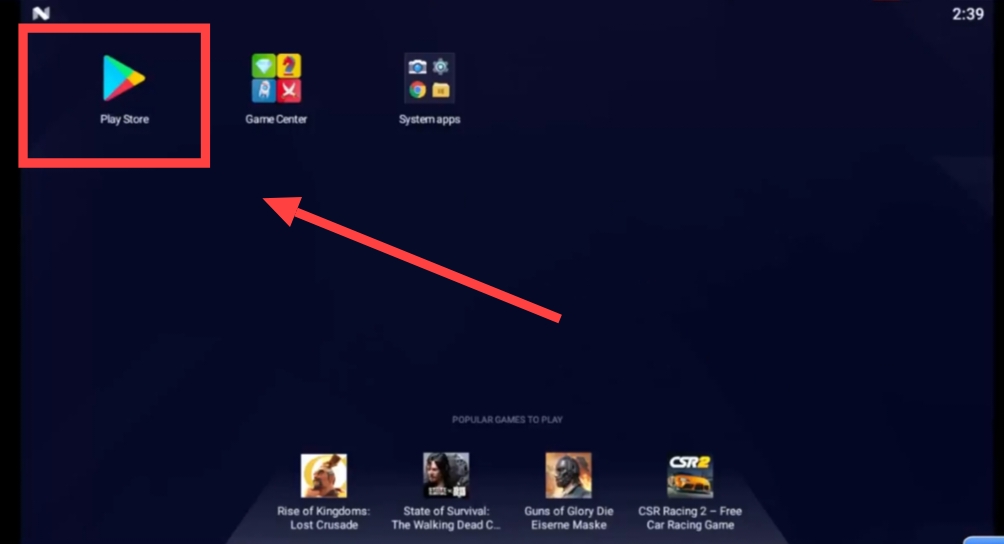
5Now here you have to login to Playstore with the help of your Gmail,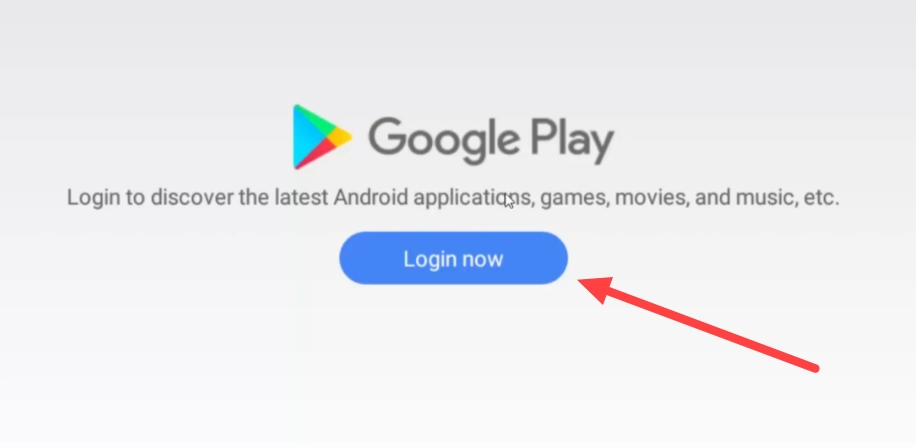
6After this, now tap on the search box given on the right side, Then search the name of your favorite Android app here,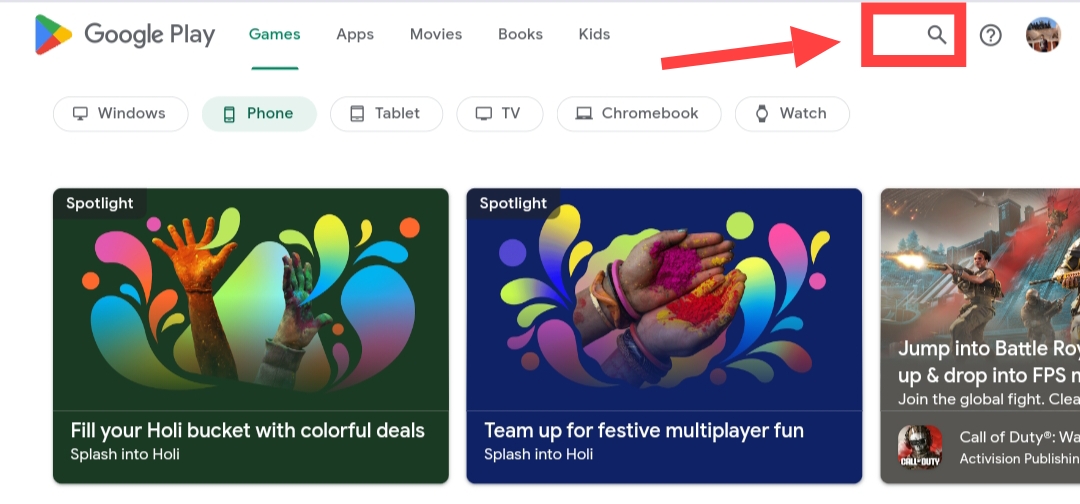
7After that now click on the app, Then install the Android app by clicking on Install here,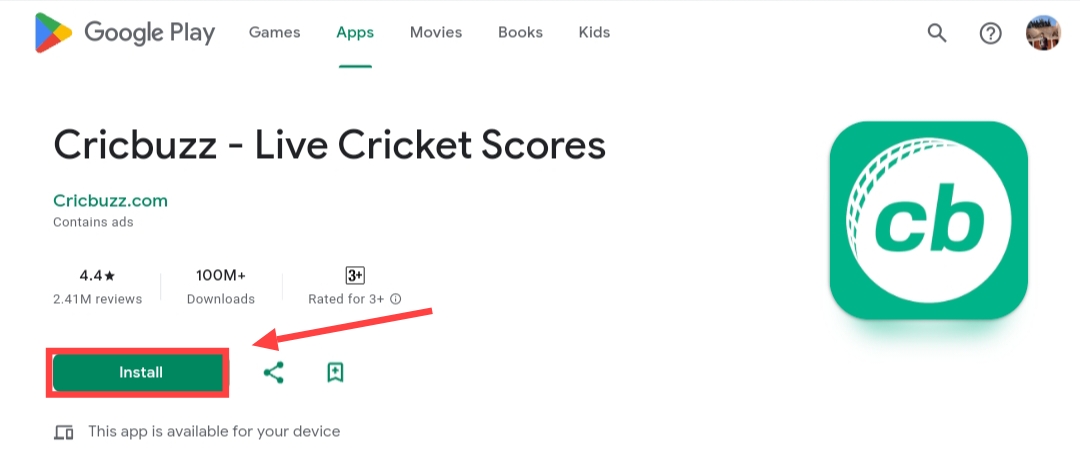
8After this now tap on Open and enjoy the Android app on your PC, You can run any game on your PC in this manner,
If you face any problem in installing or running Android app with this software, then you can try the second method mentioned below.
Another way to run Android app in computer/laptop
1first of all you NOX PLAYER Download the named software to your PC.
2Now after downloading, go to the downloader folder, Then double tap on the NOX PLAYER icon,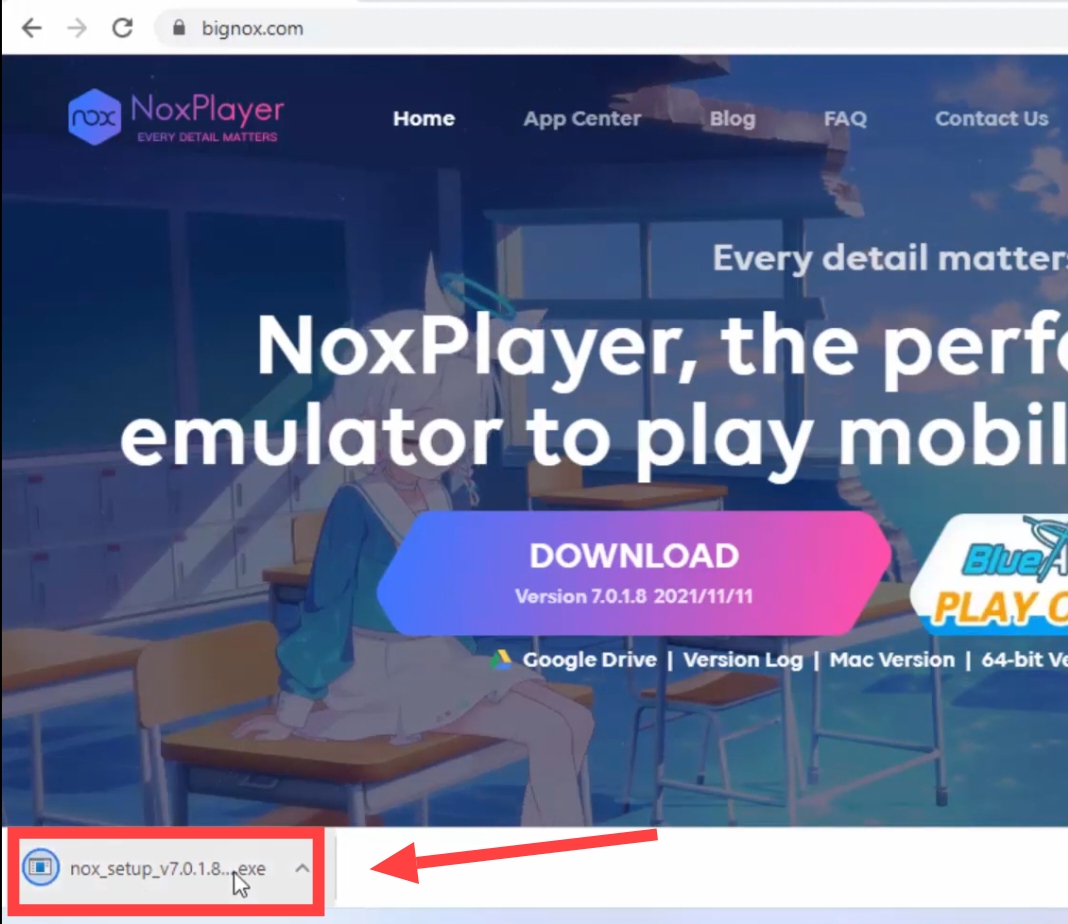
3After this, wait for a while, Then now tap on INSTALL and wait for the emulator to be installed,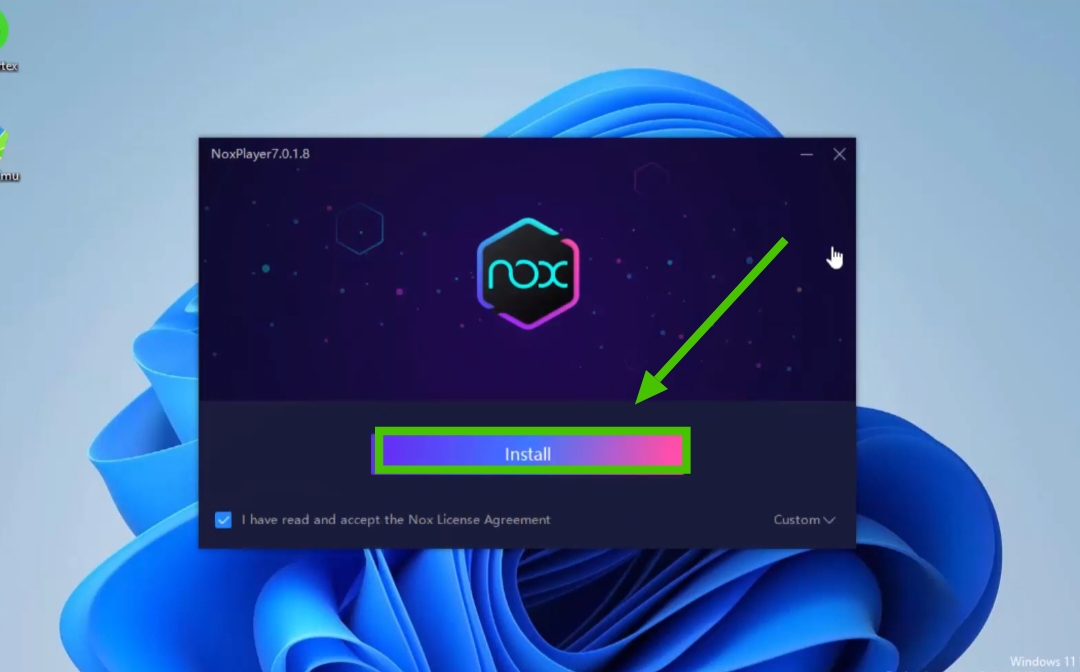
4After installation, now click on START button, 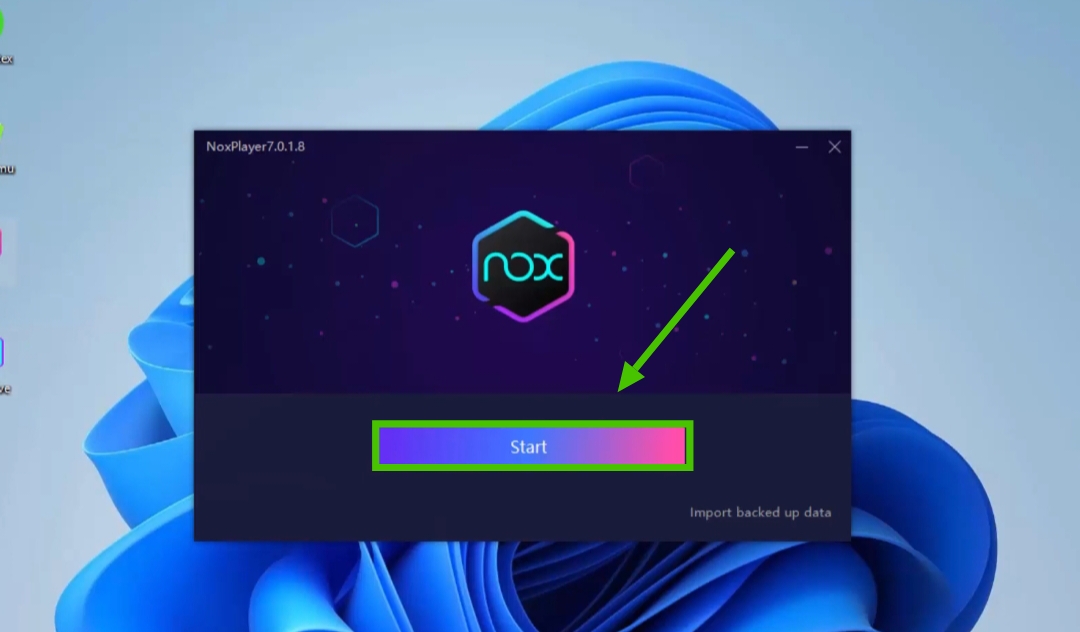
5Now after this the Google Play login page will appear, Here Log in with the help of your Gmail account’s username and password.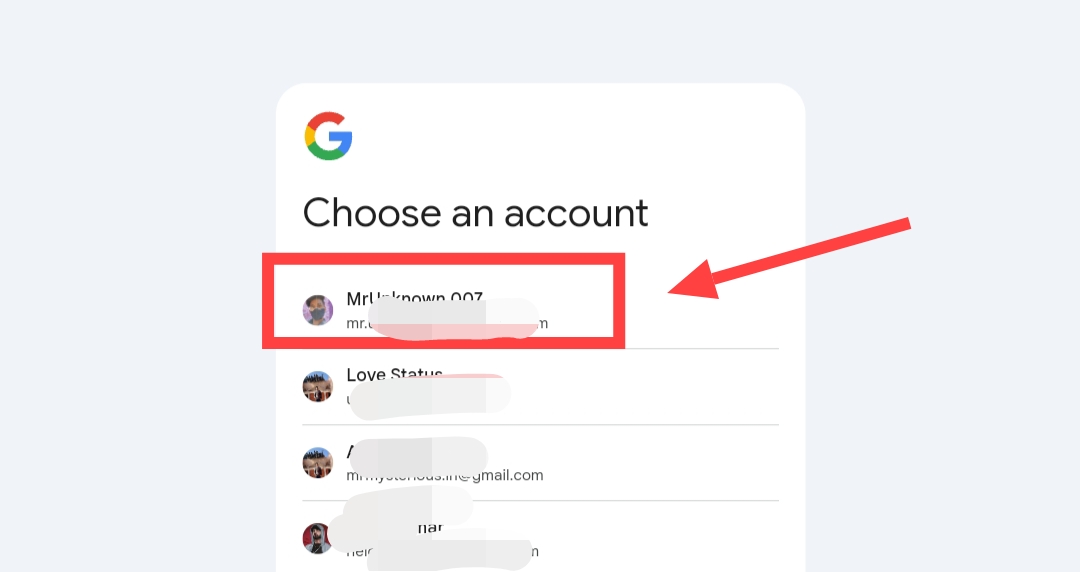
6Now after this you will see the search box in front, Click here and search the name of Games & Apps of your choice,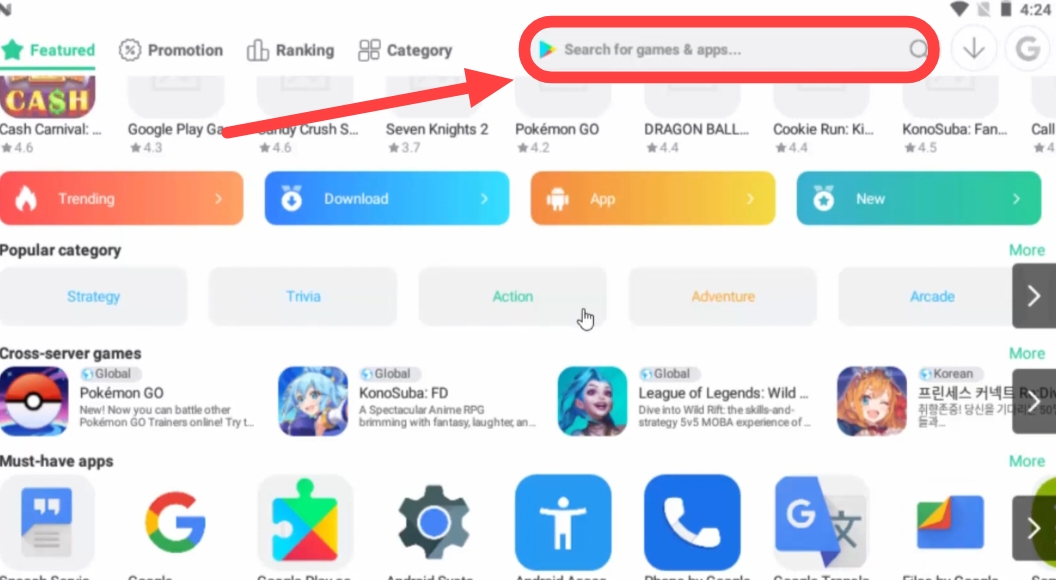
7Now after searching, click on that app, Then after that tap on Install,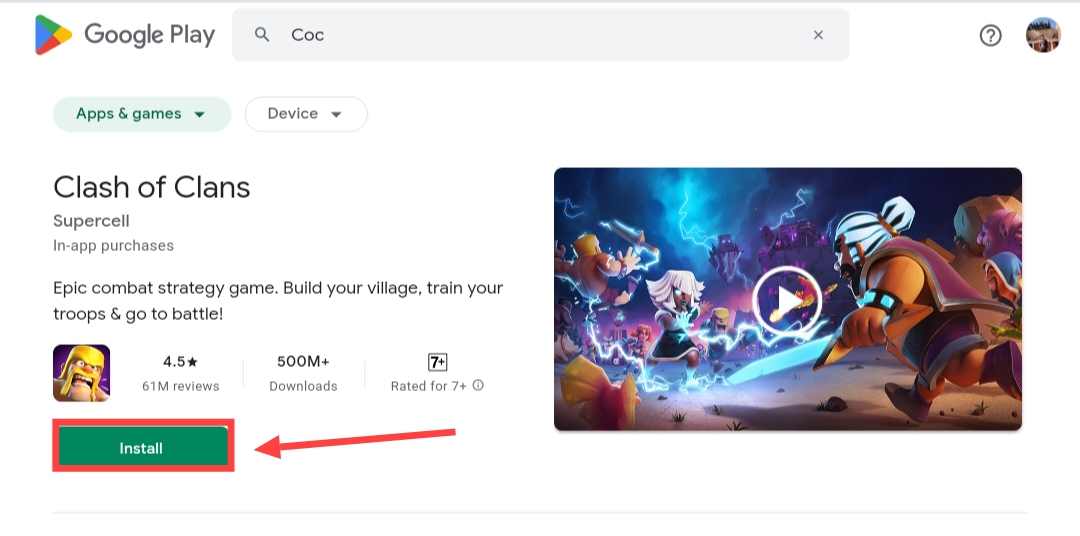
8Once your app or game is installed, tap OPEN to enjoy the app/game, In this way you will be able to run Android apps or games on your PC,
Also read;






![[NEW*] Computer TIPS & TRICKS in Hindi](https://www.techtrends.blog/wp-content/uploads/2026/01/NEW-Computer-TIPS-TRICKS-in-Hindi-330x220.jpg)