

You can reset the password of your computer/laptop with the help of Security Question. Along with this, if you have forgotten the security question and its answer! So in such a situation, you can break the password of laptop/computer through Command Prompt. Apart from this, there are other methods which are mentioned in the article.
If you have forgotten the password of your computer/laptop! So in such a situation you have to reset its password. You can break the password of any computer/laptop only by resetting the password. Let us understand step by step how to break the password of any computer or laptop?
How to break computer/laptop password?
1First of all try to login to your PC,
2Now when you repeatedly enter the wrong password, tap on Reset Password there,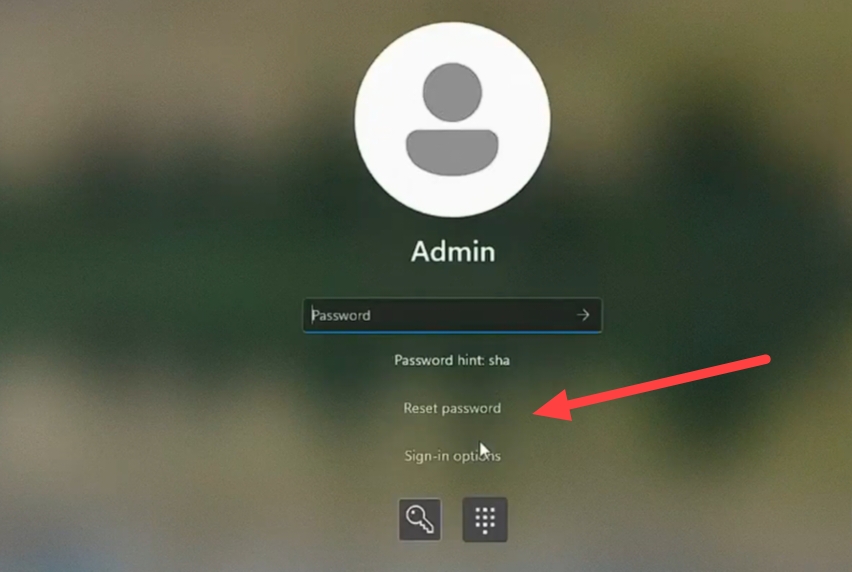
3. Now whenever you have created your password, you must have been asked some security questions to which you must have answered.
Example: These security questions are like this: What is your pet name? What is the name of your first school? What is your best friend’s name? etc.
4Now here you have to answer all the questions in Security Answer 1, Security Answer 2, Security Answer 3 etc, and then enter,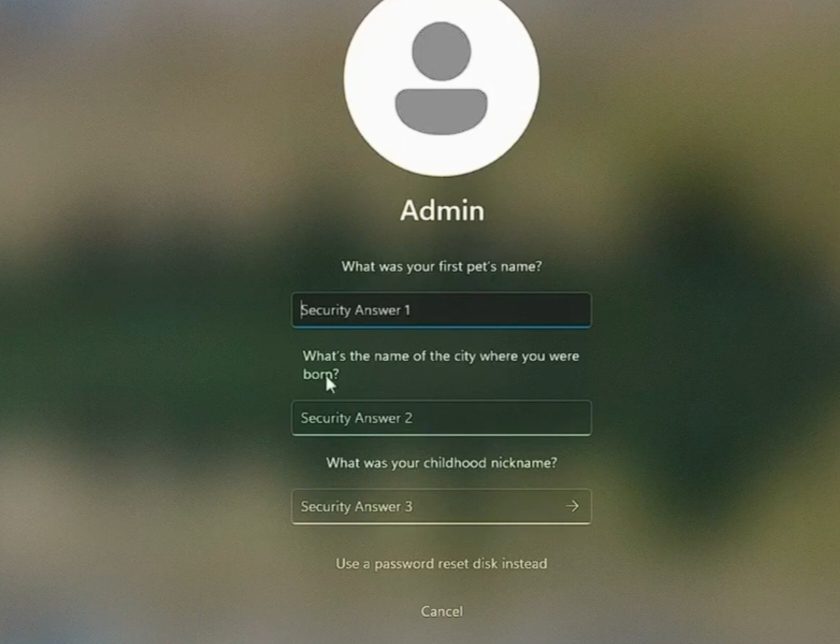
5Now if the answers to all your security questions are correct then you will get the option to reset the Windows password,
6Now after this create your new password and confirm it,
7Then login to your computer with the help of your new password, In this way you can easily break the password of any computer/laptop,
How to break the lock of any computer/laptop? (second way)
1First of all go to the Login Page in your computer,
2Now after this press the Shift button, Then after that click on Power Icon and click on “Restart”,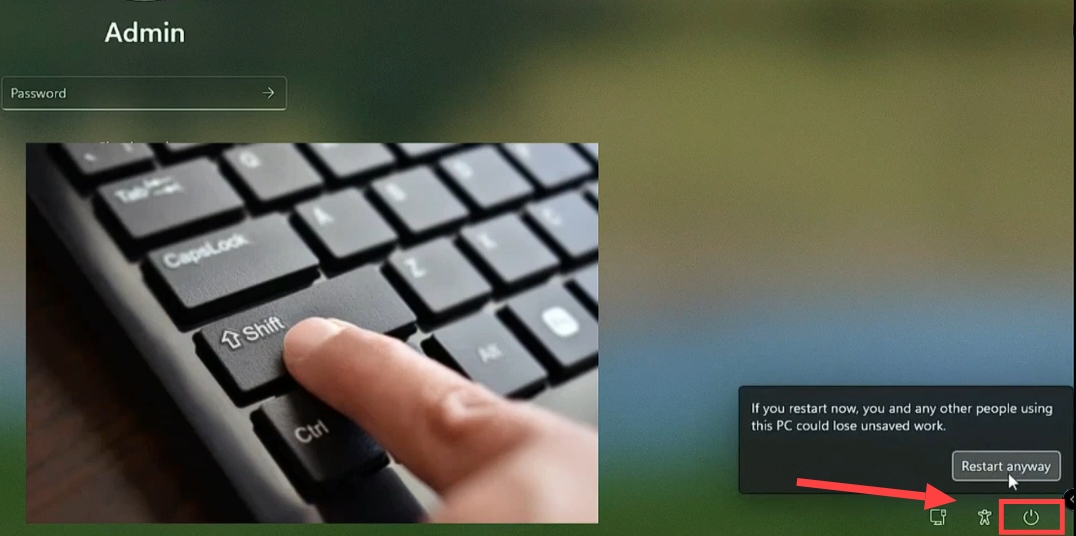
3Now tap on Troubleshoot,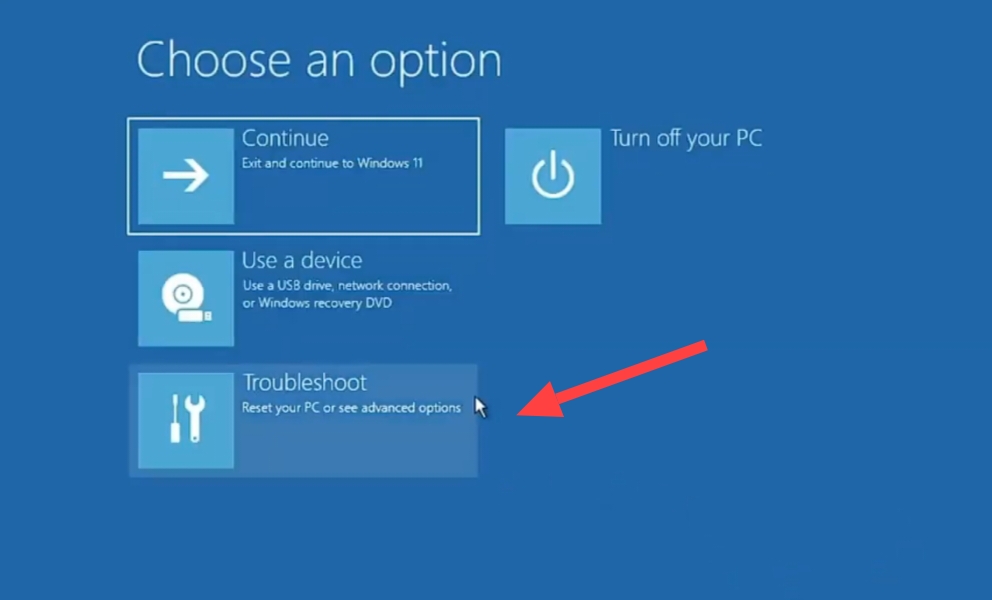
4Then after that click on Advanced Options,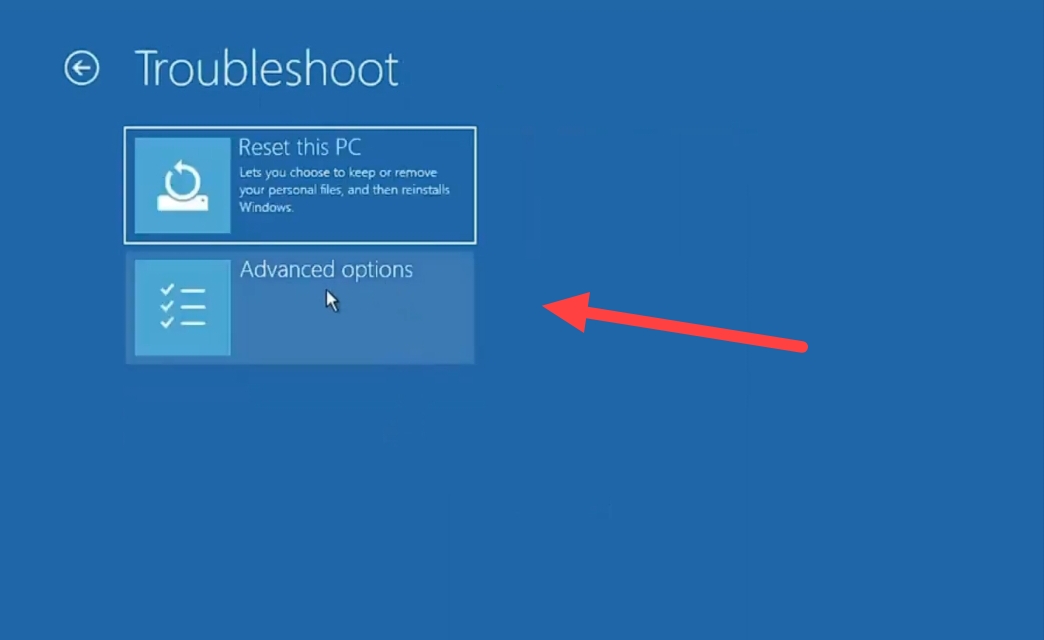
5Now after this click on the Command Prompt button,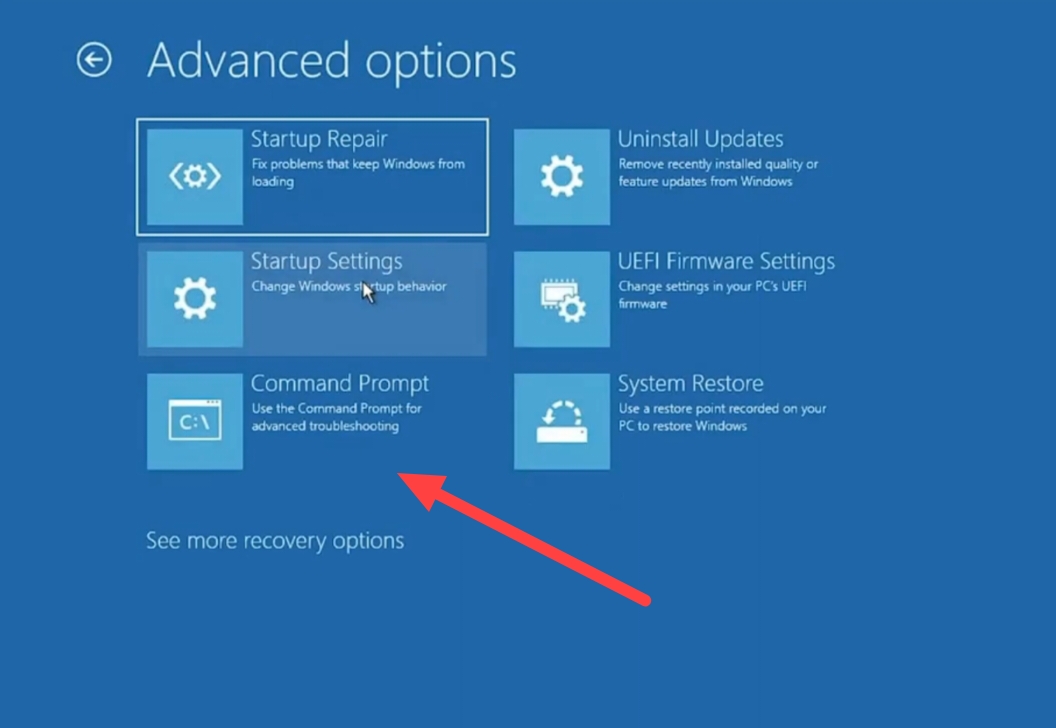
6Now after this you have to enter the command given below as per the screenshot shown,
X:\Windows\System32>c:
C:\>cd windows
C:\Windows>cd system32
C:\Windows\System32>ren utilman.exe utilman1.exe
C:\Windows\System32>ren cmd.exe utilman.exe
C:\Windows\System32>exi_
7. After this a page will open. Now after this click on Reset Password here.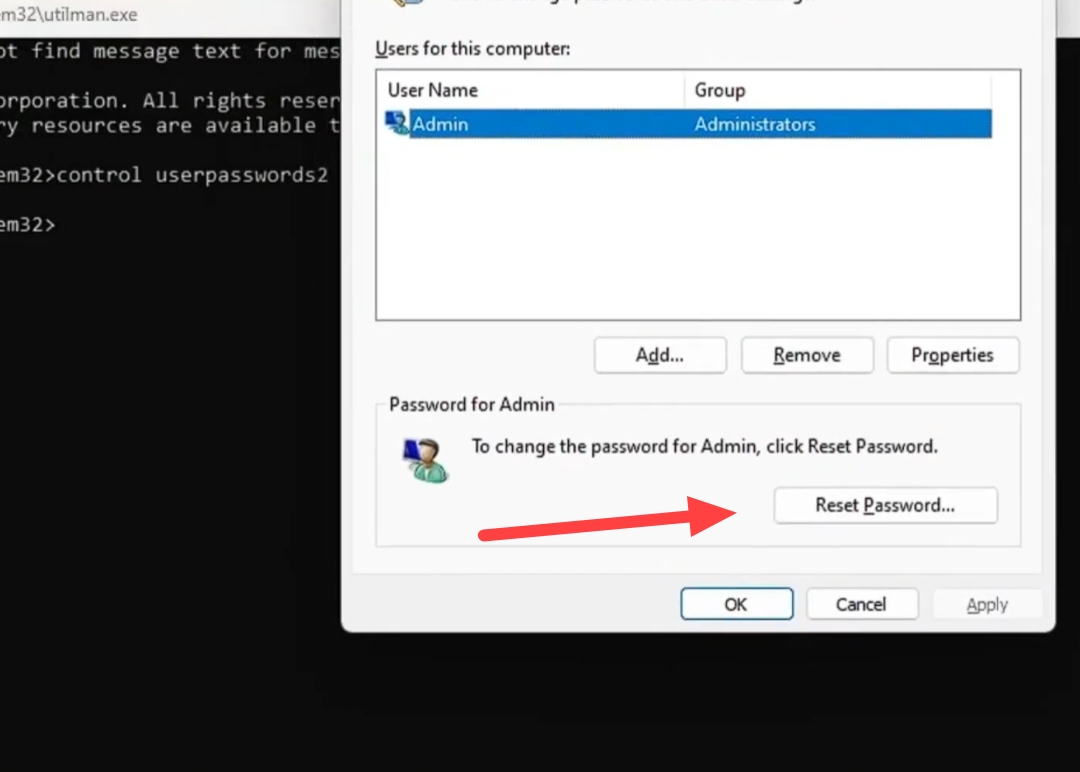
8Now create a new password and confirm the new password with the help of Confirm New Password, Then after that tap on OK,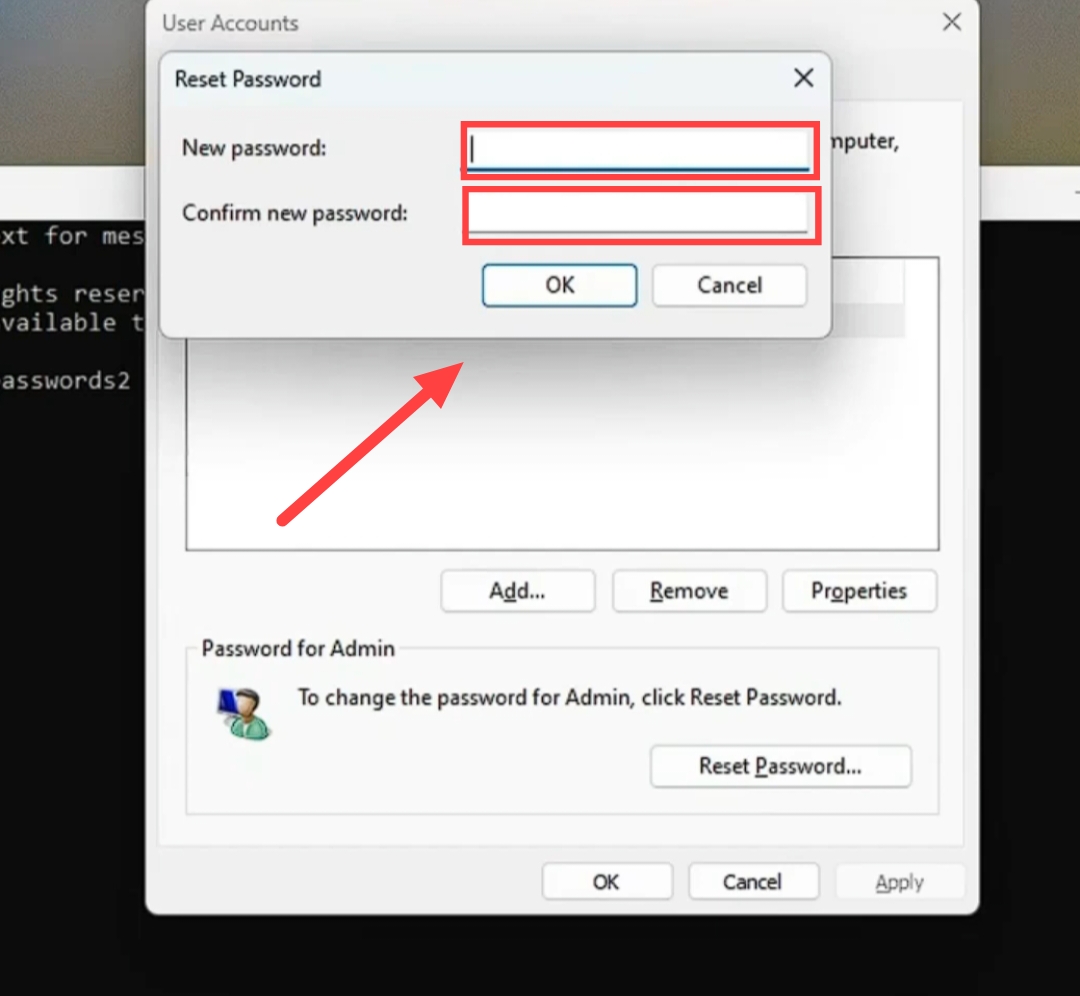
9Now go to the login page of the computer again and access your computer with the new password, With this method you can easily break the password of any Windows 7, 10, 11 or laptop,
Also read;








![[NEW*] Computer TIPS & TRICKS in Hindi](https://www.techtrends.blog/wp-content/uploads/2026/01/NEW-Computer-TIPS-TRICKS-in-Hindi-330x220.jpg)