Whenever we create an email ID, a mobile number is also asked in it. It is used so that if you ever forget your email ID, it can be traced or recovered with the help of the same mobile number.
If you have also forgotten your Email ID and now do not understand how to find it, then in this post we have told you how to find Email ID only from mobile number. The method is very easy and anyone can do it themselves.
How to know email ID from number?
1. First of all in your phone chrome browser You have to open it and after that a page will open in front of you. in which you search The icon of your second email ID will appear above the bar. You click on it.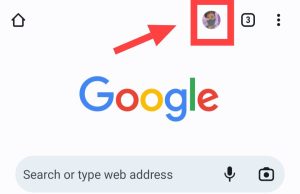
2. As soon as you click on that icon, you will see Manage Account under your second email ID. add account You will get the option of add account Have to click on the option.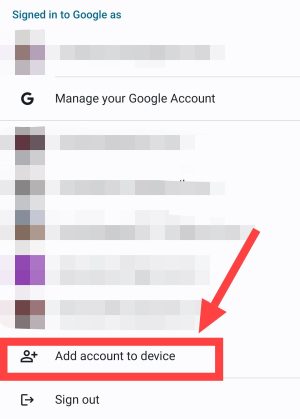
3. as soon as you add account When you click on then a new page will appear in front of you in which you will be asked to enter your email ID but if you do not know your ID then you forget email Click on the option.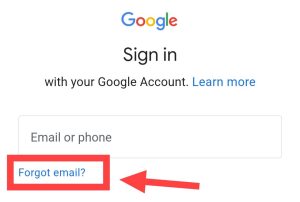
4. Now a new page will appear in front of you in which you have to enter that mobile number., From which you had created the email ID. You enter your number in the blank space and next Click the button.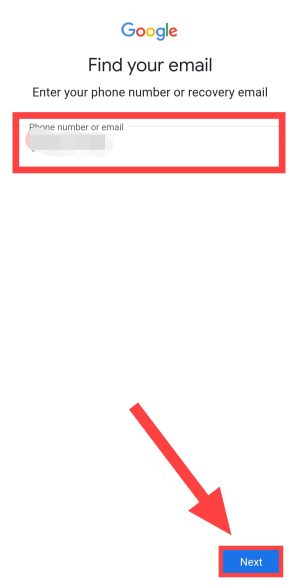
5. As soon as you next As soon as you click on the button, a new page will appear in front of you. In which you will have to enter your name because you must have created the email ID in your own name. you your first name And last name Put it in.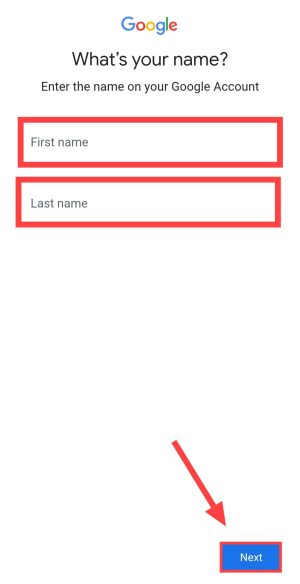
6. after entering your name next Click the button.
Note: If your name matches, then follow the steps given below, but if your name does not match, then you can try arranging the spelling of your name.
7. Now there will be some loading and all the email accounts you have created with that phone number will be shown in front of you. You can also sign in with any of these by clicking on it.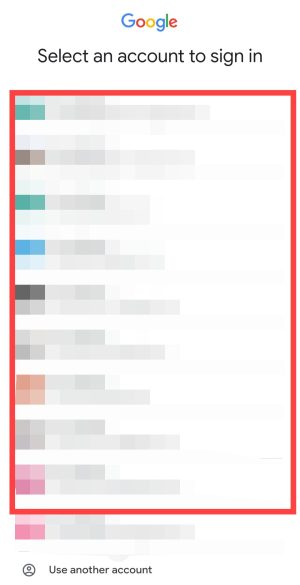
By following these steps you can easily recover your email ID.
Many times people use their social media platforms like Facebook, of instagram bio You also enter your email ID. You can also get your email ID by going there. Once you get the email address, you can recover your password and use your email ID.
If you do not know your email ID, So I think you may not even know the password of your email ID. If you want to recover the password of your email ID, then follow the method given below.
How to know email ID password from mobile number?
To know the password of the email ID, follow the method given below.
1. To know the password of your email ID, tell us above. step 1,2,3 Follow. Then after entering the email ID forgot password Click on the option.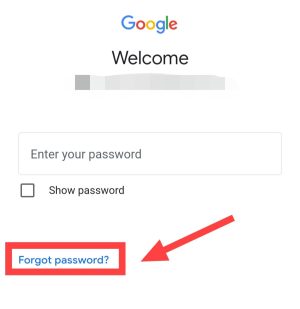
2. Now enter your password which you remember. If you enter the correct password, your ID will be recovered immediately. And if it doesn’t happen try another way Click on the option.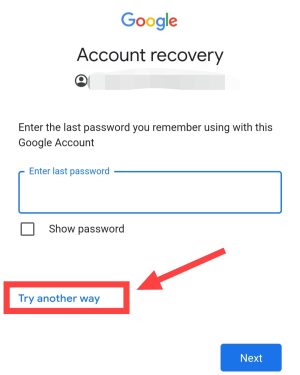
3. Now you have to enter your number with which your email ID is linked. In front of you as soon as you enter the number text through otp send You will get the option to do send Click the button.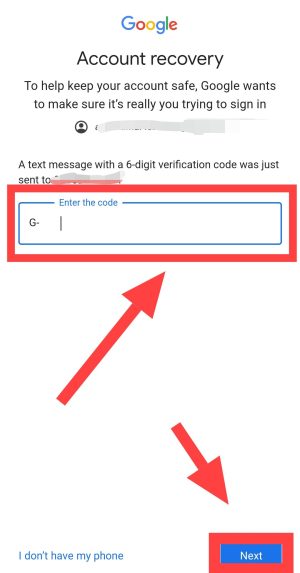
4. OTP You confirm it when you get it. OTP After entering, create your new password and then confirm that password.
By doing this you will get your email ID along with the password.
Also read: