
Whatever number we talk to, how many times or for how long, all that call history gets saved in our phone. You can easily retrieve old call details of Airtel, Jio, VI, BSNL or any number, that too without OTP. And with some of the methods mentioned in this post, you can also get someone else’s call history (Call Details).
There are many ways to get the call details of any number, such as through the official app, by sending SMS or email or through many other methods. In some cases you need that number and OTP, while in some cases you can get call details without OTP or even without mobile.
You will find many methods and apps on the internet to get call details, but most of them are fake. But in this post I have told all the working and tested methods. Let us know step by step how to get call details of any number?
How to get call details? (of Airtel number)
If the number for which you want to get call details is of Airtel company, then you have two ways, first you can know the call history by sending SMS from that number and secondly you can get your call details through Airtel App also.
First method: By SMS
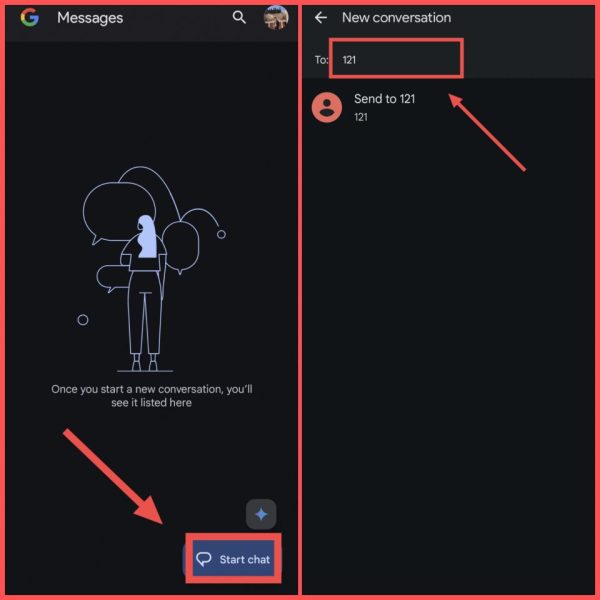
1First of all, open the SMS or messaging app in your phone,
2Now after this click on Start Chat, Then now enter “121” in the number here,
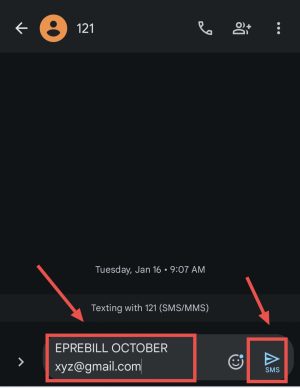
3Now here in the text message you have to enter EPREBILL (space) MONTH (space) EMAIL ID,
In Month, you have to enter the month for which you want to get call details and in Email ID, you have to enter your email ID on which you will get the call details of Airtel number. For example EPREBILL OCTOBER [email protected] Enter. Then after that tap on send icon.
NoteWhenever you send a message to 121 from Airtel to get call details, some rupees will be deducted from your main balance.
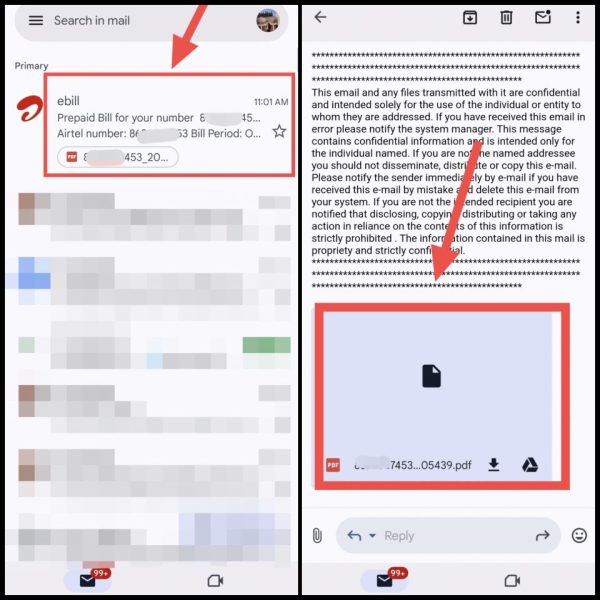
4Now as soon as your message is sent, you will receive an email from Airtel on the same email ID within about 5 to 10 minutes,
5You have to go to Gmail app and open that email, After that you will get the PDF file, Click on it and open it,
6Here you will get complete call details of Airtel, how long you talked, at what time you talked and when you called etc,
Note: This PDF file will be password protected. Its password will be your birth year and last 4 digits of Airtel number. For example, if your birth year is 1984 and mobile number is 9810012345. So in this case your password will be 19842345.
Also read: How to restore deleted call recording from mobile?
Second method: From Airtel App
1First in your phone Airtel App Download.
2Now after this, enter the phone number whose call history is to be retrieved in the Airtel app, After that login into the app again with OTP,
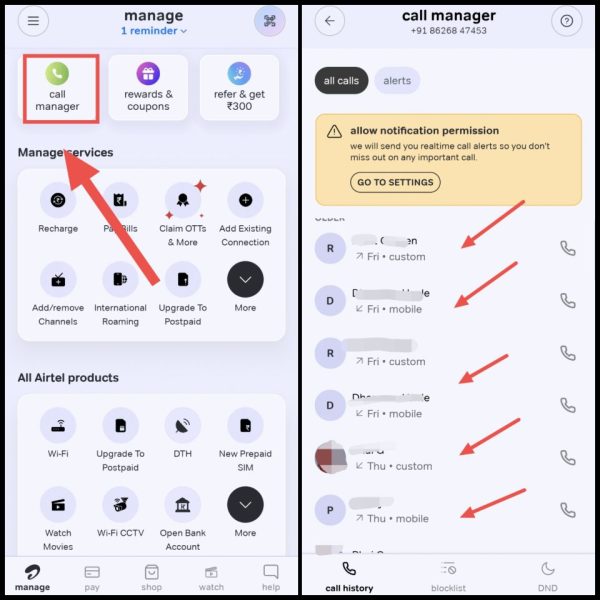
3Now scroll down again and click on Call Manager, After that, in All Calls, you will be able to see the incoming, received, dialed, missed calls etc, on that number according to the date,
To know other methods and details process of getting call details of Airtel number, how to get Airtel Call Details? You can read this post.
How to get call details of Jio number?
Like Airtel, Jio company also has two ways to get call details. First by sending SMS and second with the help of MyJio App in the smartphone.
First method: By SMS
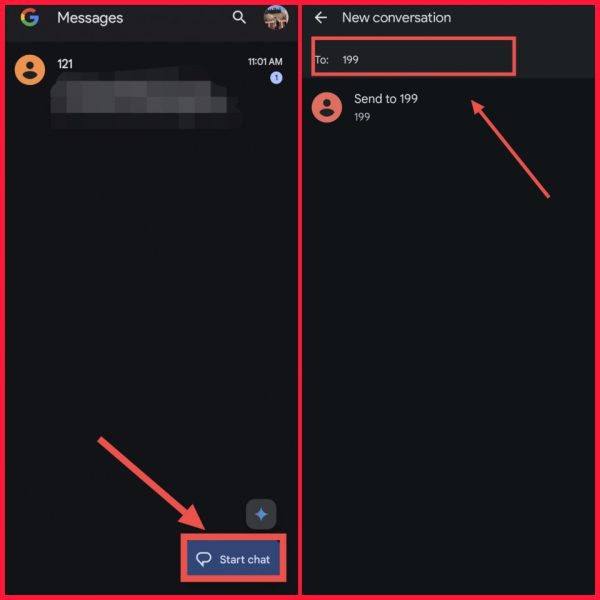
1First of all, open the messaging app present in your phone,
2Now after this again click on the button called Start Chat, Then enter “199” in the phone number here,
3Now after this you have to write CALL here in the text, Then you have to send this message, Keep in mind that sending SMS will not be free, there will be charges for it,
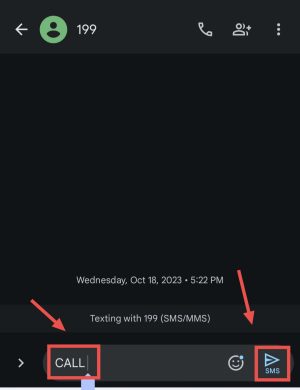
4Now after this you will get the details of the last 5 calls through SMS, If you want to get more old call details, then for that you will have to take the help of MyJIO App,
Also read: How to listen to someone else’s call on your mobile?
Second way: From MyJio App
1First of all Jio App Download it from Play Store on your phone.
2Now after this, enter the call details of any Jio SIM you want to extract here, And then you login to Jio app through OTP,
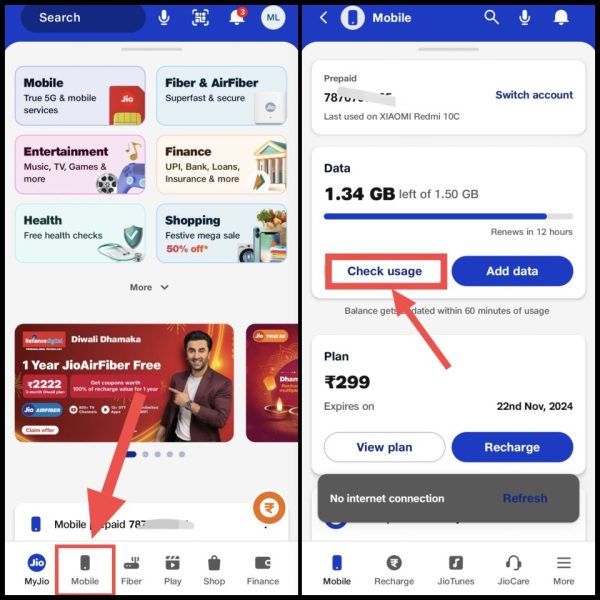
3. Now after reaching the homepage of the app, click on Mobile. Then after that now scroll down and click on Check Usage.
4Then now click on the Calls section here, After that you will be able to see all the calls history, You can also see how long you talked and what time you talked,
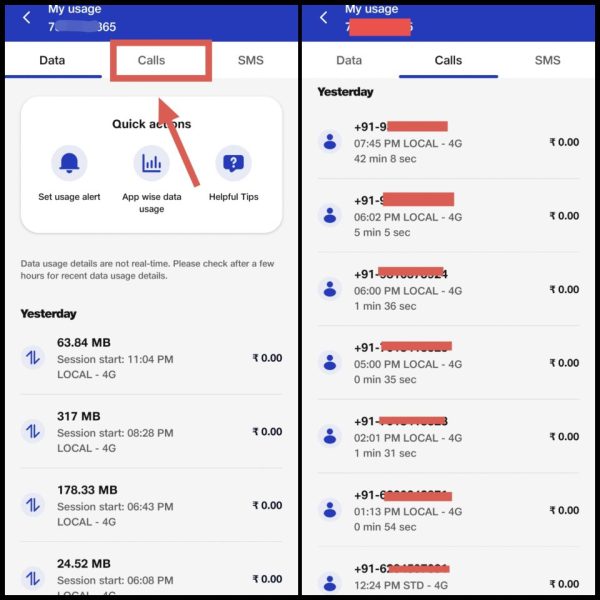
Note: With this trick you can get Jio call history of last 6 months. Also, you will not be able to extract more call history than that.
To know other methods and detailed process of getting call details of Jio number, you can know how to get call details of Jio SIM? You can read this post.
How to get call details of VI SIM?
1First in your phone VI App Download the.
2Now after this, enter the call details of any VI number for which you want to get it, Then login to the app with OTP,
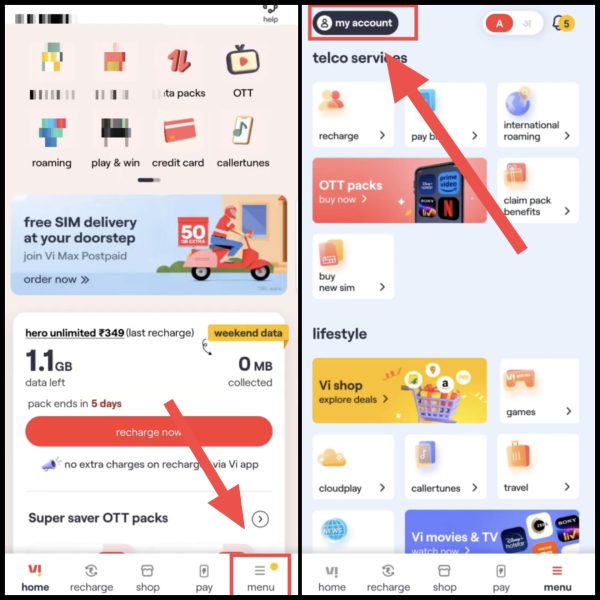
3Now after this, click on the Menu given at the bottom of the home page, Then after that click on My Account given above,
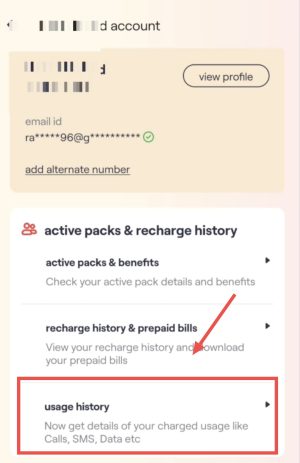
4Now after this click on Usage History, Then select Calls here now,
5Now you will see all the call details of the last 6 months, You will also be able to see who has called that number and for how long,
To know other methods and details process to get call details of VI number, you can read How to get call details of VI SIM? You can read this post.
Also read: How to remove WhatsApp call details?
How to get call details of BSNL number?
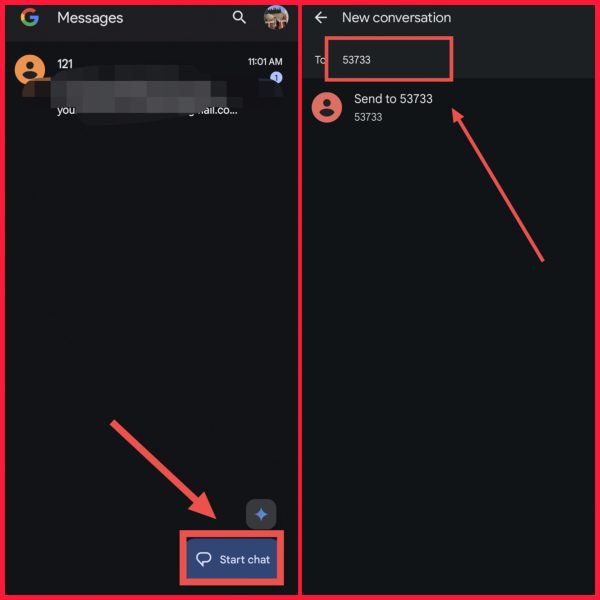
1For this, first of all open the SMS app in your phone,
2Now after this go to Start Chat option here, Then after that enter “53733” in the number,
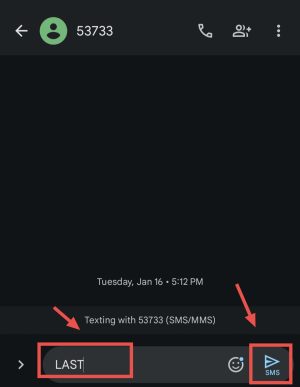
3After that, now write LAST in the message and send this message,
4Then you will receive a message in which you will be able to get the details of the last 5 calls,
Note: If you want to extract BSNL call details for 6 months! So for that then you have to call BSNL customer care. Then after verification you will be able to apply for 6 months call history from them.
To know other methods and detailed process of getting call details of BSNL number, you can know how to get call details of BSNL? You can read this post.
How to get call details of any number? (Without OTP)
To extract call details without OTP, you will need an application called E2PDF. With this app, you can get call details of any number for up to 6 months without any OTP. Know the complete process below:
1. In the phone of which number you want to get the call details. E2PDF Download the application named.
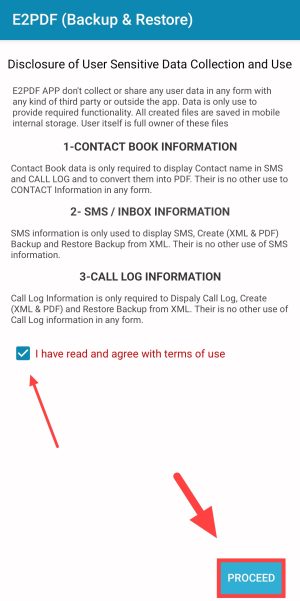
2. After opening the app, you will see a box called “I have read and agree with terms of use”. Tick it and then click on Proceed.
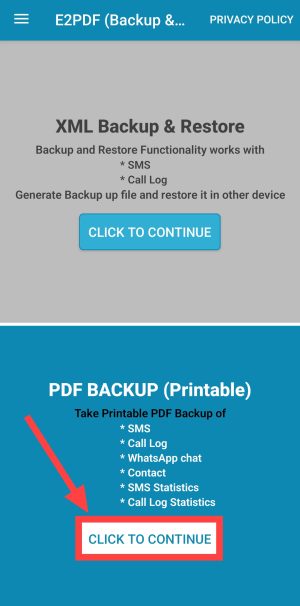
3. Now click on click to continue here in the PDF Backup (Printable) section.
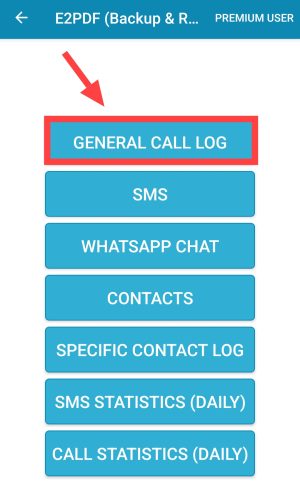
4. Then now click on General Call Log to get call details here.
 5. Now in Call Log Details, select the period from when to when you want to extract the call history. Then after that enter any name in Enter Output Filename. After that click on Export to PDF.
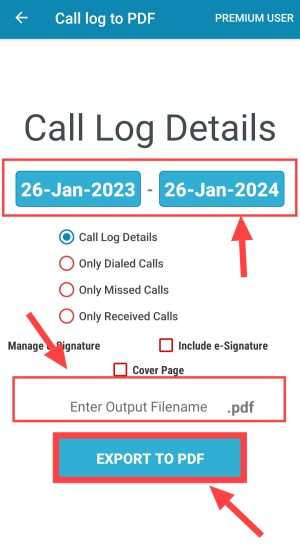
Note: You can extract only 6 months old call details.
6After this, after clicking on Allow, allow all the permissions,
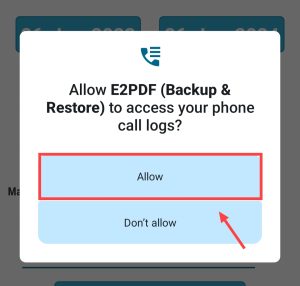
7. Now you will see all the call details on the screen. In this way you can get call details without OTP.
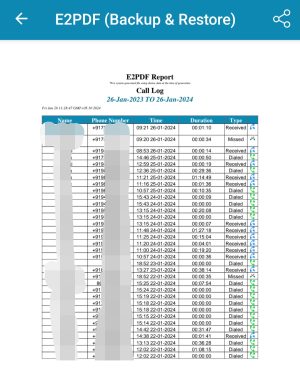
These are some of the ways by which you can get call details or call history of any company like Airtel, Jio, VI or BSNL number. If the call history has been deleted by mistake and you are not able to recover it even through these methods, then how do you recover the deleted call history? You can read this post.
Hope your question is how to get call details? You must have got the answer to (How to remove call details?) Apart from this, if you are facing any problem in the steps or you have any question then you can ask in the comment section below.