
Sometimes we need to change the location of our phone. If for some reason you also want to change the location of your mobile, then in Android phone You can change location through Fake GPS App. you can easily your Both Live and Current location can be changed. Let us know what is its complete process?
How to change the location of Android phone?
Note: Do not use it for any wrongdoing. This article has been written for information purpose only.
1First of all you can go to Play Store Fake GPS Location Spoofer Download the app named.
2Then after this you have to click on Allow and allow all the necessary permissions,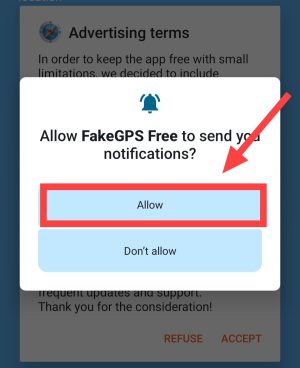
3After this now click on Enable, Then tap on Permission,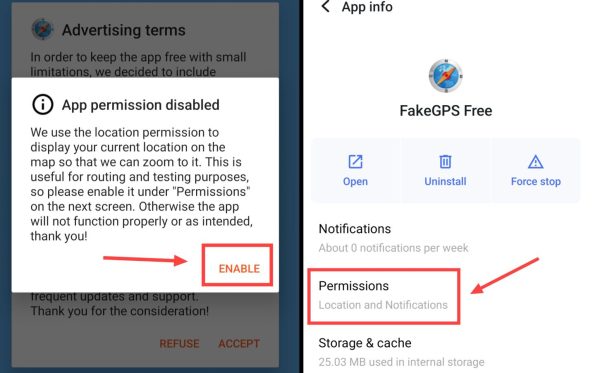
4After that click on Location here, Then allow it,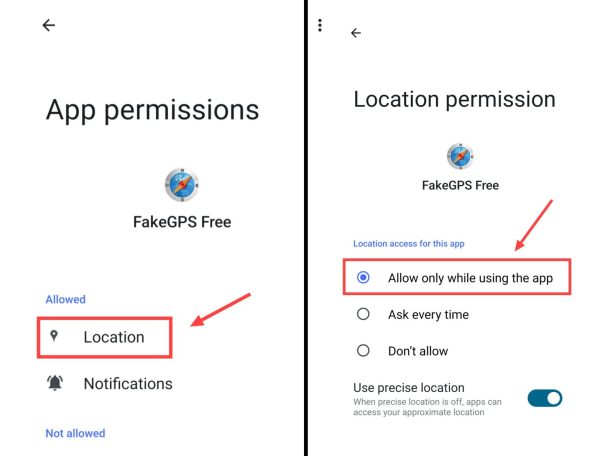
5Now come to the app and then tap on Accept,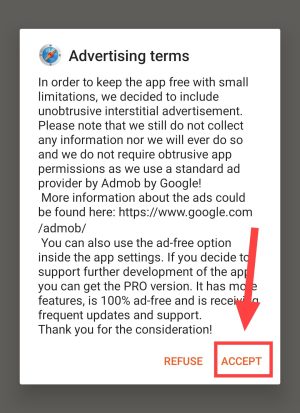
6Now tap on Enable here again, Now you have to click on Developer Settings,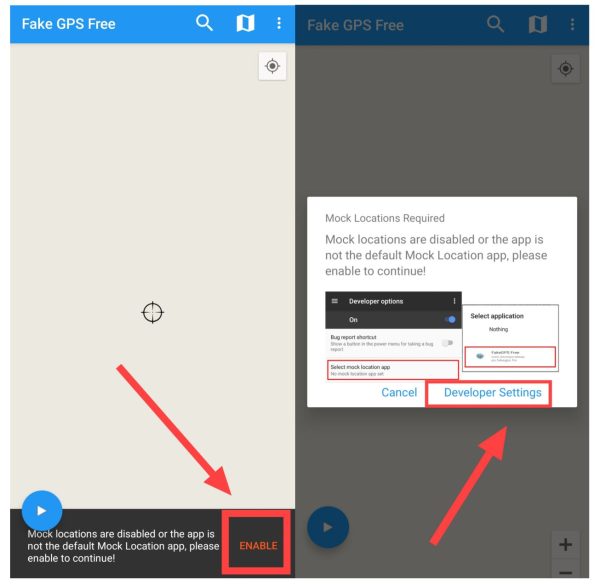
7Now you will be redirected to phone settings, Here turn on the developer option of your phone,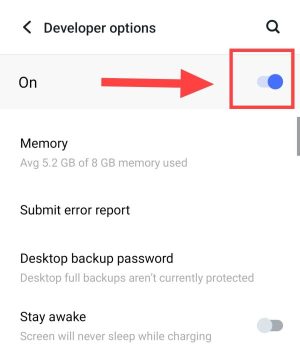
Note: You go to Phone Settings > About Phone > Software Version. Then tap on Builder Version 7 to 8 times. In this way also you will be able to enable developer options.
8Now scroll down here and click once on “Select Mock Location App”, Now select Fake GPS Free here,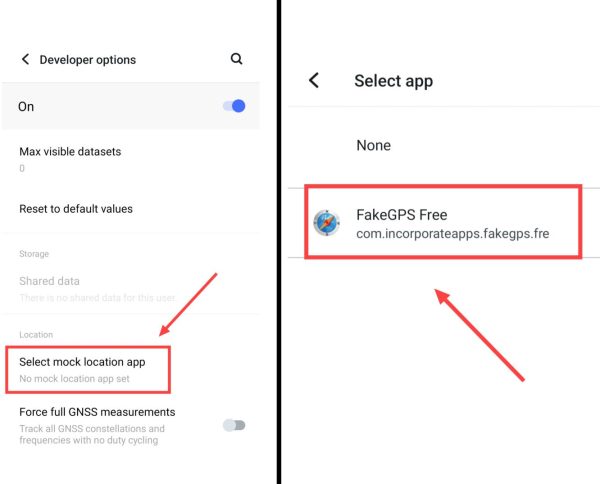
9Now after coming back to the app, click on the Search Box, Then search here for whatever fake location you want to set,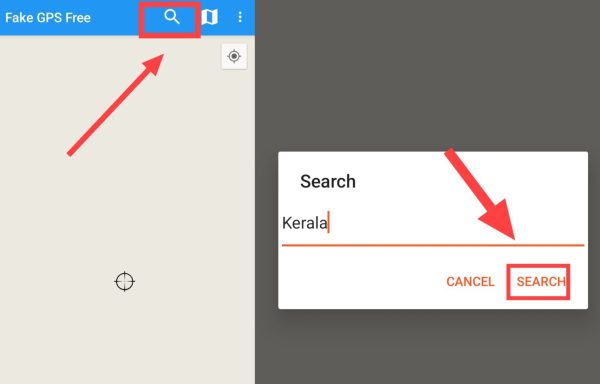
10Now that location which you have searched will appear on the map, Now pin it with the help of Map Location Icon, Then tap on the Play icon,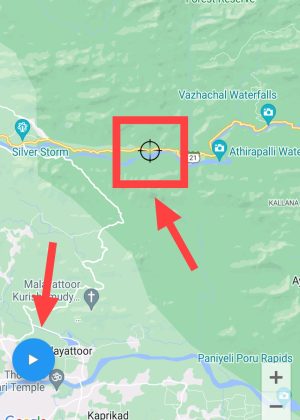
11Now after this tap on Without ADs, Then click on OK once again, Now the location of your Android phone has changed,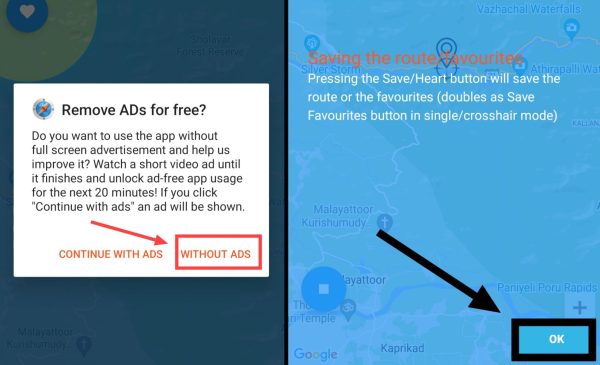
12Now open your Google Map, You will see that the Fake Location you have set will be visible here, In this way you can change the location of your phone,
Another way to change the location of Android phone
If you are not able to change the live location and current location of your phone through the above app! So follow this second method:
1First from Play Store Fake GPS Location – GPS Joystick Install the app named.
2Now open the app, After this accept the Privacy Policy,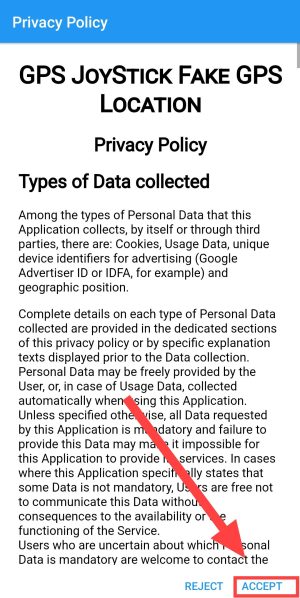
3Now scroll down and click on Set Location in “Select an option to get started”, Then after this tap on “Click Here to Open the Map”,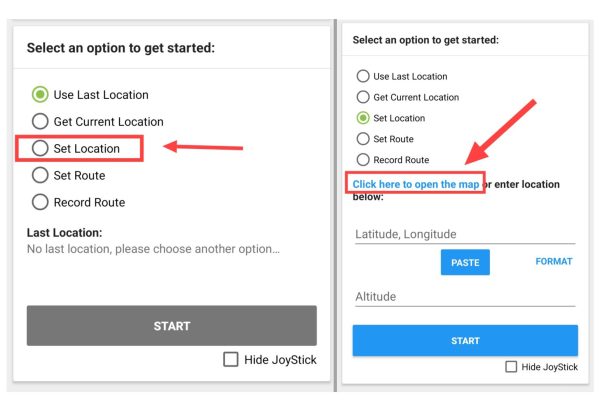
Note: Before doing this, go to your phone settings and enable the developer option.
4Now after this click on the Search Box given on the right side, Then search for whatever fake location you want to enter here and select it,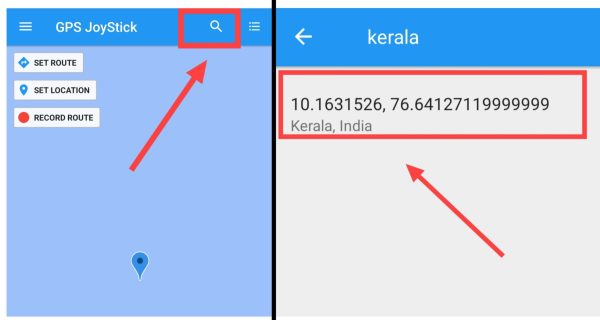
5Now pin that location with the help of PIN Icon and then tap on START button, Then tap on GO TO SETTING here,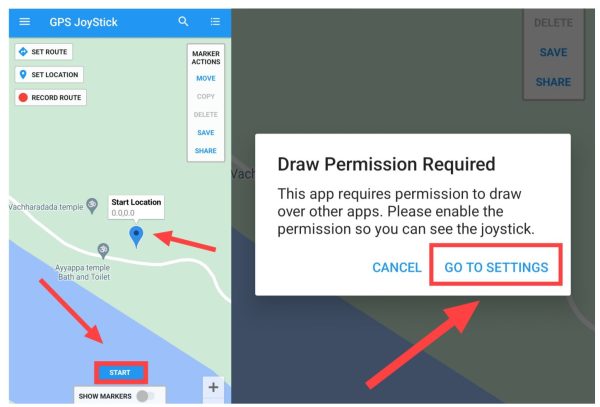
6Now select GSP Joystick app here, Then after that enable Allow display over other apps,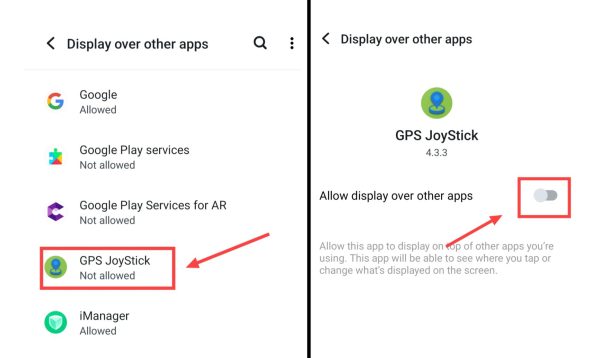
7Now after this come back to the app and tap on START, Then you have to click again on GO TO SETTING,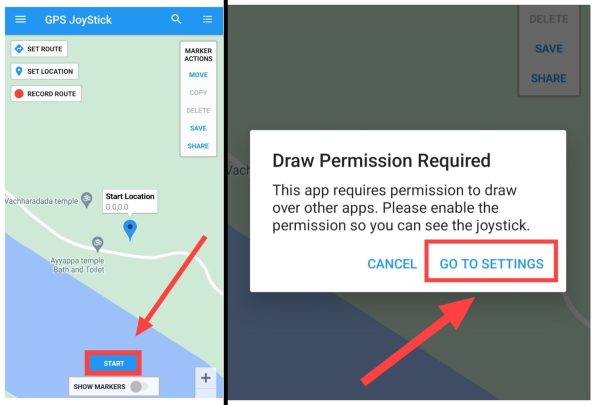
8Now you will be redirected to the developer option of the phone, then tap on Allow Mock Modem here, Then scroll down and tap Select Mock Location,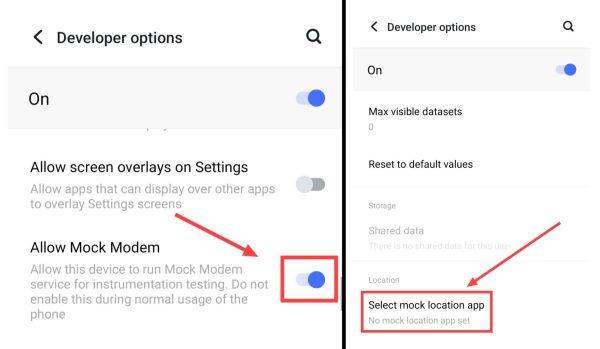
9Now select the GPS JoyStick app here, After this come back to the app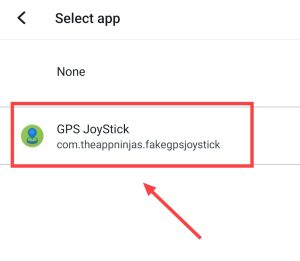
10Now whenever you click on the START button, the location of your phone will change, Now when you have to stop this fake location then tap on the STOP button,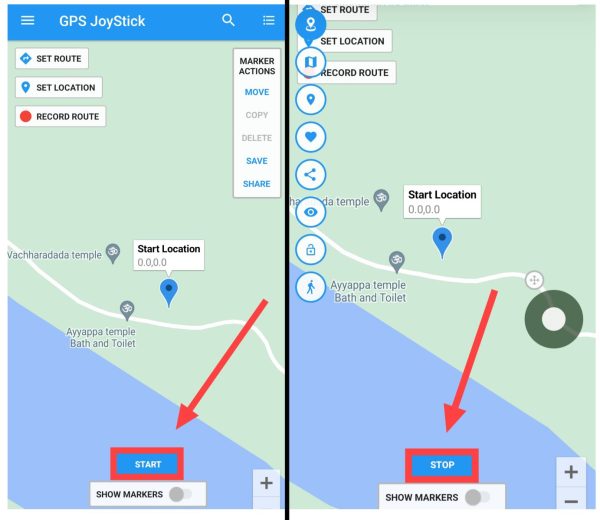
Note: You can also turn off your FAKE GPS location again by uninstalling the app.
Also read;