Friends, if you have blocked a number by mistake or intentionally and now you want to unblock it! So in today’s post I will tell you how to unblock any blocked number in any phone easily?
How to unblock a blocked number in Android phone?
To unblock any blocked number in Android phone, follow the steps given below;
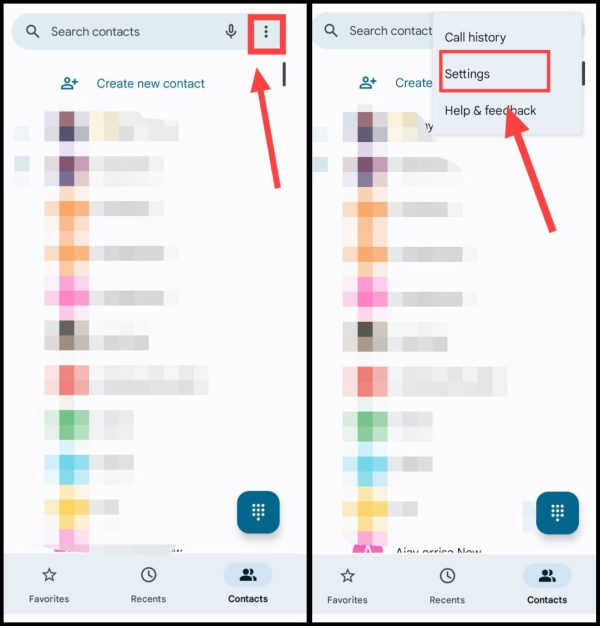
1First of all, open the app called Contact in your phone, Then after that tap on Three Dots on the right side, than now Settings got into.
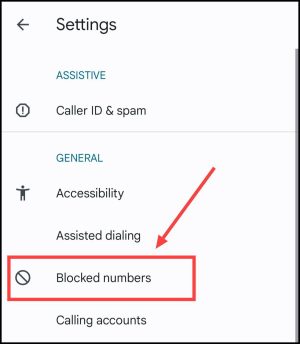
2now after this here Blocked Number Tap on.
3Now you will see the list of all the blocked numbers here, Tap the cross sign next to the number you want to unblock, Then after this”UnblockClick on “.
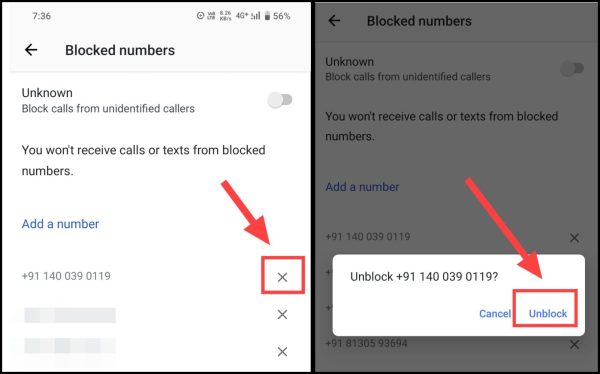
In this way you will be able to easily unblock any blocked number in your Android phone.
How to unblock a blocked number in iPhone?
If you are an Apple iPhone user then you can unblock any number by following the simple steps given below;
1First of all open the dialer in your iPhone and then Contacts got into.
2Now search whose number you want to unblock by clicking on the search box,
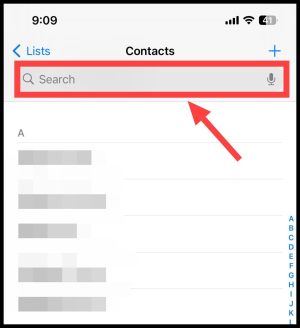
3Now click on its name, then scroll down a bit and come down Unblock Caller option Click on.
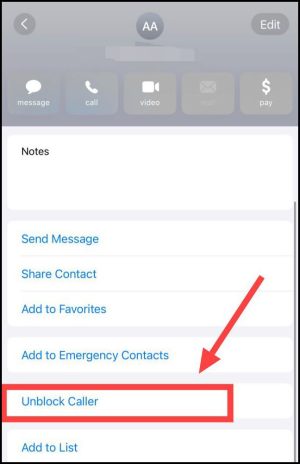
Note: If the number you want to unblock is not saved in your phone! So all you have to do is dial that block number. Then go to the Recent Calls tab and click on the Eye button next to that number. Now at the bottom you will get the option to unblock the number.
How to unblock a blocked number in keypad phone?
If you use a keypad phone then you can easily unblock any number by following the steps given below;
1First of all you need to select your keypad mobile, Setting I have to go.
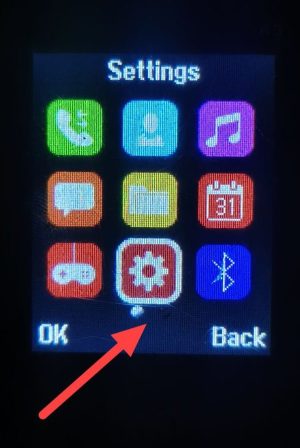
2Now coming to the application option Call Settings Have to click on. after this Advanced Setting Tap on.
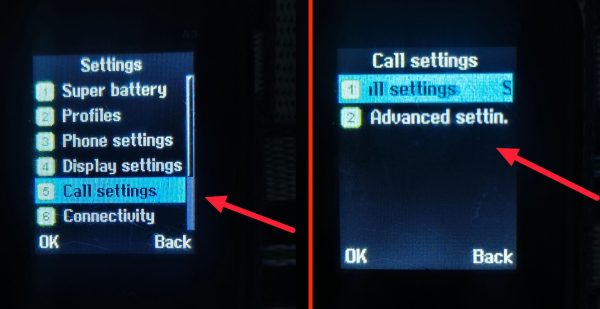
3. now here Blacklist Tap on. Then select the number which you want to remove from the blacklist. Option Tap on.
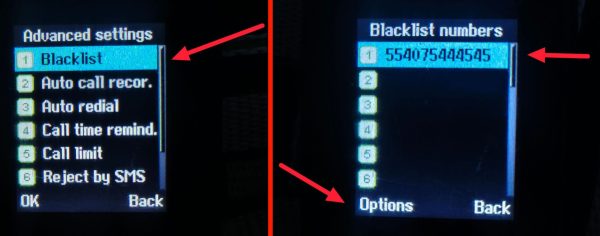
4now here Delete click on then OK Press the button.
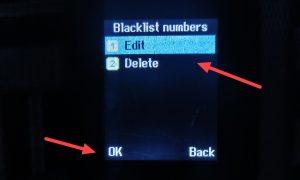
So in this way you can very easily unblock any number from your keypad mobile.
Related questions
First of all go to Contacts in his phone. After this now go to Settings. Then now tap on Blocked Number here. Now call (X) cut to unblock your number from here.