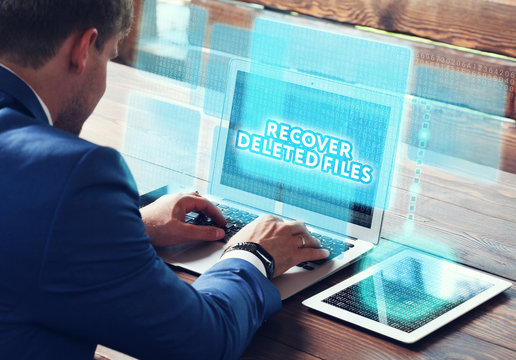
If there was any important file (photo, video) present in your computer and it has been accidentally deleted, then there is no need to be disappointed at all. You can easily retrieve that file.
Do you know that even once a file is deleted from the computer, it is not deleted forever, it gets stored somewhere, from where you can get it back by doing some process again. In this post we will know how to recover any deleted file like photo, video or document from your computer or laptop for free?
How to recover any deleted file (photo, video) from computer or laptop?
It is very easy to recover deleted data from Windows PC, you just have to follow the steps given below.
Step1: First of all you have to download and install recuva software in your windows pc.
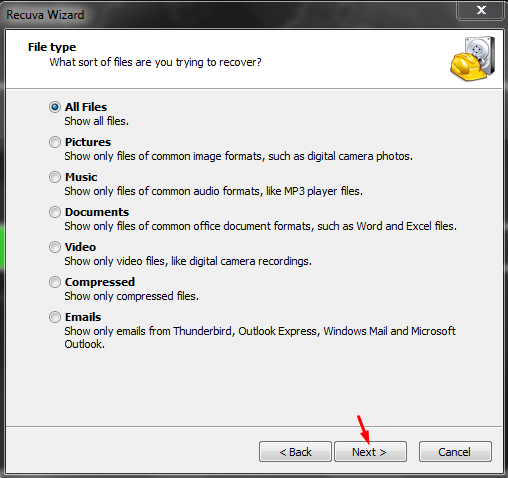
Step2: Now open Recuva software and select File Type. (If you want to recover only pictures or videos, then you can choose them. But if you want to recover all data, then click on All Files and click on Next.)
Step3: Now select File Location. (You can choose the drive from which data has been deleted, here you can also choose any of your external USB drives.)
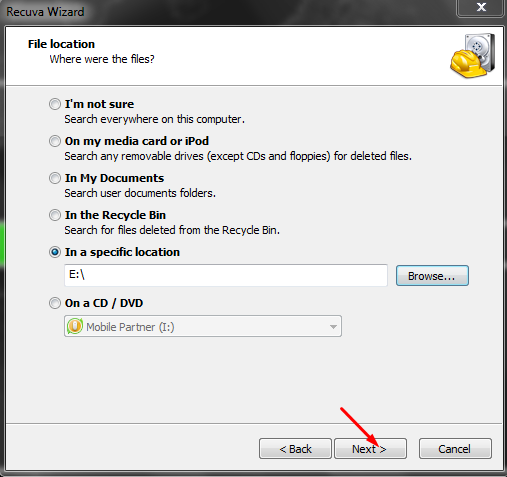
Step4: Now if it has been a long time since your data was deleted, mark Enable Deep Scan, otherwise leave it as it is and click on NEXT.
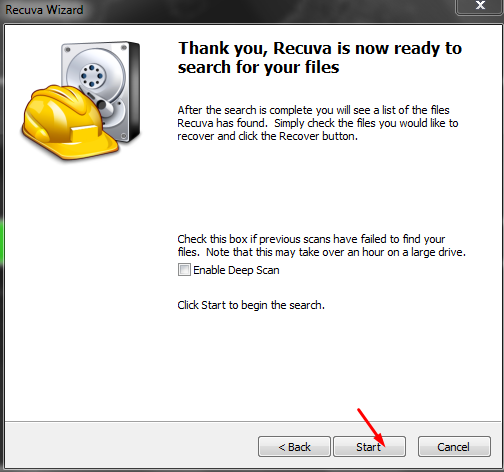
Step5: Now after the process is done for some time, all your deleted data will be shown, mark the one you want to recover and click on recover.
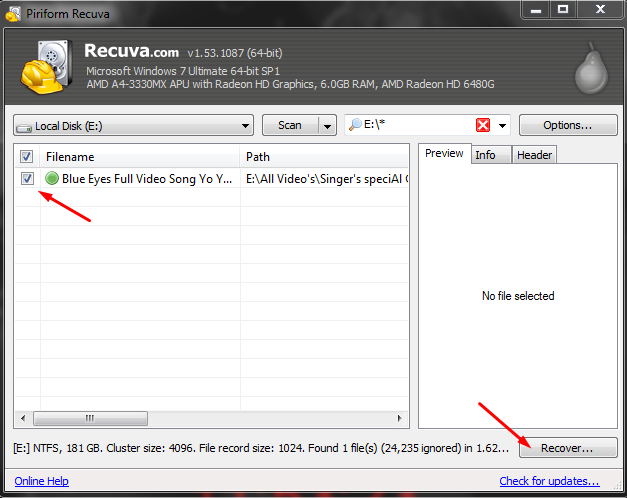
Step6: Now select the path where you want to recover your data, and click on ok.
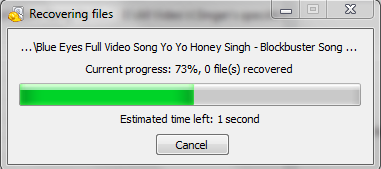
Now after some time process, your data will be successfully recovered at your selected location.
So friends, in this way you can easily recover Permanently Deleted All Data (pdf, zip any type file, images, audio, video, gif, photos anything all data) in your computer for free.
If you have any question or suggestion regarding the article, you can ask us by commenting in the comment box.