


If you have forgotten the App Lock password in a phone or want to break it, then there are some easy ways to remove it. First of all, you can Force Stop or Uninstall App Lock by going to the phone’s Settings. If Settings is also locked, you can use Safe Mode or try removing the lock by downloading a third-party Settings app from the Play Store.
It often happens that we set App Lock in our phone and later forget its password, PIN or pattern. In such a situation, it may be difficult to remove the lock. In this post, we will tell you 3 easy ways by which you can remove App Lock in any phone. Let us understand step by step how to break App Lock in any phone?
How to break App Lock?
1. First of all go to Settings of Android mobile phone।
2. After going to Settings, go to Application Manager (My Apps). then after that Open AppLock.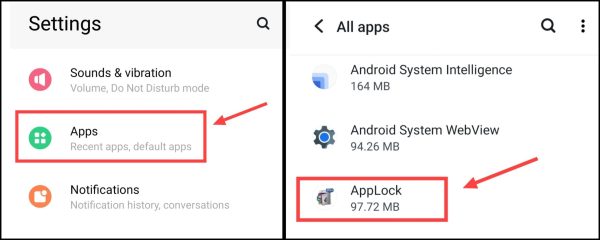
3. Now force stop AppLock.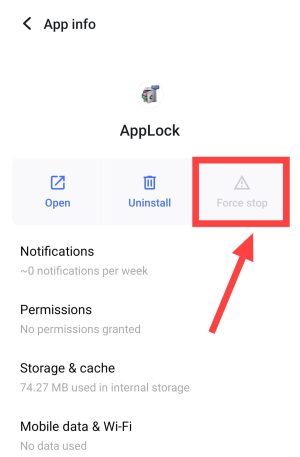
Now All Done! Now your Applock has been disabled for some time. Now you can open any locked app.
Another way to remove App Lock password
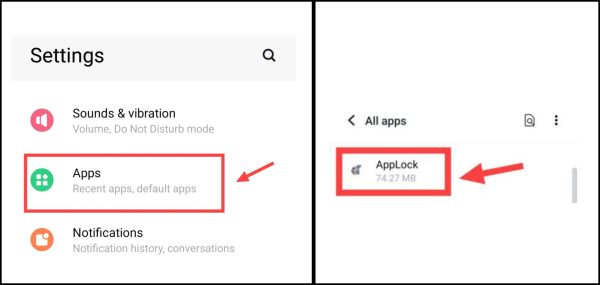
1. First of all go to Settings of your mobile phone.
2. setting After going to My Apps, go to My Apps. Then go to the app and open App Lock.
3. Now uninstall AppLock.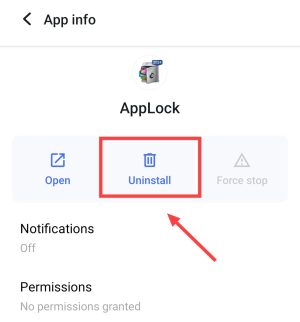
If app lock is also set on the phone’s settings, then try the pro method mentioned below.
How to break app lock even when phone settings are locked?
1first from playstore App Permission Manager Download the app named.
2After opening the app, click on App Permission, Then after that click on Recent Apps,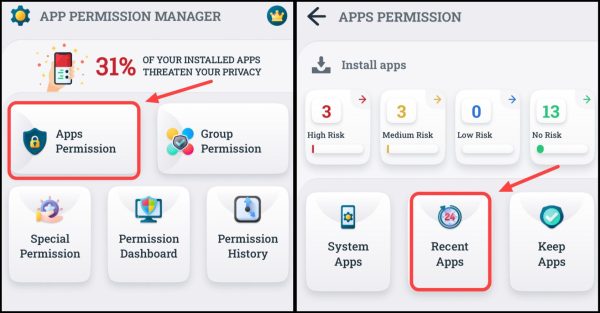
3Then now click on Proceed, Then now enable Permit Usage Access here,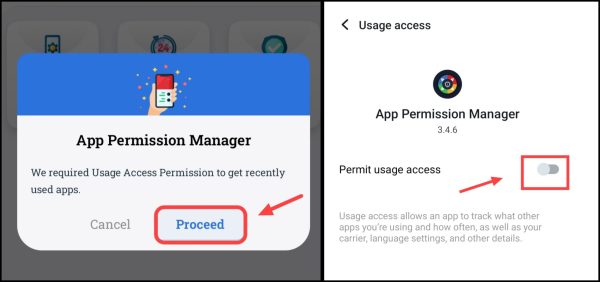
4Now after coming back to the app, select AppLock,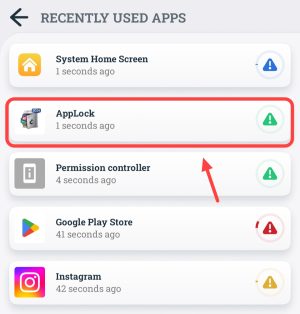
5. Then now click on Force STOP. 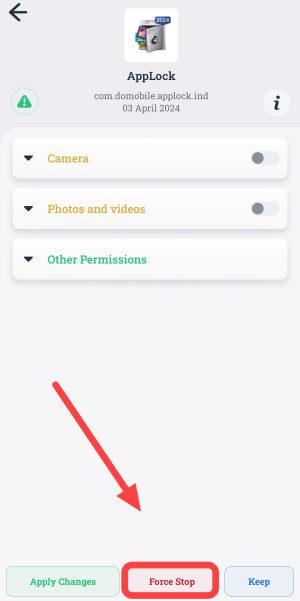
After this, now the AppLock of the phone is broken and you will be able to access the apps easily.
Also read;








![How to know location from mobile number online in 1 minute [2025]](https://www.techtrends.blog/wp-content/uploads/2026/01/How-to-know-location-from-mobile-number-online-in-1-330x220.png)