

You can get someone’s Instagram ID from just one photo. If you have someone’s selfie or any such photo in which his/her face is clearly visible, then you can easily find his/her Instagram account or any other social media account using that photo.
Nowadays technology has advanced a lot and it is the era of AI. Now there are many Image Reverse Tools that can identify a person from a photo. In this post, I have told all the ways by which you can get anyone’s Instagram ID just from the photo. Let us understand step by step how to remove Instagram ID from anyone’s photo?
How to remove Instagram ID from photo? (With the help of Google)
1First of all Google Image Search Have to go to the website of the tool.
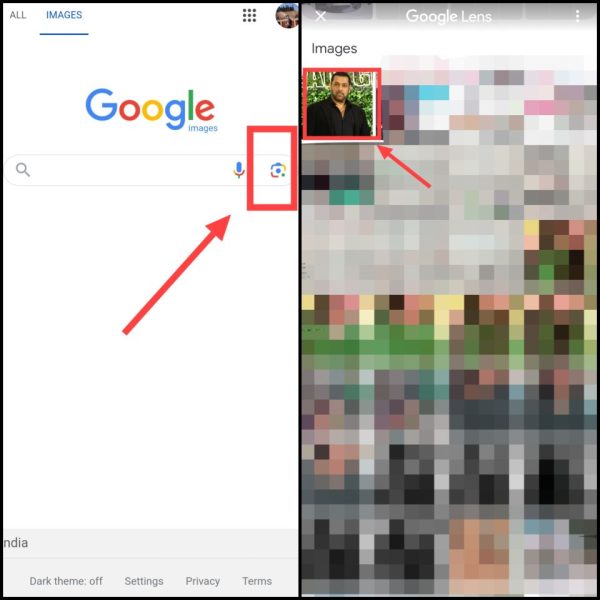
2Now after this tap on the Camera icon, Then select the photo from the gallery whose Instagram ID is to be extracted,
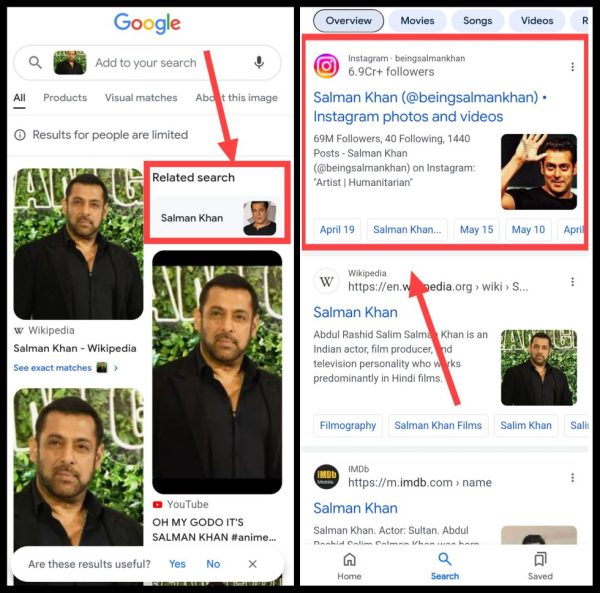
3. Now as soon as the search is done, scroll again. Now tap on “Related Search” given on the right side. Now after this scroll again. The official link of Instagram will appear in front of you.
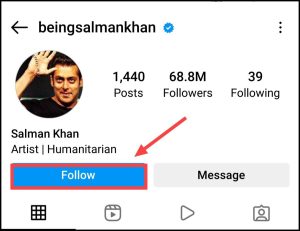
4As soon as you click on it, you will be redirected to the Instagram ID of the person with that photo, Then you can also follow him through the Follow button,
In this way, you can very easily get the Instagram ID of anyone just from the photo with the help of Google. But if for any reason this method does not work then you can follow the other methods mentioned below.
How to Remove Instagram ID from Photo with Bing Image Search Tool?
1First of all Bing Image Go to the search tool’s website.
2Now after this tap on the Camera icon, Then click on Gallery,
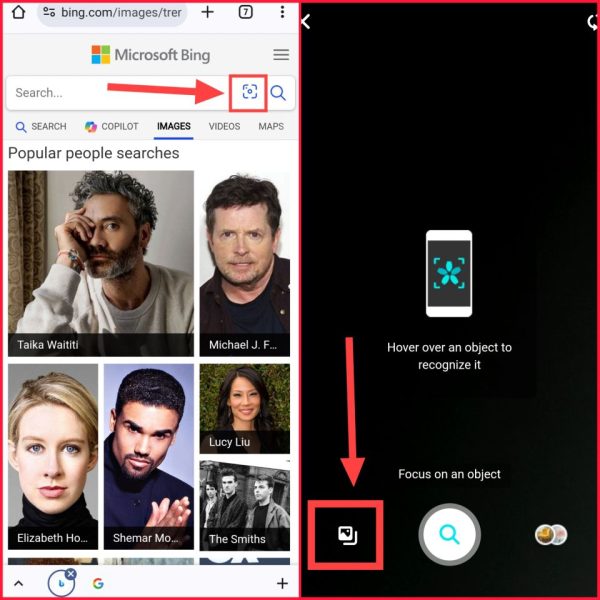
3Now select the image from the gallery whose Instagram ID you want to extract, Now in a short time you will get the name related to that photo and its Instagram ID,
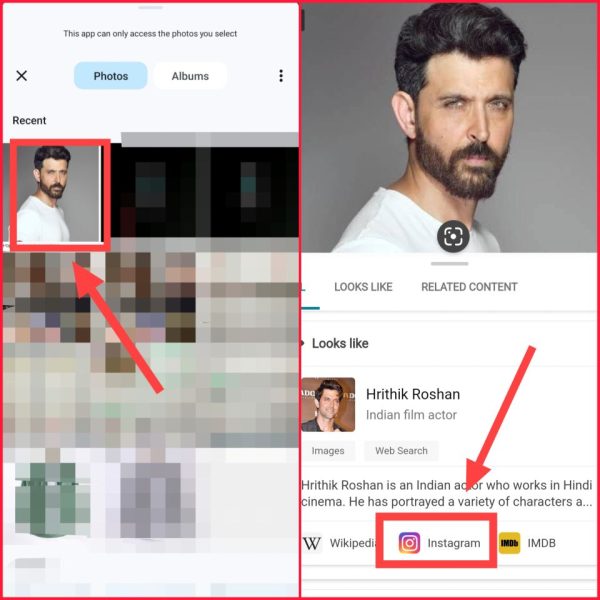
By clicking on the Instagram icon here, you will be directly redirected to his Instagram profile.
How to find Instagram ID from photo with the help of Tineye website?
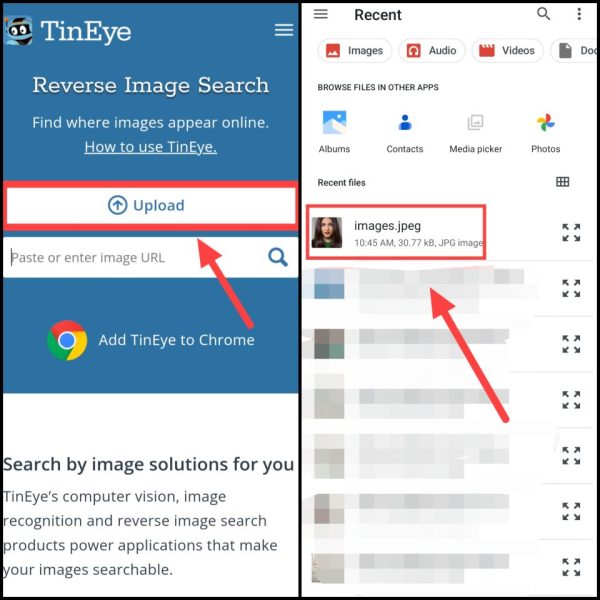
1First of all There is Go to the website named.
2Now after this click on Upload, Then click on the image from the gallery whose ID you want to know,
3Now there will be some loading and you will see some results, Where you will get the name of the person related to that photo,
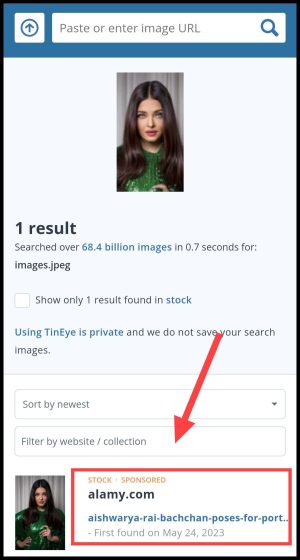
4Now after opening the Instagram app, tap on the Search Box, Then search the same name here and go to that ID,
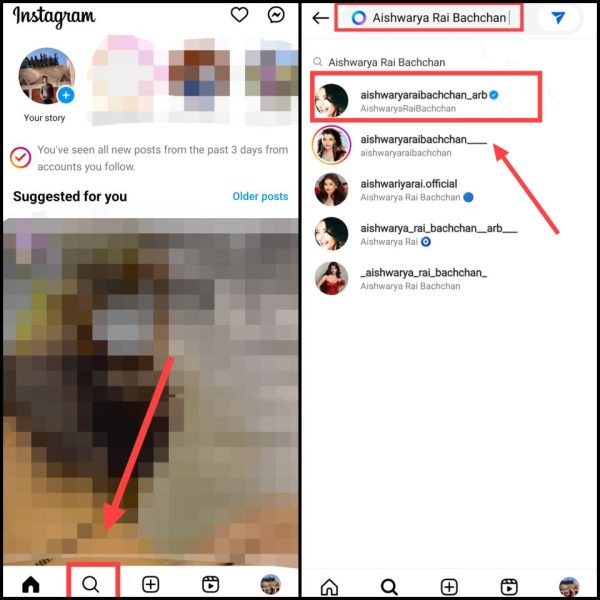
Note: Here you will see a lot of Instagram accounts with the same name. But there will be a blue tick in front of the official Instagram account.
5Now you will be able to follow that ID from here,
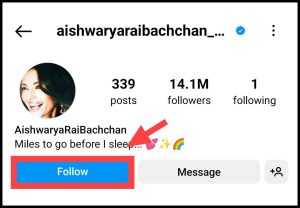
In this way you can easily find the Instagram profiles of famous people. If the person whose profile you want to know is not famous then you can follow other methods.
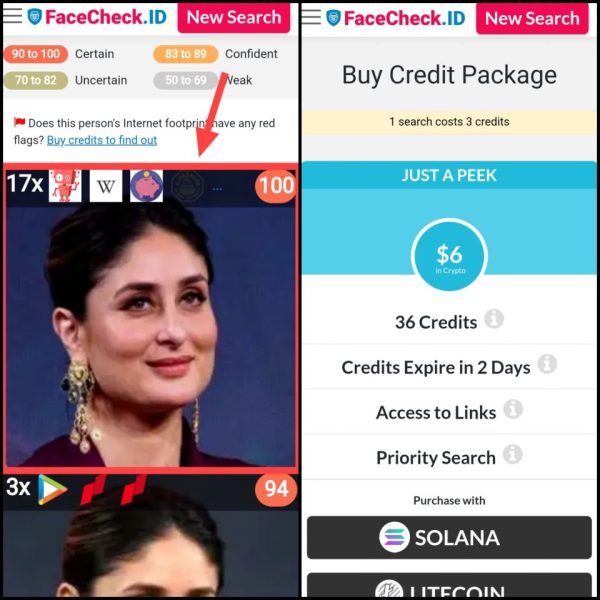
How to extract Instagram ID from photo from Facecheck website?
1first of all you Facecheck Go to the website named.
2Now after this click on Browse, Then select the photo from the gallery whose ID is to be found,
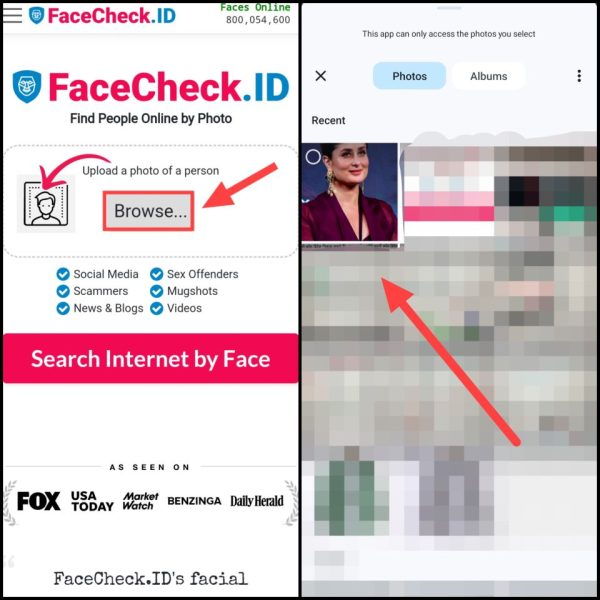
3Then after this tap on Search internet By Face, Then now click on Agree & Search,
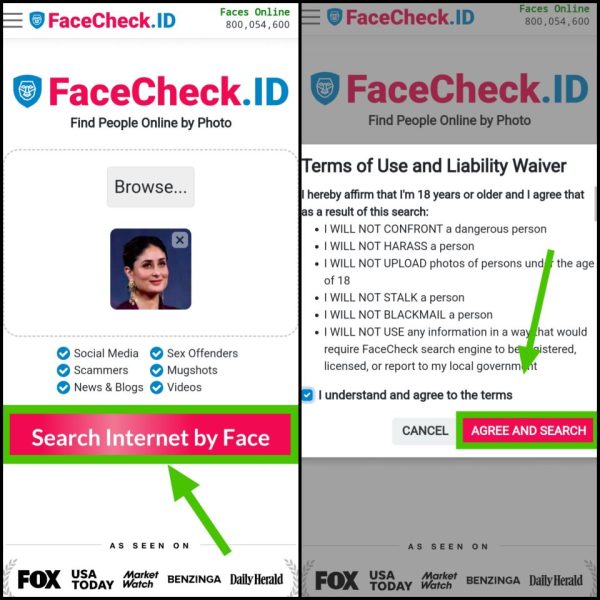
4Now there will be some loading, After this now tap on any one photo, Now buy credit from here and in this way you will be able to remove Instagram ID,
These are some of the methods with the help of which you can find out the Instagram ID of anyone from their photo. But there is no 100% guarantee that you will get the ID from the photo.
If the person whose ID you are searching is completely unknown and his photo is not indexed on the search engine or he has kept his account private on Instagram, then it can be difficult to extract his ID from the photo. Therefore you have to follow all the methods one by one.
Hope how to remove instagram id from photo? You must have got complete information related to it. If you have any question, you can ask in the comments below.
Also read:





![[FREE] Instagram Private Account Viewer (101% Working)](https://www.techtrends.blog/wp-content/uploads/2026/01/FREE-Instagram-Private-Account-Viewer-101-Working.webp-330x220.webp)

![[BEST] Facebook Stylish Names 2025 (Girls & Boys)](https://www.techtrends.blog/wp-content/uploads/2026/01/BEST-Facebook-Stylish-Names-2025-Girls-Boys-330x220.jpeg)