In today’s time, people’s mobile or computer is no less than a safe for them. If you use a computer or laptop, then there will be many files in your computer which you would like to keep safe.
You can easily protect your data by setting a password (lock) in your computer or laptop. In any laptop, you will be able to set the password by going to Settings > Accounts. Let us understand step by step how to set password (lock) in computer or laptop?
How to set password in Windows laptop?
You may be using a different version of Windows so your steps may be slightly different. For this you just have to go to Settings and search Password. Then you will get those options.
1. To set Windows laptop lock, first open Settings by clicking on the Start button.
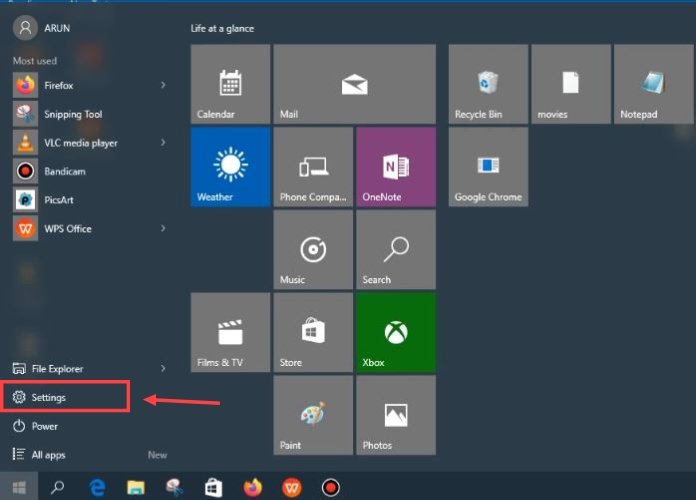
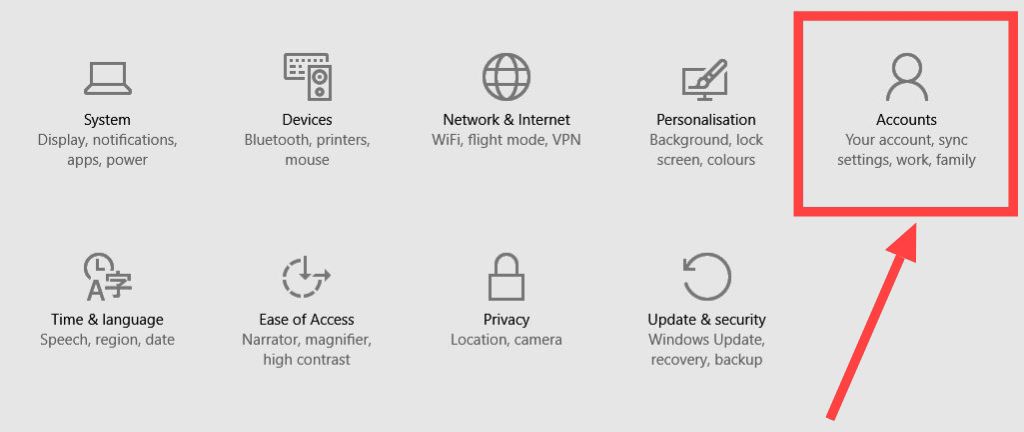
2. After going to Settings, you have to click on the Account option.
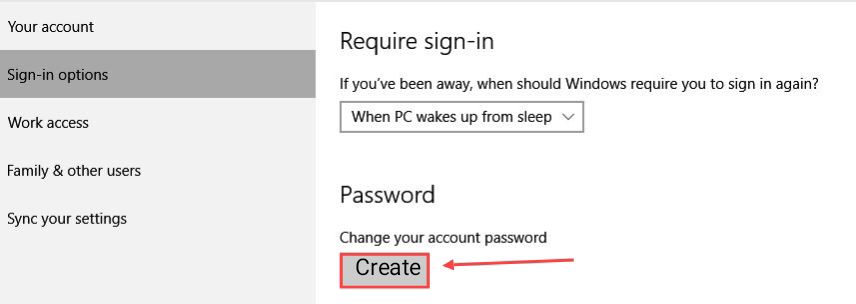
3. After clicking on this option, a new page will open in front of you, here you have to click on Sign in option.

4. As soon as you click on this button, you will come to a new page where you have to click on Create.
5. Now you have to enter the password that you want to use on your laptop in New Password and re-enter the same password in Re enter password.
And then you can put anything in the password hint so that if you forget the password, you can read it and remember it.

In this way the computer can be easily installed.
How to set password in MacBook?
1First of all you have to click on the apple icon on the top left side and click on System Settings,

2Now after that come down a little and click on User & Groups,
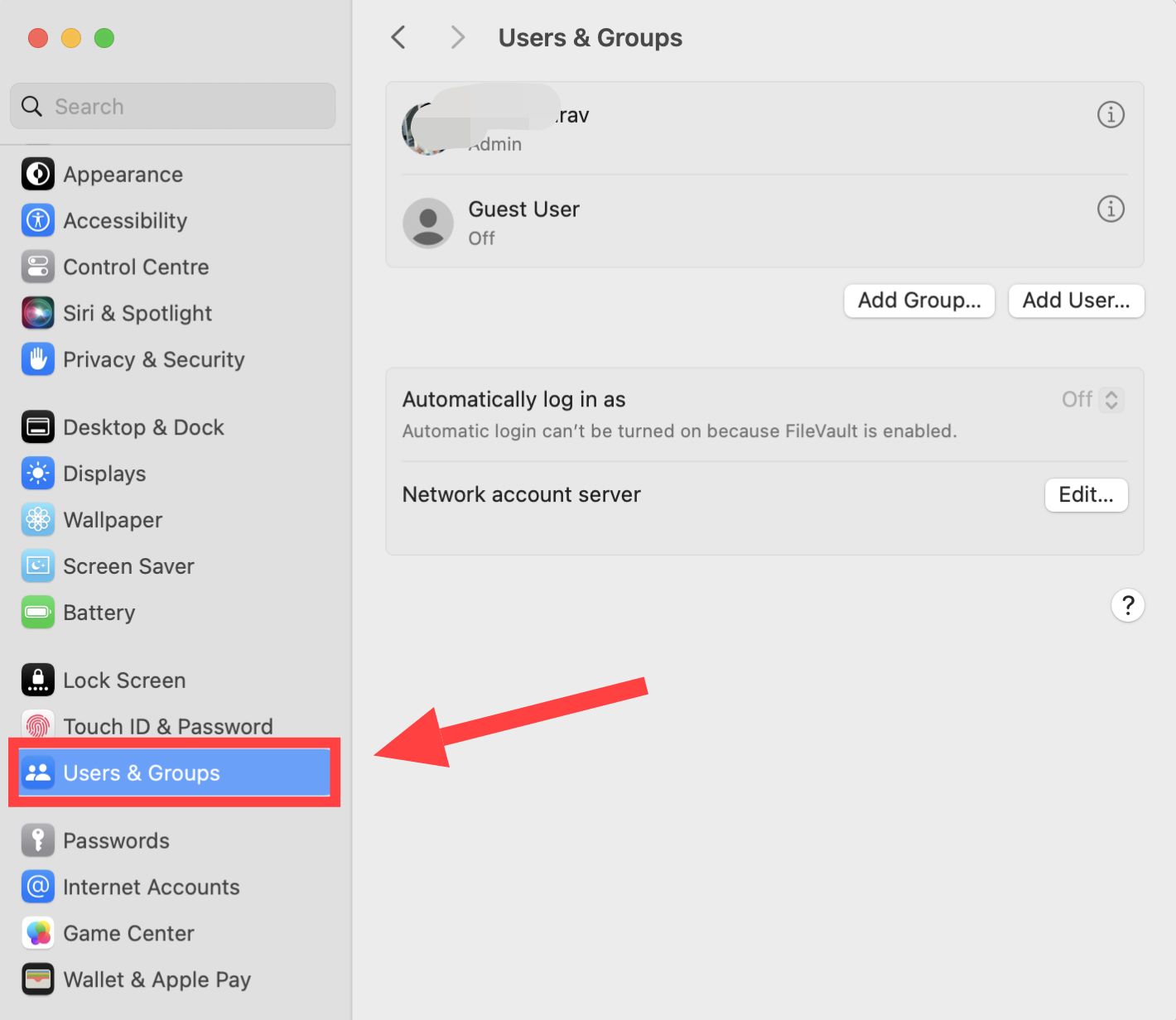
3Now after this tap on the Info Icon given next to the Username,
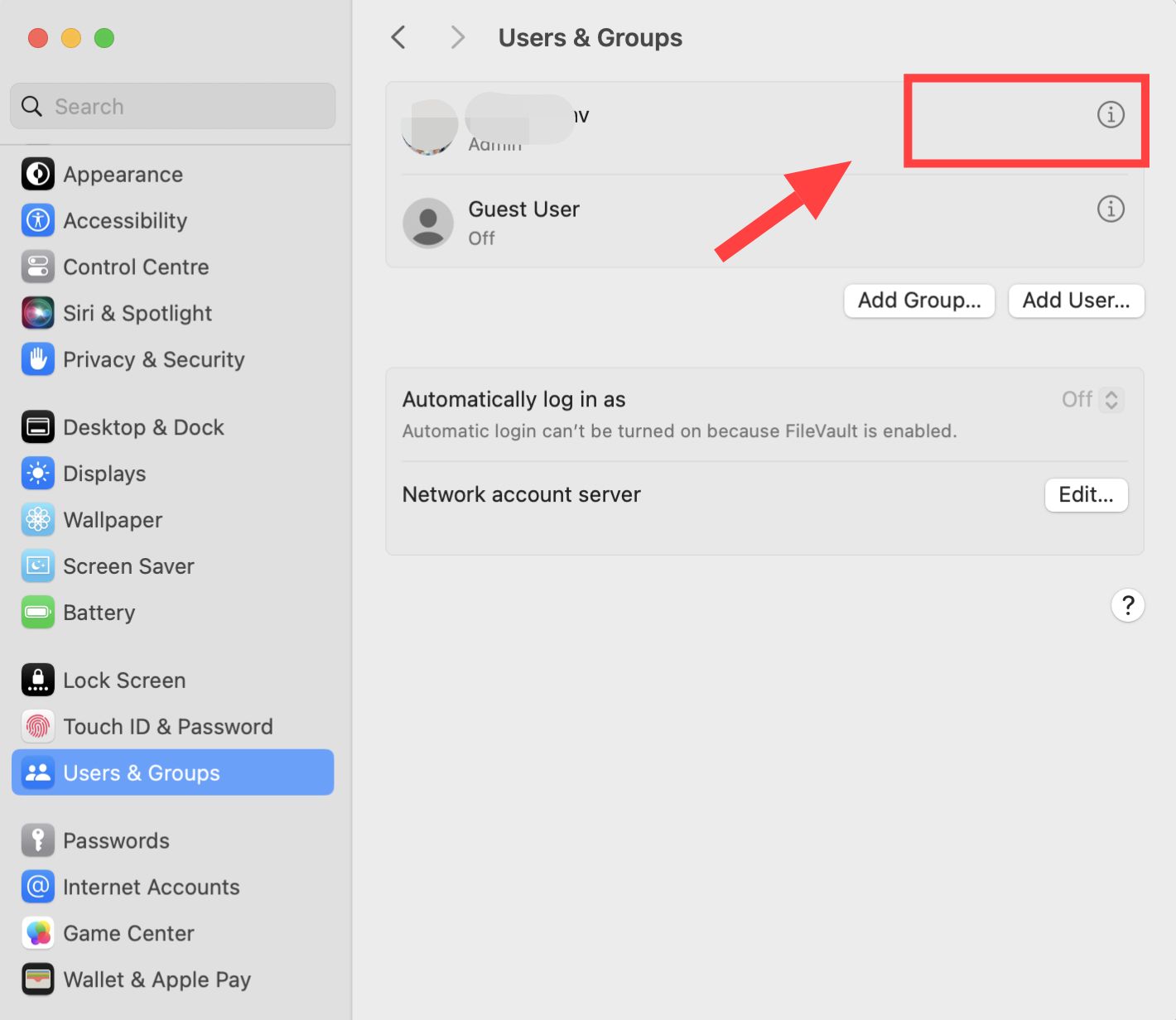
4Now press the Change button given in front of the password,
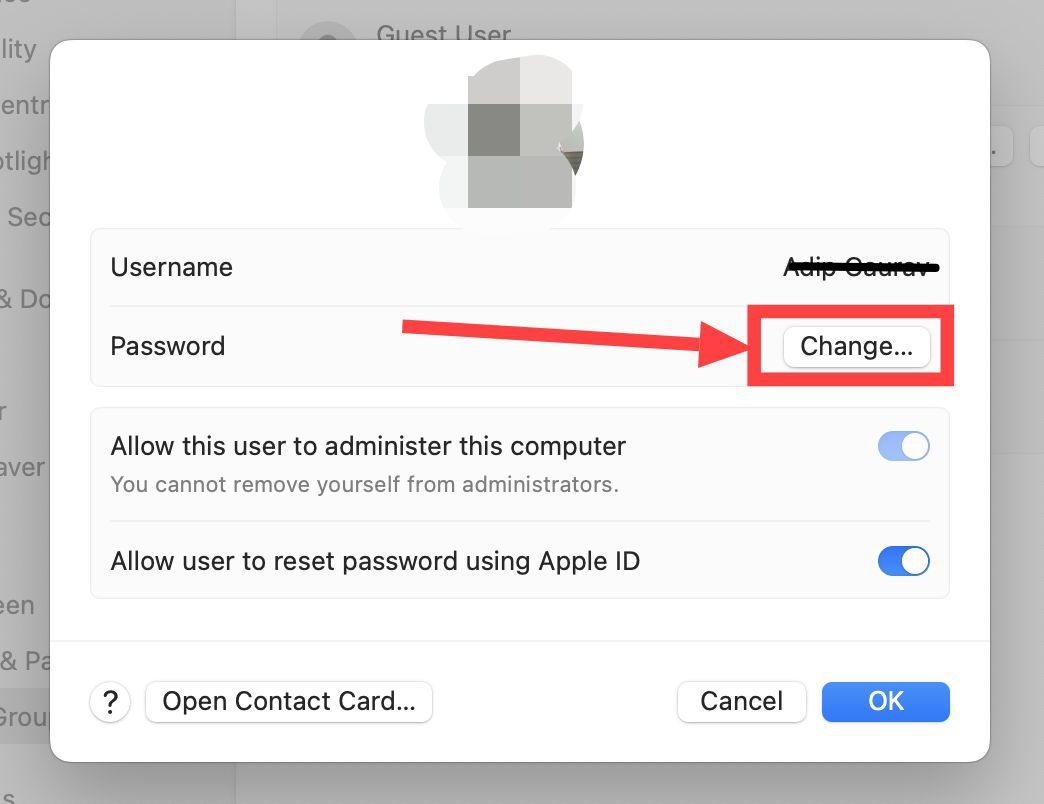
5After this create a new password and then confirm it, Now click on Change Password,

Note:You can also add a password hint. If you forget the password in future! So this will be useful to reset it.
How to lock folder in computer?
1Before locking a folder on your computer, you should right click on that folder once, Now after this click on Add to archive….
 2After clicking on this button, a new page will open in front of you again, In which you click on Lock archive and click on the set password button,
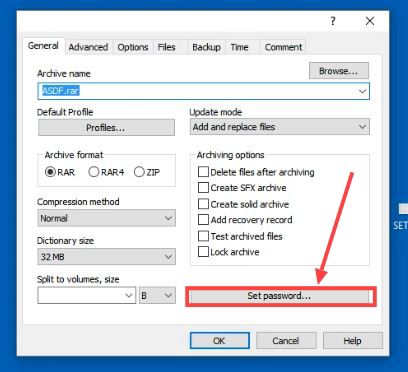 3Now enter your password here and confirm your password, After the password is created, click on the OK button,
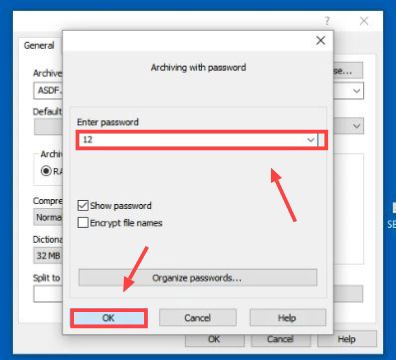 As soon as you click on this button, the PIN will be set in your folder.
After this, when you open your folder, you will be asked for the password to open the folder, then you will have to enter the same PIN which you had set earlier.
So in this way you can put a password on any of your computers or laptops and can also lock any folder.
Also read;