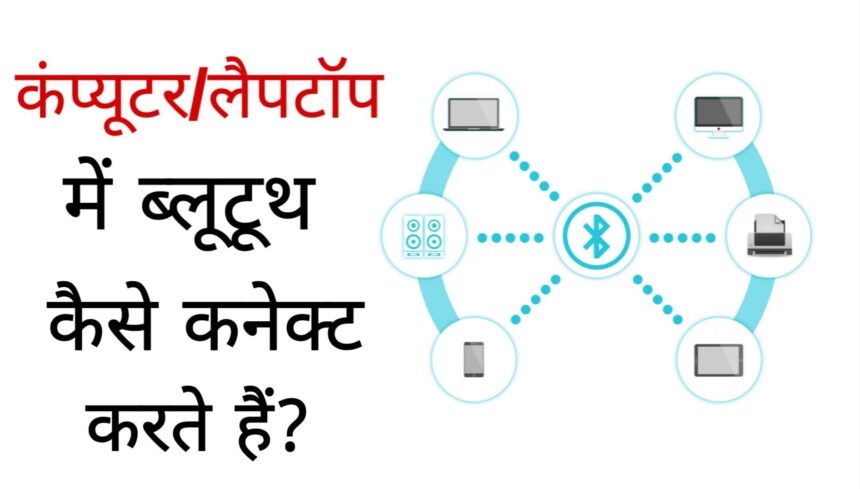
You can easily connect your mobile or any Bluetooth device like speaker, headphones etc. to your laptop through Bluetooth.
To connect Bluetooth to your computer or laptop, you have to go to the settings of the laptop and turn on Bluetooth. Apart from this, you can also add the device manually by going to Advanced Settings in the Bluetooth settings of the computer. In this post, you will understand step by step how to easily connect Bluetooth to any of your computers or laptops.
How to connect Bluetooth to computer or laptop?
If you want to connect your mobile to your computer or laptop through Bluetooth, then you will have to turn on Bluetooth of both your laptop and your mobile. The rest of the process is explained in detail below.
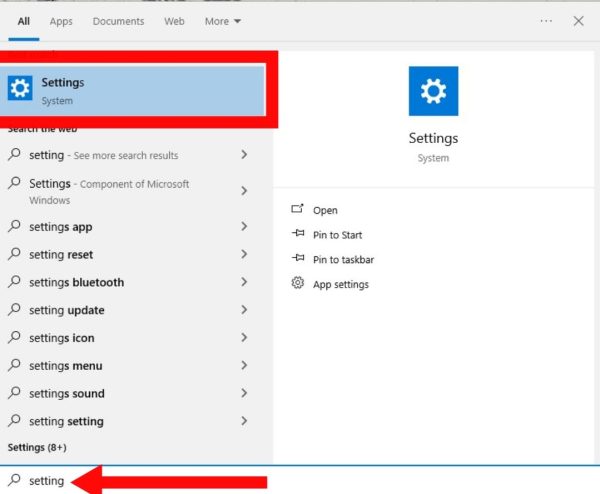
1. First of all on your laptop or computer Windows Key Press. After this go to the settings of your device.
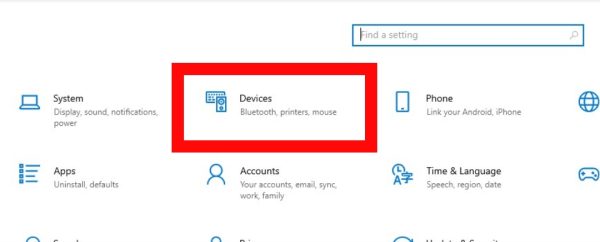
2. now you Devices Click on the option. Now you will reach Bluetooth settings.
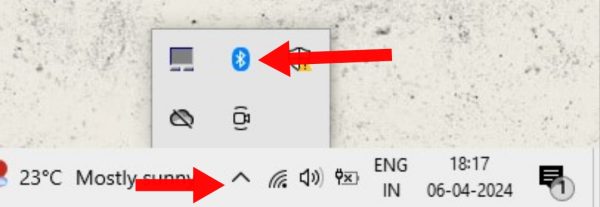
3. Otherwise you are looking straight down on the right side ^ Click on the icon. After this click on the Bluetooth icon.
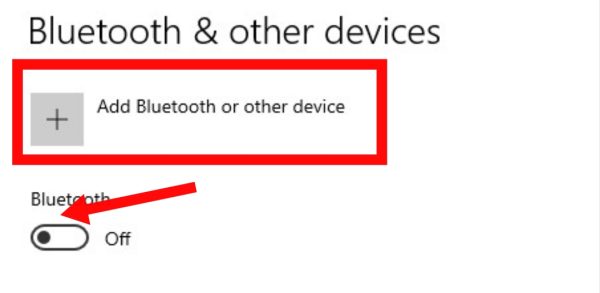
4. After this turn on the Bluetooth connection of your device. After this you Add Bluetooth or Other Device Click on.
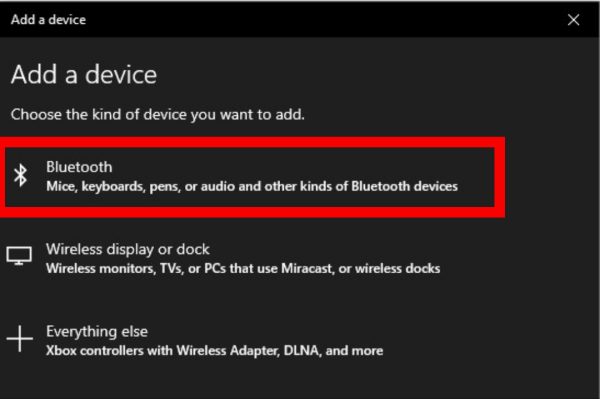
5: After this, it is visible at the top of the pop up. Bluetooth Select the option.
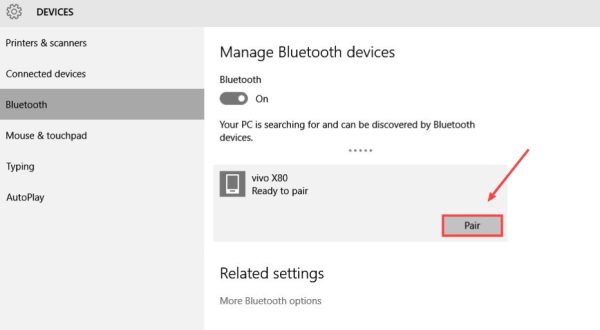
6: Now check the name of your phone’s Bluetooth and select it by clicking on it. Then Pair Tap on.
7. By doing this a pop up will show on your phone where you Pair Click the button again.
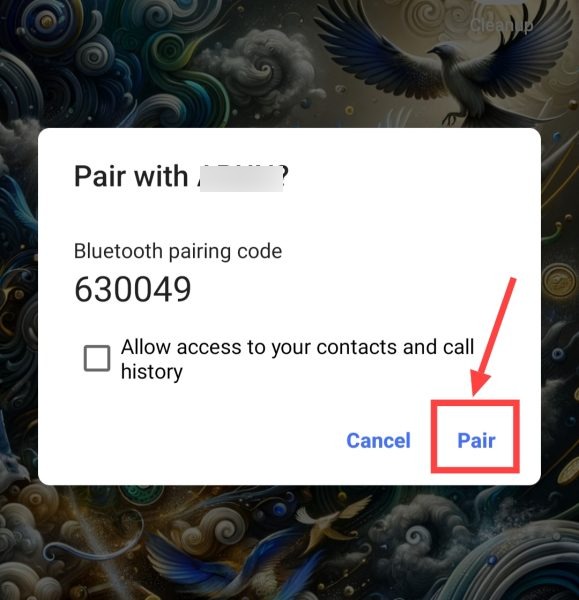
8. Now click on Yes in your PC. After this there will be some loading and your Bluetooth will be connected with your laptop/computer.
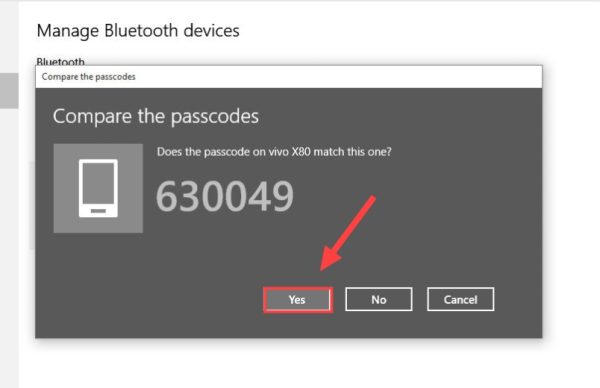
In this way you can easily connect Bluetooth to your laptop and transfer any file.
How to connect any Bluetooth device to laptop?
1First of all, turn on the Bluetooth of that Bluetooth device, (Bring into pairing mode)
2After this, now go to the Bluetooth setting of your laptop and enable Bluetooth through the methods mentioned above,
3Then now your laptop will automatically search for nearby Bluetooth devices, As soon as you find that show, click on it, Then after that click on Pair,
4After this, there will be some loading and then your laptop will connect with the other device,
In this way, you can easily connect your mobile or any other device like printer and earbuds to your PC or laptop through Bluetooth.
Related questions
Ans: Yes, you can easily use Bluetooth in laptop. Along with this, once Bluetooth is connected, you can connect it with the phone and do file sharing through it.
Ans: You can easily share files up to 1GB via Bluetooth. But the speed of Bluetooth sharing is quite slow.