Typing Hindi in any laptop or computer is not a difficult task, just like you can add language for Hindi typing in mobile by going to the keyboard settings, similarly Hindi typing can be done easily by adding Hindi language in computer also.
Or apart from this, you will also be able to type in Hindi very easily on your computer by installing Google Input Tools Chrome extension. In this post, both the methods will be understood step by step.
How to do Hindi typing in computer through Windows Settings?
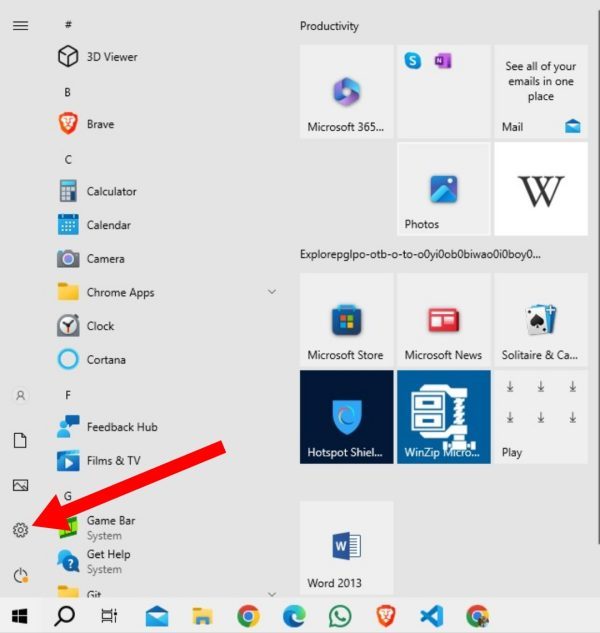
1: First of all press the Window Key in your computer or laptop. After this, click on the settings icon on the left side. If you don’t see it then you can type Settings and enter.
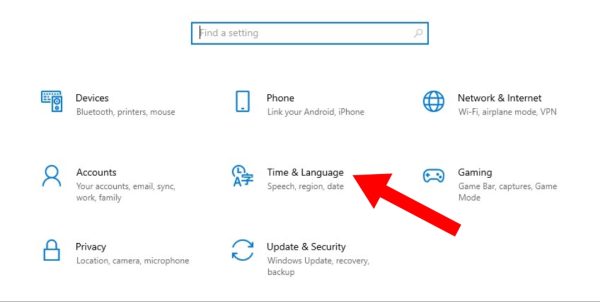
2: After this select Time and Language option.
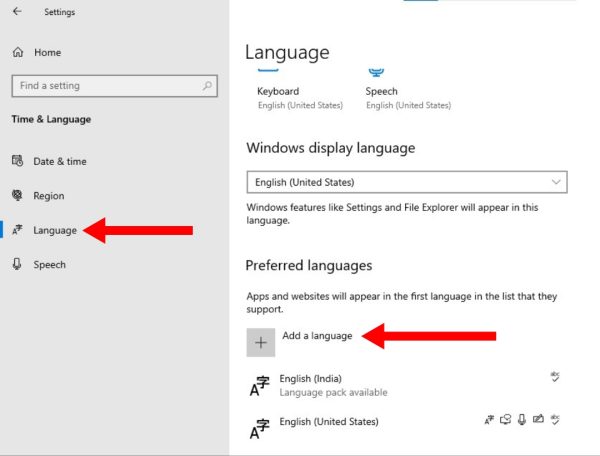
3: Now select the Language option on the left side and click on Add a Language option.
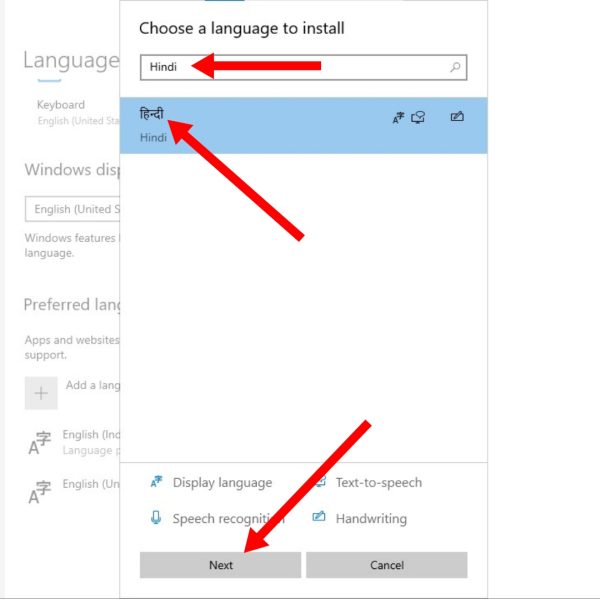
4: Now in the pop up screen, enter Hindi in the search bar and click on Hindi language to select it. Now click on the Next button.
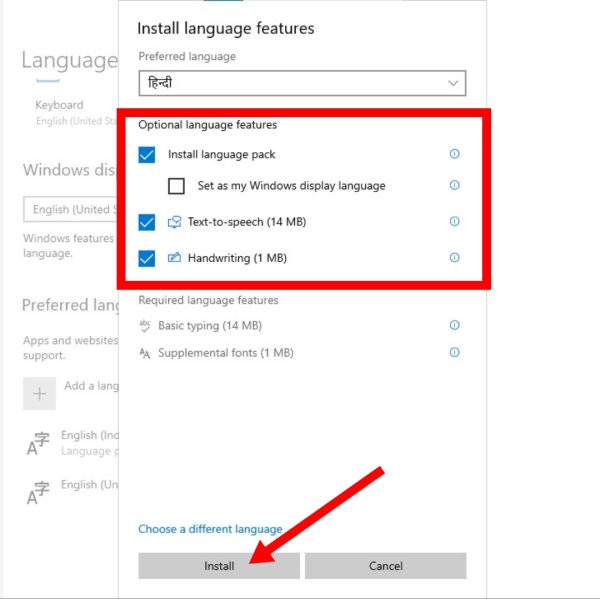
5: After this, select install language pack, text to speech and handwriting in Optional Language Features and click on Install as seen below.
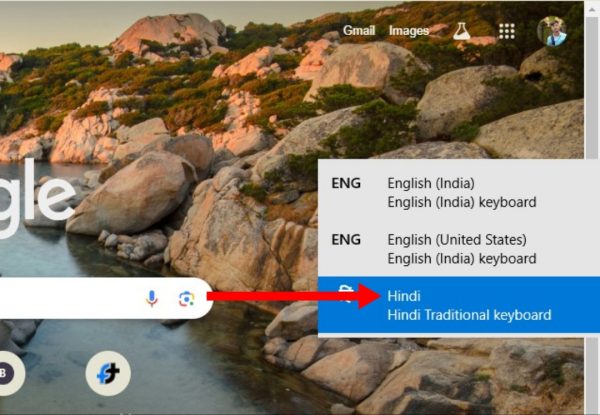
6: By doing this, Hindi language will be downloaded in your computer or laptop. Now you can write in Hindi on your keyboard Window Key + Space Press together. After this select Hindi using Space Key.
7: The keyboard of your computer or laptop has changed to a Hindi keyboard.
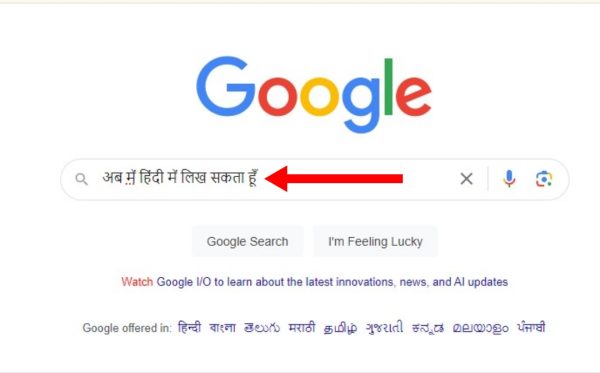
Now you can easily write in Hindi language.
How to write in Hindi in computer or laptop through Chrome extension?
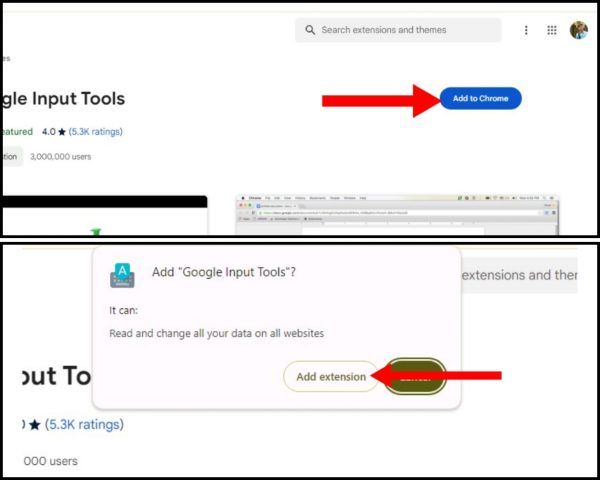
1: For this, open Chrome browser in your laptop and Google Input Tools Go to the extension’s website. Now click on Add To Chrome option.
2: After this, click on Add Extension option in the pop screen. After doing this, after some time the Google Input Tools extension will be downloaded in your Chrome browser.
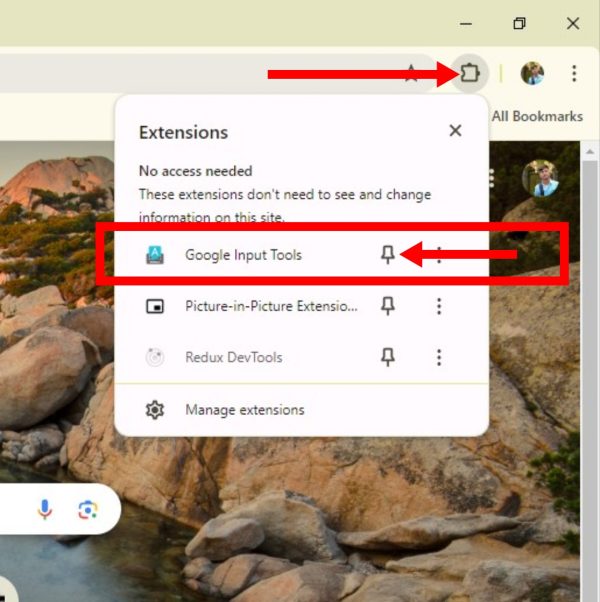
3: Now open a new tab in your Chrome browser. Now click on the extension icon (see photo) option.
4: Click the pin icon next to the Google Input Tools option to place your extension on the browser’s home screen. This will bring that extension to the home screen of your Chrome browser.
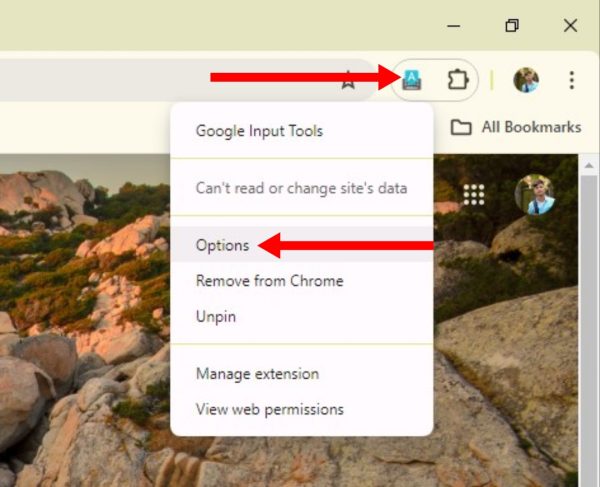
5: Now to write in Hindi you have to click on the extension again. After this now you click on Options.
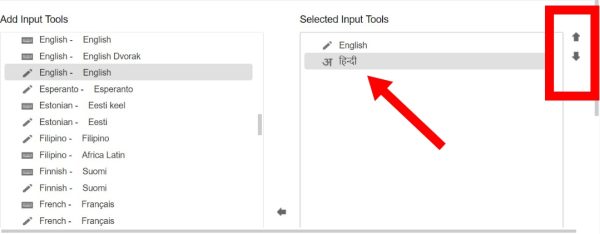
6: After doing this, you have to scroll to the Add Input Tools area and select Hindi language. Now click on the Arrow button visible in the middle and add it to the selected input tools. By doing this you will now be able to write in Hindi language through your keyboard.
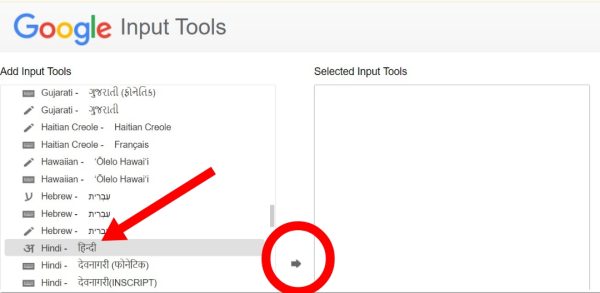
7: If you want to select more than one language, select it in the same manner. You can number the languages using the upper and down arrows shown on the right side.
8: Now open a new tab to write in Hindi. After this, click again on your Google Input Tools extension, as shown in the picture below. After this, now click on Hindi language and select it.
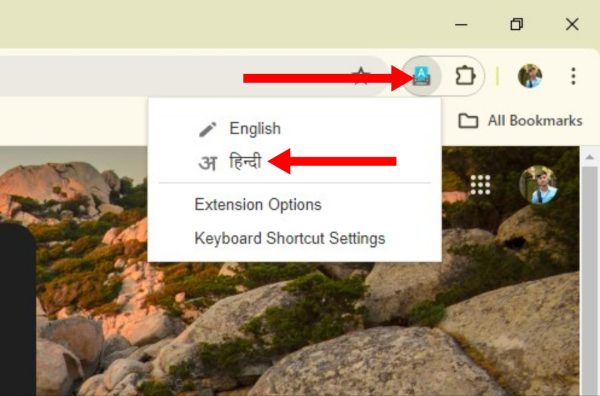
Now you will be able to easily type Hindi in computer through your keyboard.
Also read: