In this article we will tell you the easiest way to download the game. With the help of which you can easily download any game in just less than a minute.
In fact, in today’s time, there is no way to pass time without games on smartphones. But most of the people are not able to download the game on their phones. Because of which either they have to take the game from someone else. But if you have a Android smartphone or computer/laptop then you can easily download and play the game on it.
How to download any game in Android phone?
To download games in Android, there is a pre-installed app in your phone called Playstore. There are already crores of games here. You can install and play any game from here in one click. let’s look at:
1. First in your phone Playstore Open the.
How to download Play Store if your phone does not have Play Store? Read this post of.
2. Now you have to enter the name of your game in the search box and enter.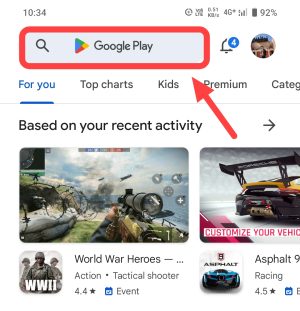
3. Along with this, if you do not know the name of any game then click on the button “Games” given below.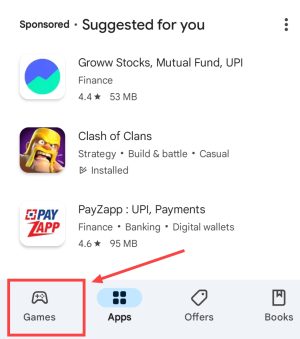
4. Now you will see crores of games here. Tap on whatever games you like.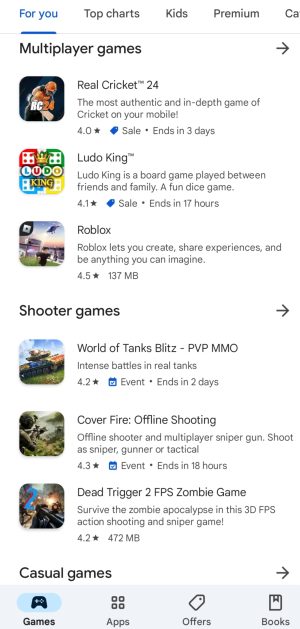
5. Now click on the Install button. After this, downloading and installing of that game will start in your phone. You have to allow the download to complete up to 100%.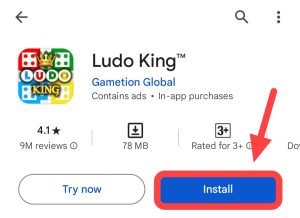
6. Then after that by clicking on Open/Play you can enjoy that game by playing it on your phone.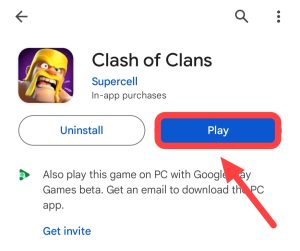
In this way, you can download any game for free in any Android smartphone with the help of Playstore. Want to download the game after this? You will not search this on the internet.
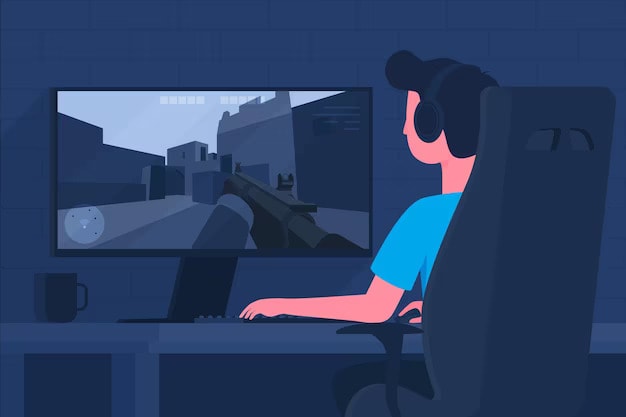
How to download games in computer/laptop?
You can download the game on your computer through the official Microsoft Store. Along with this, you will also be able to download games from some popular third party applications. Let us know:
1. First of all go to your computer/laptop search box. After that search here by writing “Microsoft Store”.
2. Now open your computer’s pre-installed software store by tapping on it.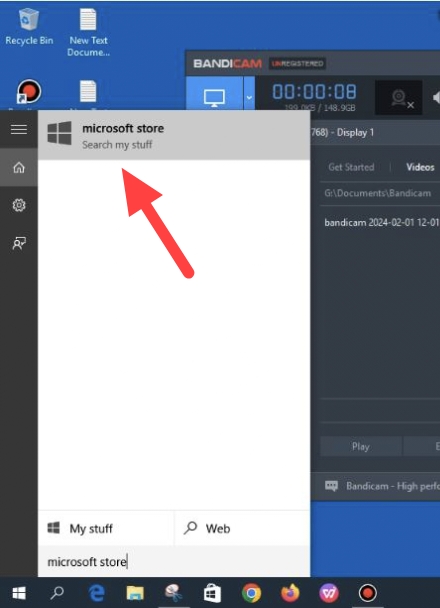
3. Now click on the Sign In icon on the right side here. After that sign in through your email ID.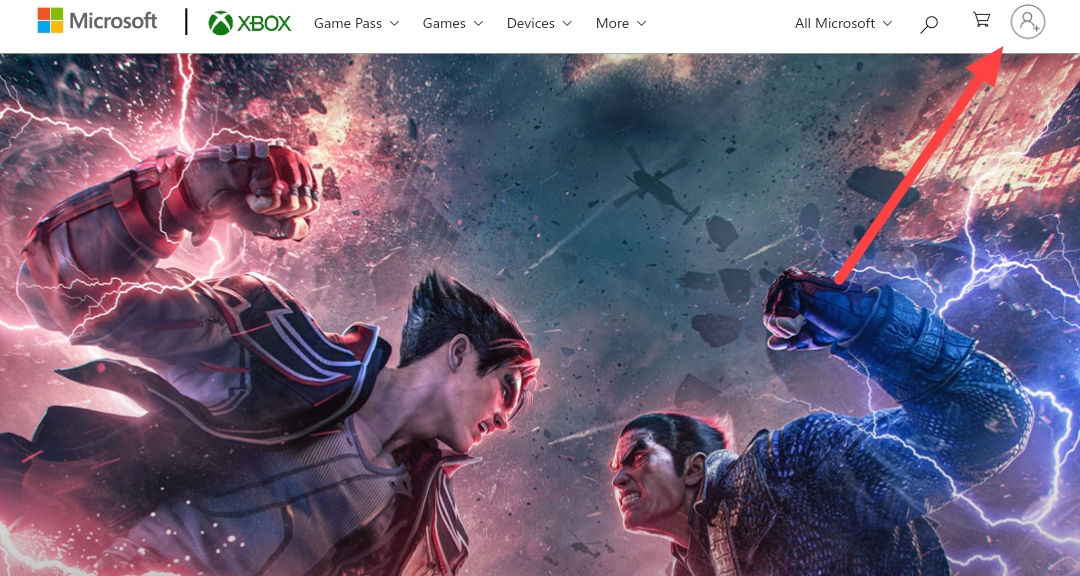
4. Then now if you want to download the game then click on the Gaming section here. 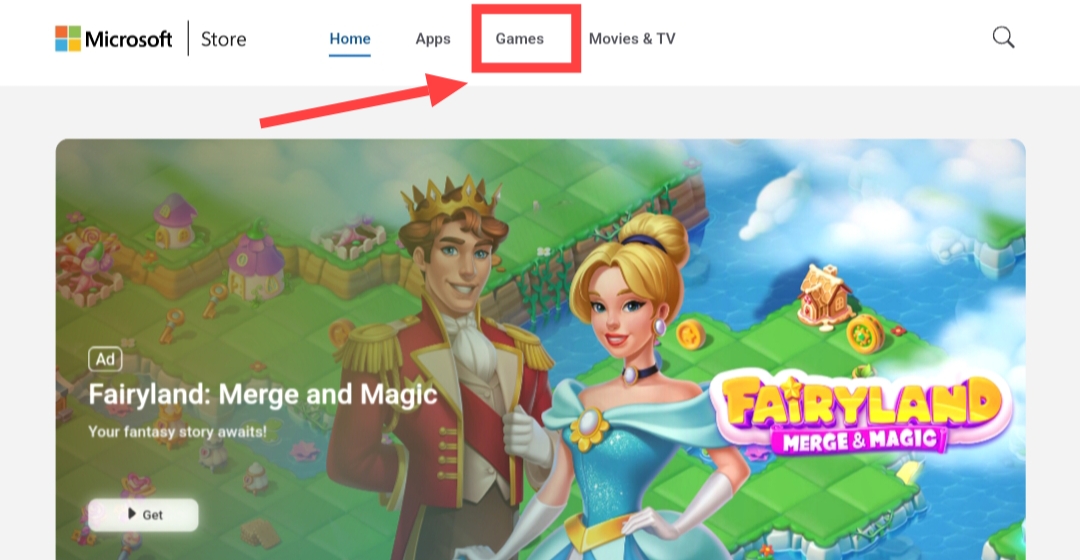
5. After this you will now see many games. Tap on whatever you like.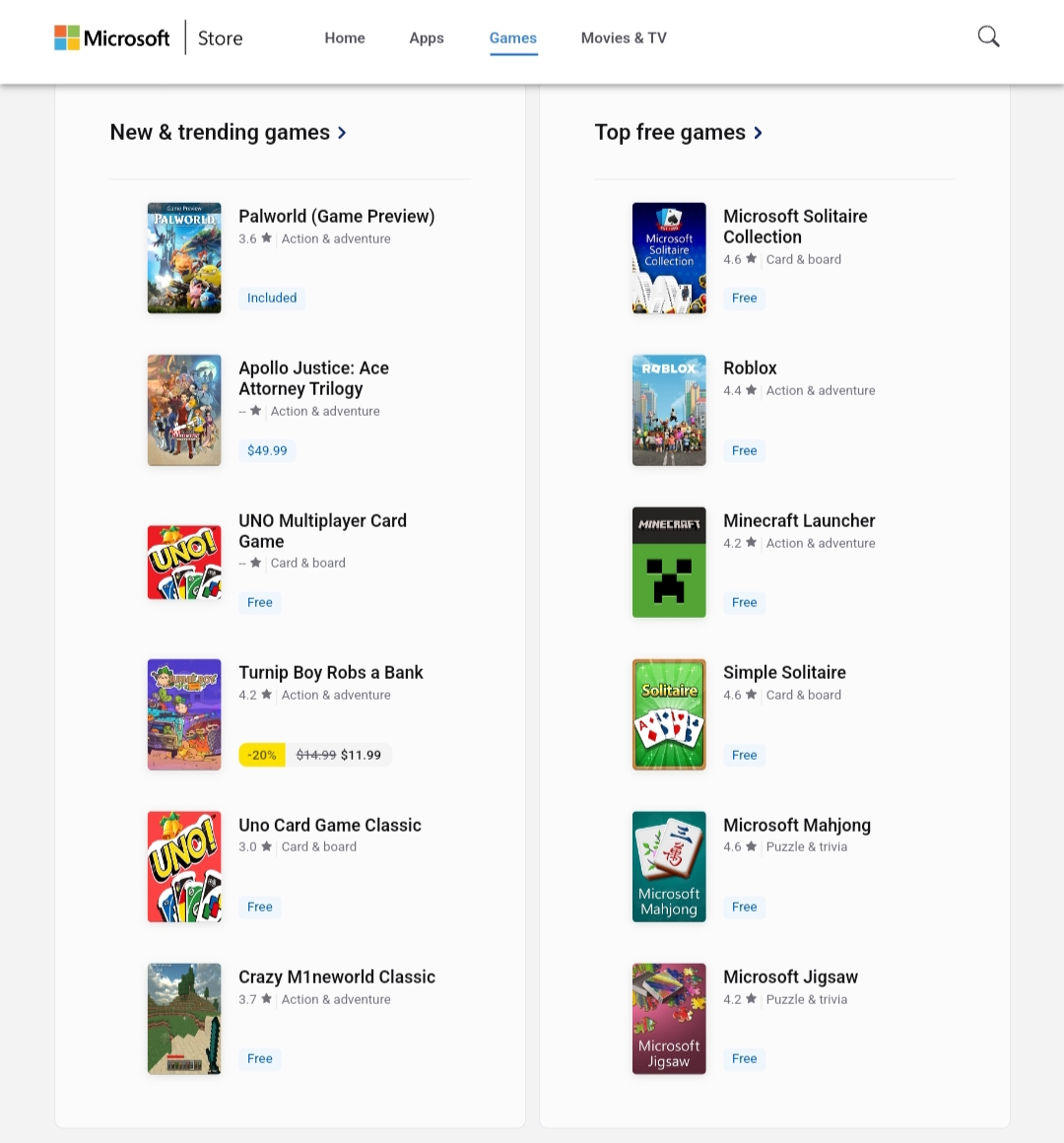
6. Then after that click on Get. Now your game downloading will be done in a short time.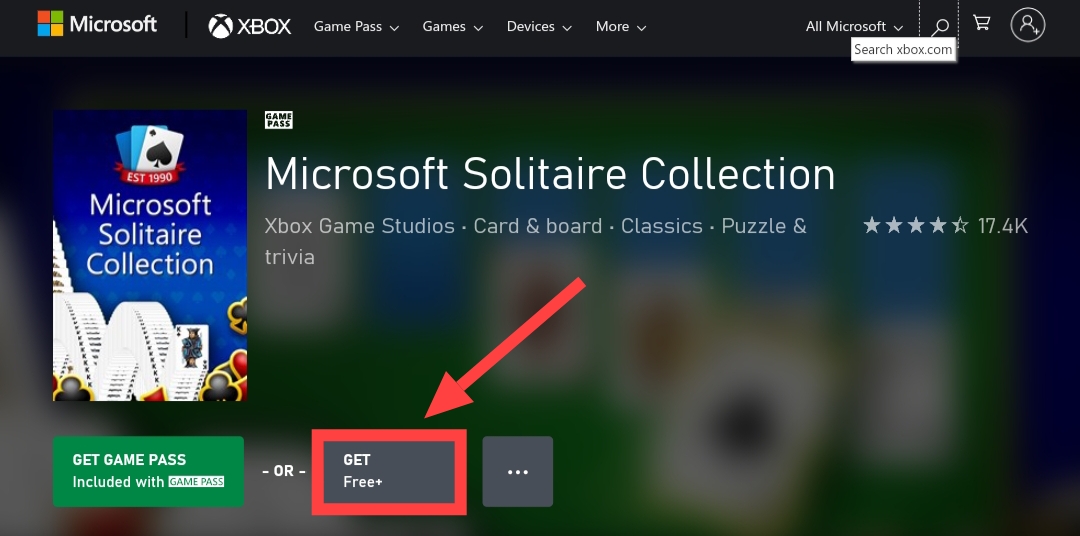
The downloading of the game will completely depend on your internet speed. After the game is downloaded, it will automatically install on your computer. Then you can open that game and enjoy it.