Nowadays slow motion videos are trending a lot. Especially on Instagram, people like to watch such videos. You must have seen that slow motion reel videos go viral very quickly on Instagram. Many people have earned a lot of followers on Instagram by making slow motion videos.
If you also want to become famous on Instagram, then you want to make a great slow motion video. So you have come to the right place because in this article we will tell you how to easily make slow motion video on Instagram without any app for free?
How to make slow motion video on Instagram? (without any app)
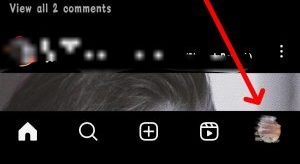
1. Open the Instagram app on your phone and then click on your profile icon.
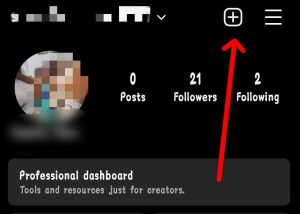
2. Now you have to click on the + button at the top.
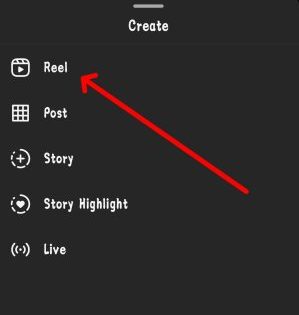
3. Now you have to click on the Reels option, it is possible that you may be asked for permission for some cameras etc., you have to allow it.
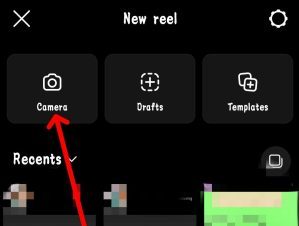
4. After allowing permission, you have to click on the camera button.
5. Now here you have to click on speed (1x) on the left side. As soon as you click on this option, you will see different options of .3x, .5x, 1x, 2x.
If you want to make smooth slow motion video on your Instagram, then you have to click on .3x. But if you want to make a simple slow motion video then you should make your video by setting .5x speed.
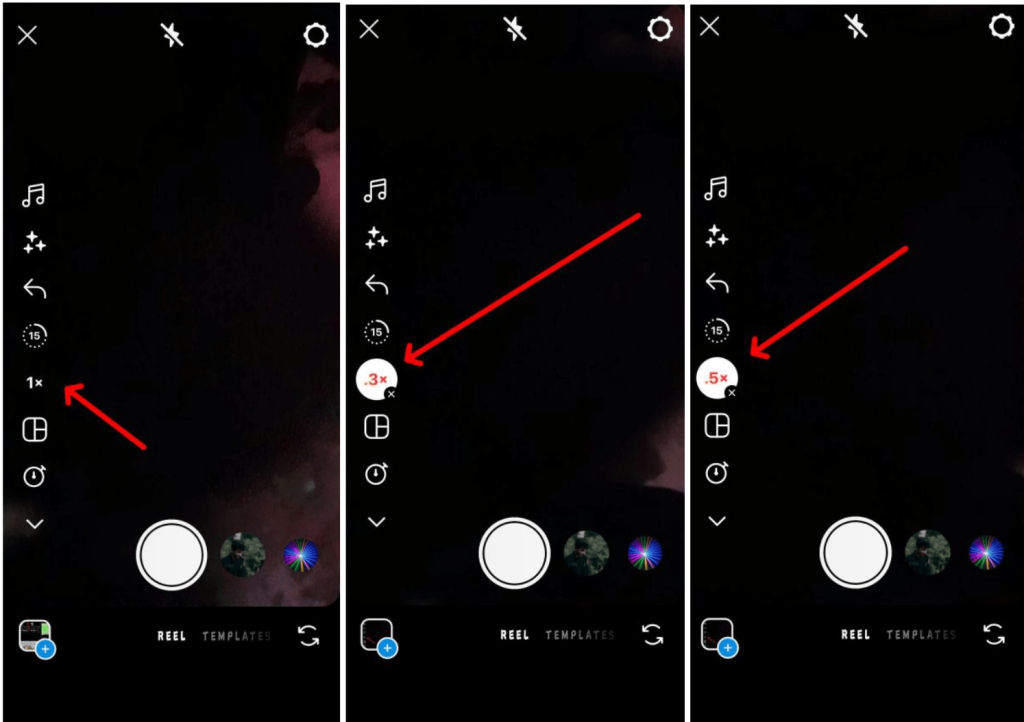
You can keep whatever speed you want in your slow motion video as per your choice. For your information, let me tell you that .5x speed is considered better for slow motion video because slow motion is detected very well in it.
It is not necessary that you can make videos only in slowmo. If you want, you can increase the speed of your video. If you want to keep the speed of your video fast, then you have to click on 2x.
In this way, to make slow motion video on Instagram, you do not need any third party application and you can easily make video in this way.
How to make slow motion video with Kinemaster?
me kinemaster I like it and professional video editing can be done very well with it! So you can also make slow motion videos on Instagram using this application.
- First of all, download and open the kinemaster app on your mobile.
- Now you will be asked for permission to access the media. So you have to give permission.
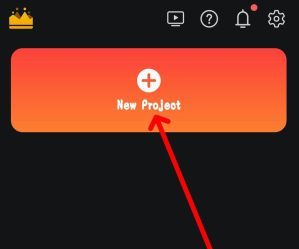
- Then to edit the video you have to click on New project.
- Now where will you go to select the layout of your video. So you have to choose the video layout here.
- After the video layout is selected, you have to click on the create button.
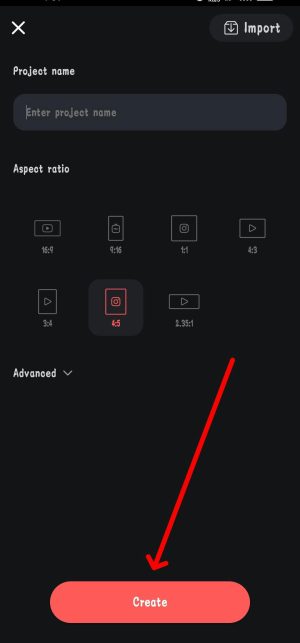
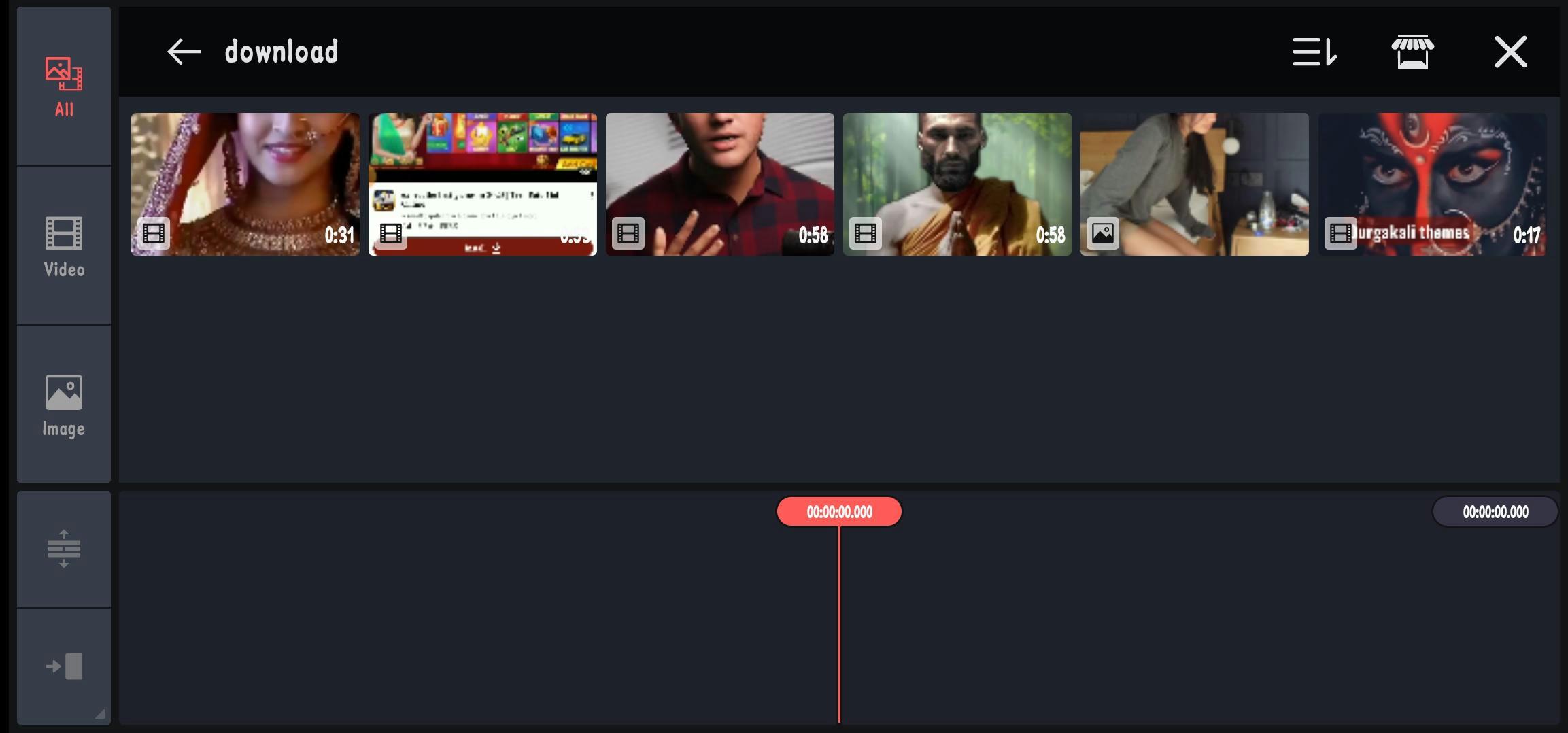
- After clicking on this button, the media will open in front of you, so you have to select your video footage from here.
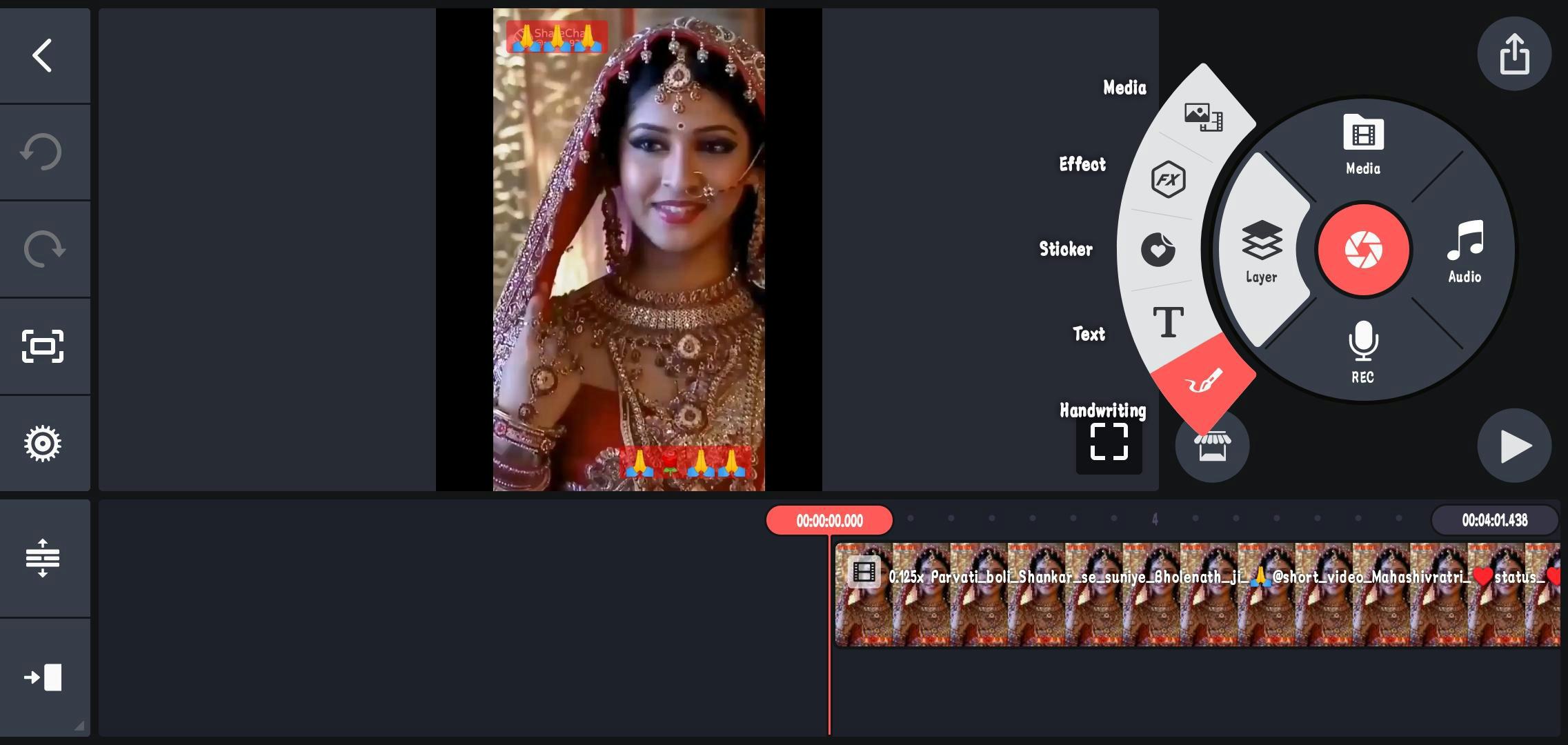
- As you can see, your video has come to editing. Here you will have to slow down the speed of your video.
- For which you can click on the video footage shown in front of the arrow.
- On clicking, this footage will be selected and you will see some more options.
- Here you click on the speed option.
- After clicking on Speed, you will see this type of option.
- Here you can slow down your video as much as you want.
- Now you have to set slow motion according to your video.
- In this way you can easily make slow motion video for Instagram.
After doing all this, your professional slow motion video is ready, now you can upload it.
Best apps for making slow motion videos
Well, Kinemaster is the best video editing app with the help of which you can make any video in slow motion. But apart from this, there are many other apps available which you can try.
Also read:






![[FREE] How to increase followers on Instagram? (Real Followers)](https://www.techtrends.blog/wp-content/uploads/2026/01/1767630200_FREE-How-to-increase-followers-on-Instagram-Real-Followers-330x220.png)