


Anything done on WhatsApp can be eavesdropped on by anyone. To avoid such situations, if you want that no one can see your message. So you can hide your WhatsApp chat. In this post I have explained 2 ways to hide any of your WhatsApp Chats.
How to Hide WhatsApp Chat from Archive?
1. First of all, you have to go to your WhatsApp and select the chat you want to hide.
2. After selecting Chat, you have to click on 3 dots on the top side.
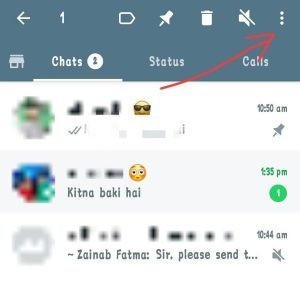
3. After clicking on 3 dots, you have to click on the option of archive chat.
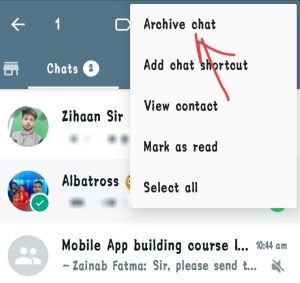
4. Now Your chat will be archived, meaning it will disappear from your chat.
5. If you want to see your chats back, then for that you have to scroll down through all your chats. After coming down, you will see an option of archived like this. You click on it.
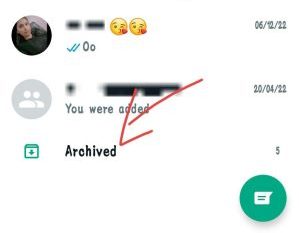
6. As soon as you click on Archived, you will get to see that chat there. Which you had hidden.
In this way you can easily hide any chat on WhatsApp.
Note – If you want to hide more than one chat from Archived, then instead of selecting one chat on WhatsApp, you have to select multiple chats and then hide all those chats in the same manner.
How to unhide chat from archive?
- For this, you have to scroll through your WhatsApp chats and go to archived and click on it.
- After clicking on this option, you will get to see hide chat, you have to select it.
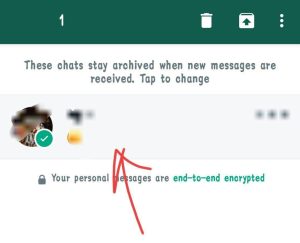
- As soon as you select chat, you will see some options, then you have to click on the Arrow seen in the screenshot. By doing this your chat will be unhidden.
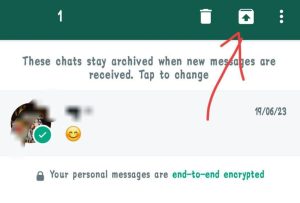
How to hide WhatsApp chat from Chat Lock?
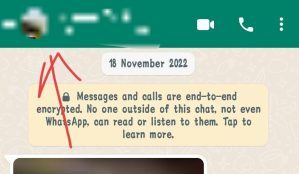
1. To hide WhatsApp chat, click on the chat you want to hide. Then You have to click on the name of the contact here.
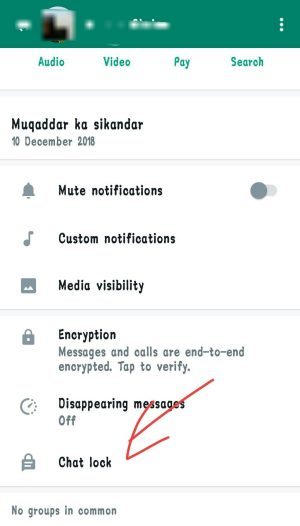
2. Now you have to scroll down this page a bit and then click on the chat lock option.
3. Then you have to click on the enable button.
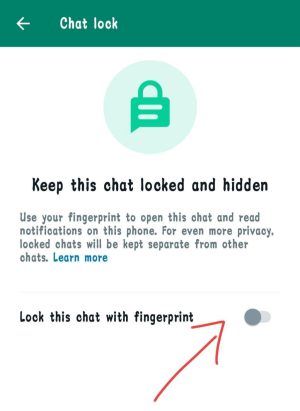
4. As soon as you click on it, you will be notified that your chat lock will not work when connected to the linked device i.e. computer. So you have to click on the ok button here.
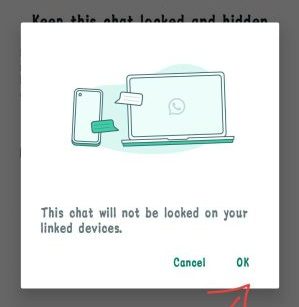
5. Now you have to enter your lock. That means you have to enter your fingerprint.
6. Now when you come to your WhatsApp, you will see the option of chat locked. You click on it.
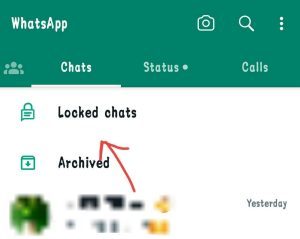
7. After clicking on it you will have to enter your fingerprint or lock. His After this you will get the chat which you had hidden.
In this way, you can easily use chat lock on your WhatsApp without downloading any third party app.
How to unhide chat from chat lock?
- To unhide chat from chat lock, you have to first go to WhatsApp and then click on chat locked visible above.
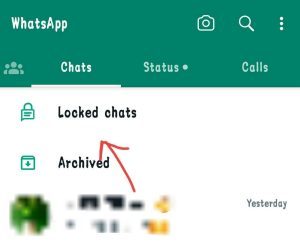
- After that you have to open the chat lock by giving the password.
- Now because you want to unhide your chat, for that you will have to click on the contact’s name again.
- Now go to the end and again click on the chat lock option and turn it off.
Also read:








![[FREE] How to increase followers on Instagram? (Real Followers)](https://www.techtrends.blog/wp-content/uploads/2026/01/1767630200_FREE-How-to-increase-followers-on-Instagram-Real-Followers-330x220.png)